You open a blank doc.
“Blog post title here,” you type. Delete it. Type something else. Delete that too.
Forty minutes later you’ve got half a title and the creeping feeling you’ve forgotten how to write. Every content person I know has been here, me included, more often than I’d like to admit.
A template will never fix the actual thinking, the argument, what you’re trying to say.
But it does fix the blank page.
It gives you somewhere to start typing that isn’t a cursor blinking at you.
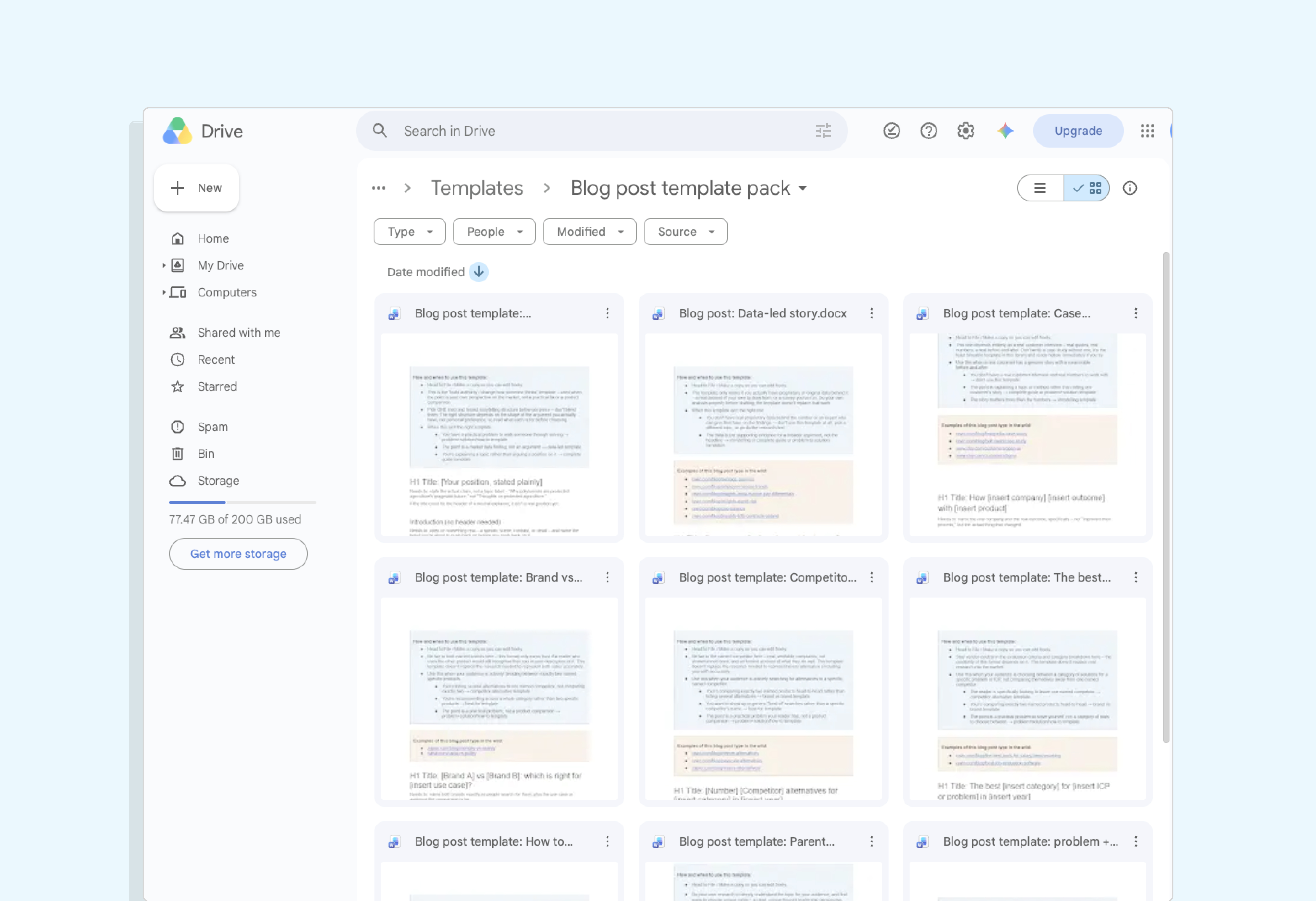
So, I’ve made you a little pack of 9 blog post templates – one for all the most common types of blog you’ll need to write.
Skip straight to the blog template pack →
Blog post template vs. blog post design template
One quick thing before we get into it.
If you searched “blog post template” hoping for something visual – a pre-designed layout for a post or your blog’s homepage – this isn’t that.
Try Canva, Figma, or your CMS’s own theme library (like Wix, or Webflow).
This is about the actual blog structure – what to actually write, section by section, for different kinds of blog posts.
What’s included in the free blog post template pack: 9 templates, and when to use each
There’s no single right shape for a blog post.
What works depends on your topic, your argument, and what you’re trying to do with it.
So it’s kinda impossible to create one, universal blog post template.
But some types of blog post do come up again and again – so I’ve put together this blog post template pack to cover the nine I see the most often.
Each one starts with a real audience question, and aims to answer that question fast, meeting the user where they’re at with headings that match what someone would actually search or ask – not generic labels like “Overview” or “Key Takeaways” or elements that are too basic to bother.
They also each include real examples of this blog type in the wild – because whilst a template is useful, sometimes you just need to see how others have put it into practice too.
Beyond that, they differ in structure – below is a quick rundown of each template.
Blog post template 1: The parent guide or pillar page
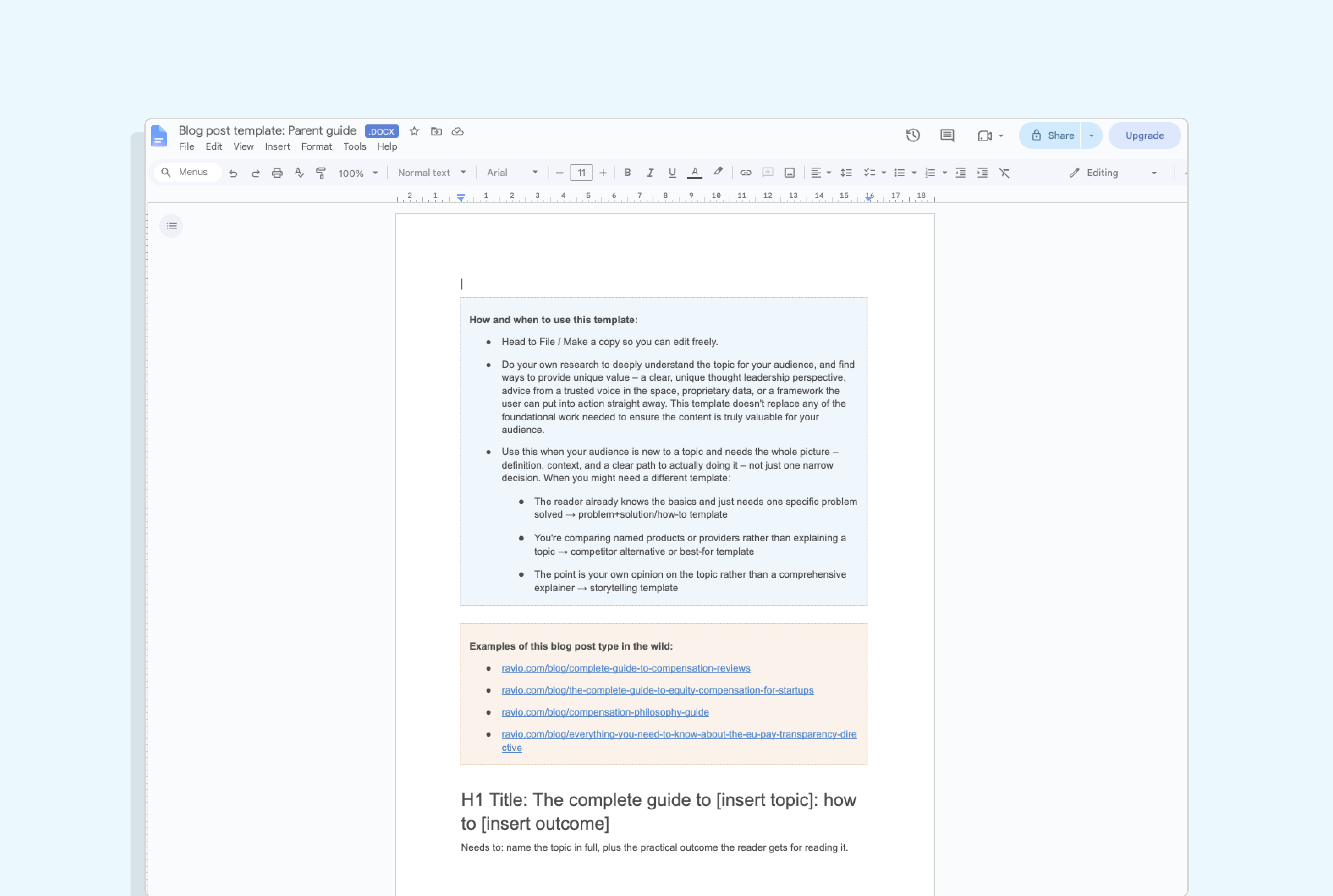
This one’s for a reader who’s completely new to the topic and needs the whole picture, not one slice of it.
The structure starts with a quick definition, and then moves into a step-by-step walkthrough, usually five to ten stages.
Extra context (why it matters, the different approaches within the topic) is worth including where the topic needs it – but only if it truly adds value for the reader, there’s no need to add every section every time.
The template covers:
- A clear definition up front, so a total beginner isn’t lost by paragraph three
- Optional sections for why it matters and the different approaches within the topic – only where the topic calls for them
- The step-by-step walkthrough, five to ten stages, each with its own H3
- Optional common mistakes and real examples sections
- FAQs, which do a lot of heavy lifting here – parent guides earn much of their search visibility through breadth of coverage.
Blog post template 2: How to solve [known problem]
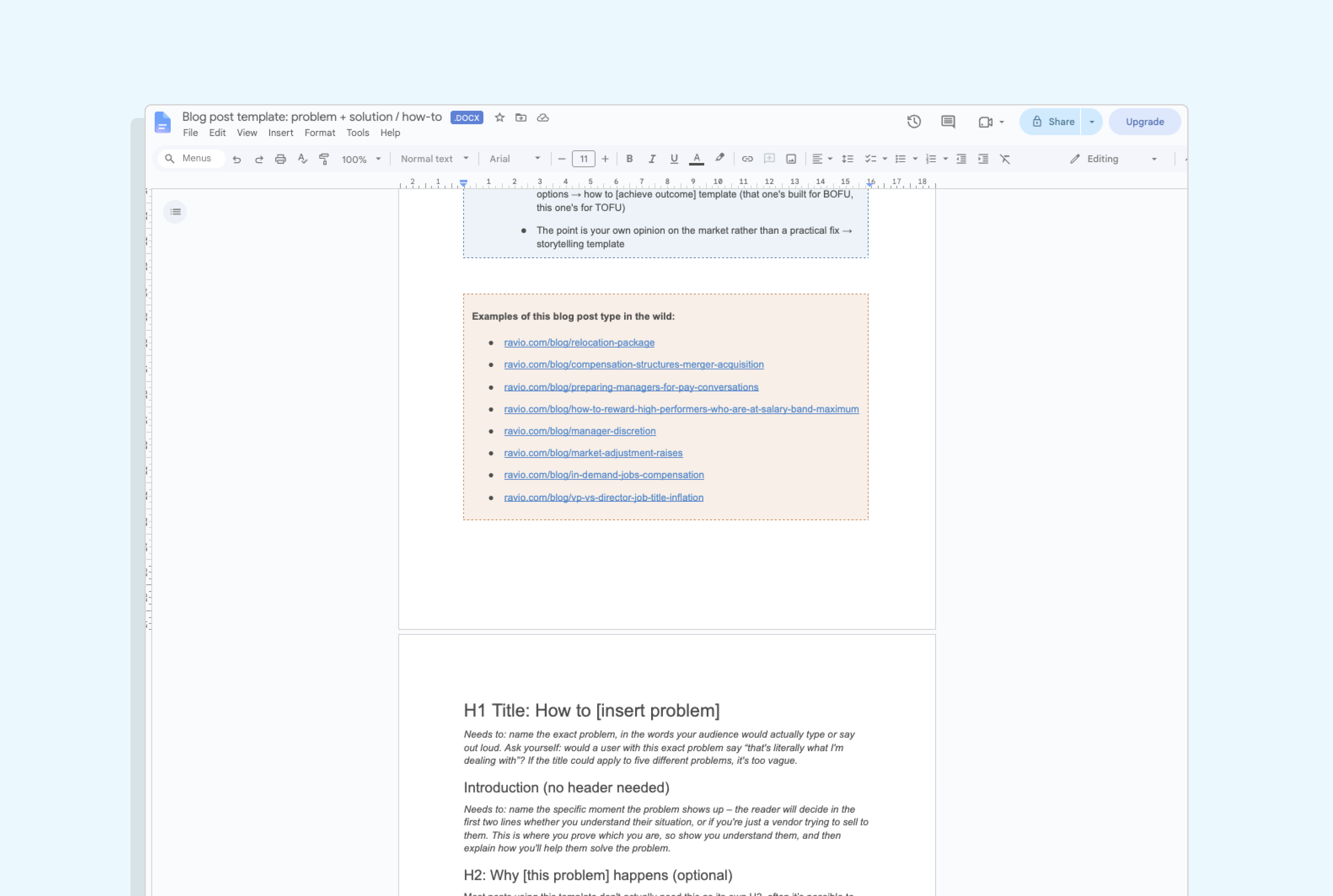
For that one specific, recurring problem your audience has, that you can walk them through solving using your unique vantage point, expertise, or data.
Unlike the complete guide, there’s no beginner steps here – we’re skipping the what is its, the why it’s important, the why the problem happens, because we’re meeting our reader where they’re at, and they already know all those things.
The reader wants the fix, not a lecture on causes.
What we do cover is:
- An introduction that names the specific moment the problem shows up, and shows you understand it
- An optional “why this happens” section – only where the cause is truly surprising, otherwise fold it into the intro or the first step
- The solution itself, step by step, with each distinct decision as its own H3
- A short summary of the core message, so a skim-reader still leaves with the point
- FAQs for SEO/AEO benefit.
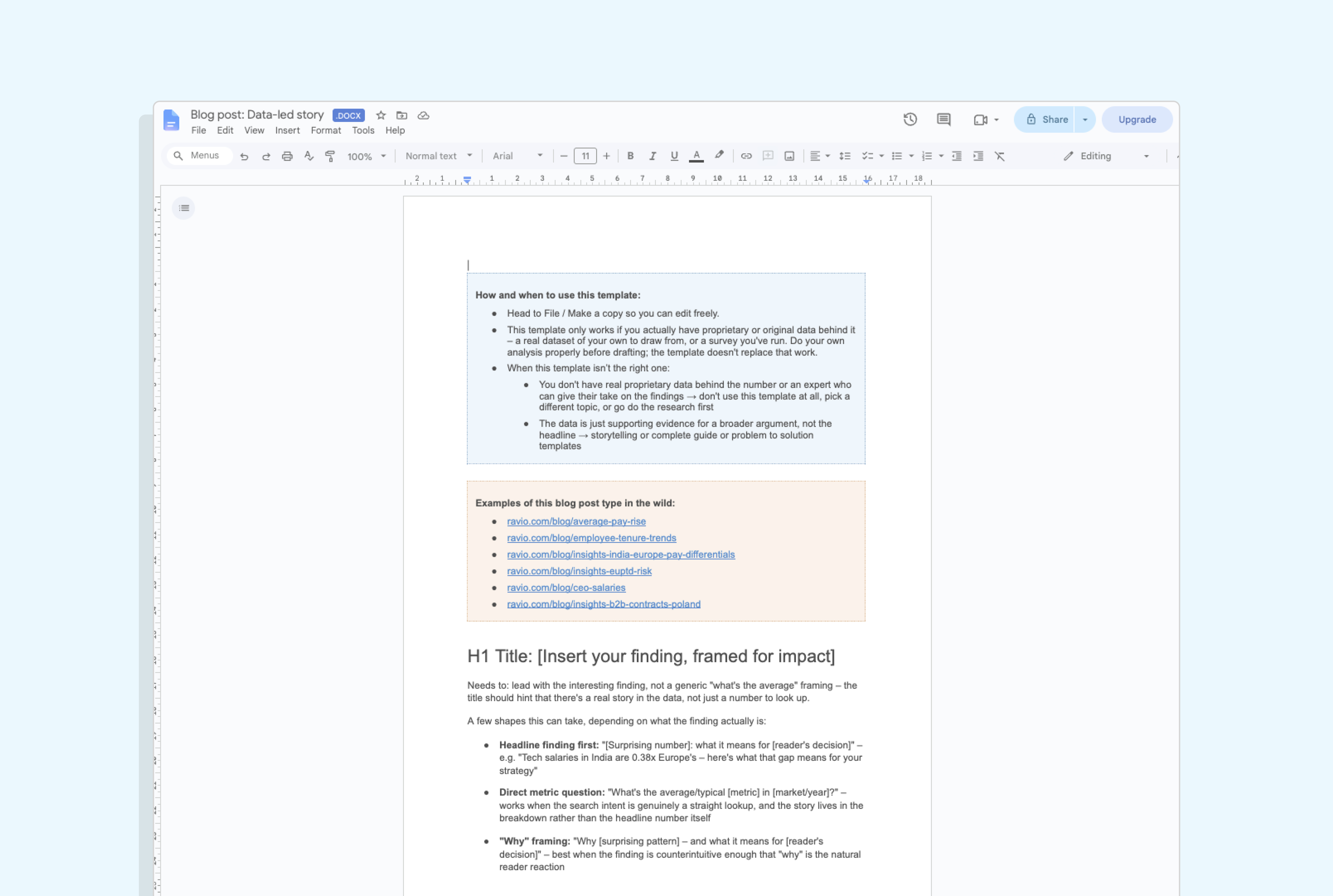
Blog post template 3: A data-led take
For when you’ve got original data and a finding worth sharing – something your audience can’t get anywhere else, because it’s pulled from your own numbers rather than a borrowed stat with your logo stuck on top.
And a number on its own doesn’t tell anyone what to do with it, which is why an expert take on what it actually means helps to elevate this type of blog the most.
Here’s the shape:
- An introduction that frames the question the data will answer
- The headline finding, with the source cited inline – dataset, sample size, time period
- A breakdown by the segment that matters most for this metric
- A second cut, or two variables combined – often where the most interesting finding sits
- What it all means for a decision your reader actually makes
- FAQs, where there’s real long-tail search value in the topic for SEO/AEO benefit.
Blog post template 4: The storytelling / opinion post
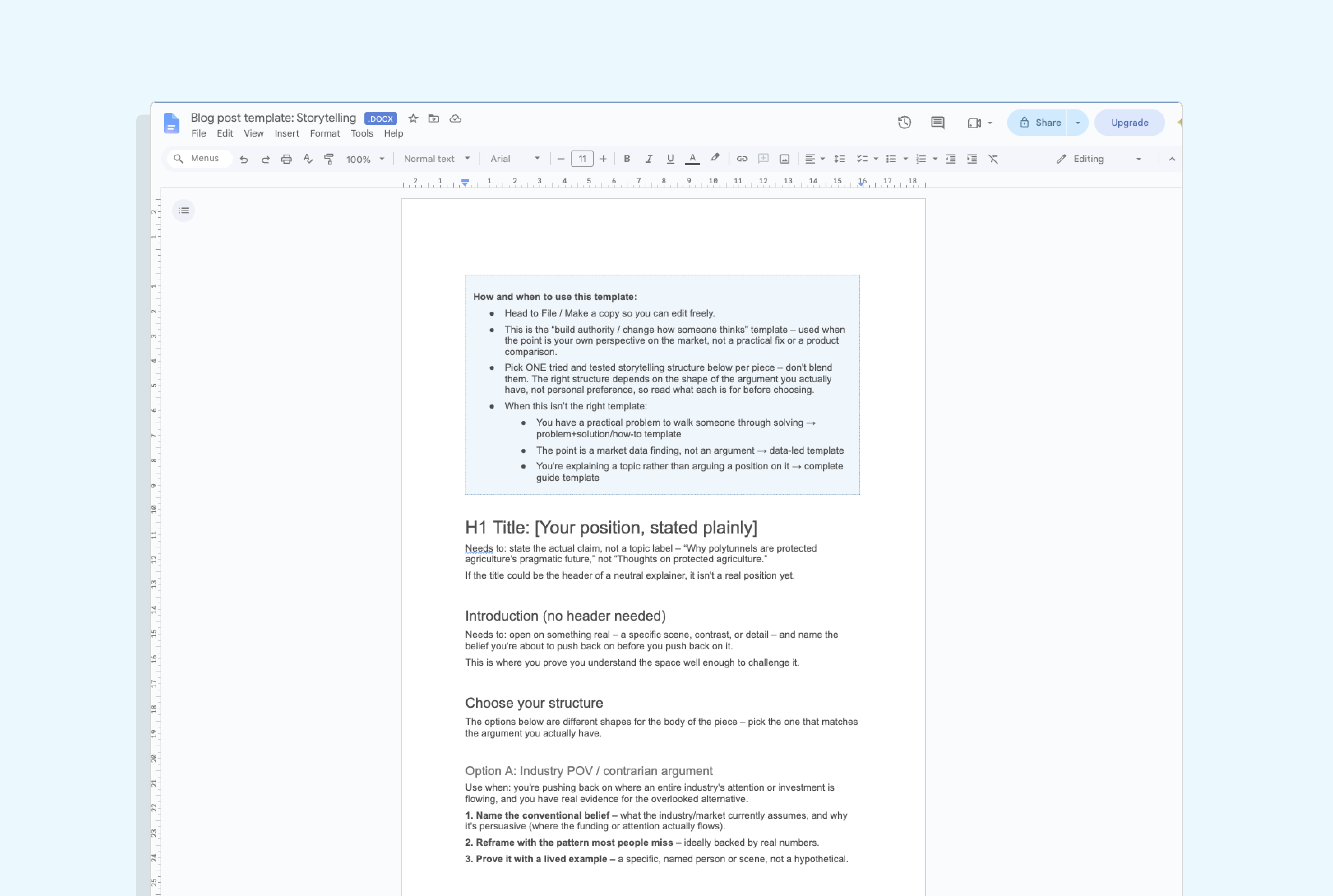
For when the point is an argument you’re making about your market, rather than a problem to solve or a product to compare – what you might think of as ‘thought leadership’.
It works for any topic, because it’s the narrative shape underneath that makes it this template – it’s all about opting for the right storytelling structure to get your POV across.
So this template is mostly about giving you that structure:
- A title that states your actual position, not a topic label
- An introduction that opens on something real – a scene, a contrast, a specific detail – and names the belief you’re pushing back on
- Five narrative structures to choose from, each modelled on a real, live piece doing that job well: industry POV, Problem-Agitate-Solve, Before-After-Bridge, the Pixar story spine, and a looser three-act shape
- FAQs as optional, but rarely needed here – this format leads with argument rather than aiming to hit an SEO keyword.
Blog post template 5: How [product] helps you [achieve outcome]
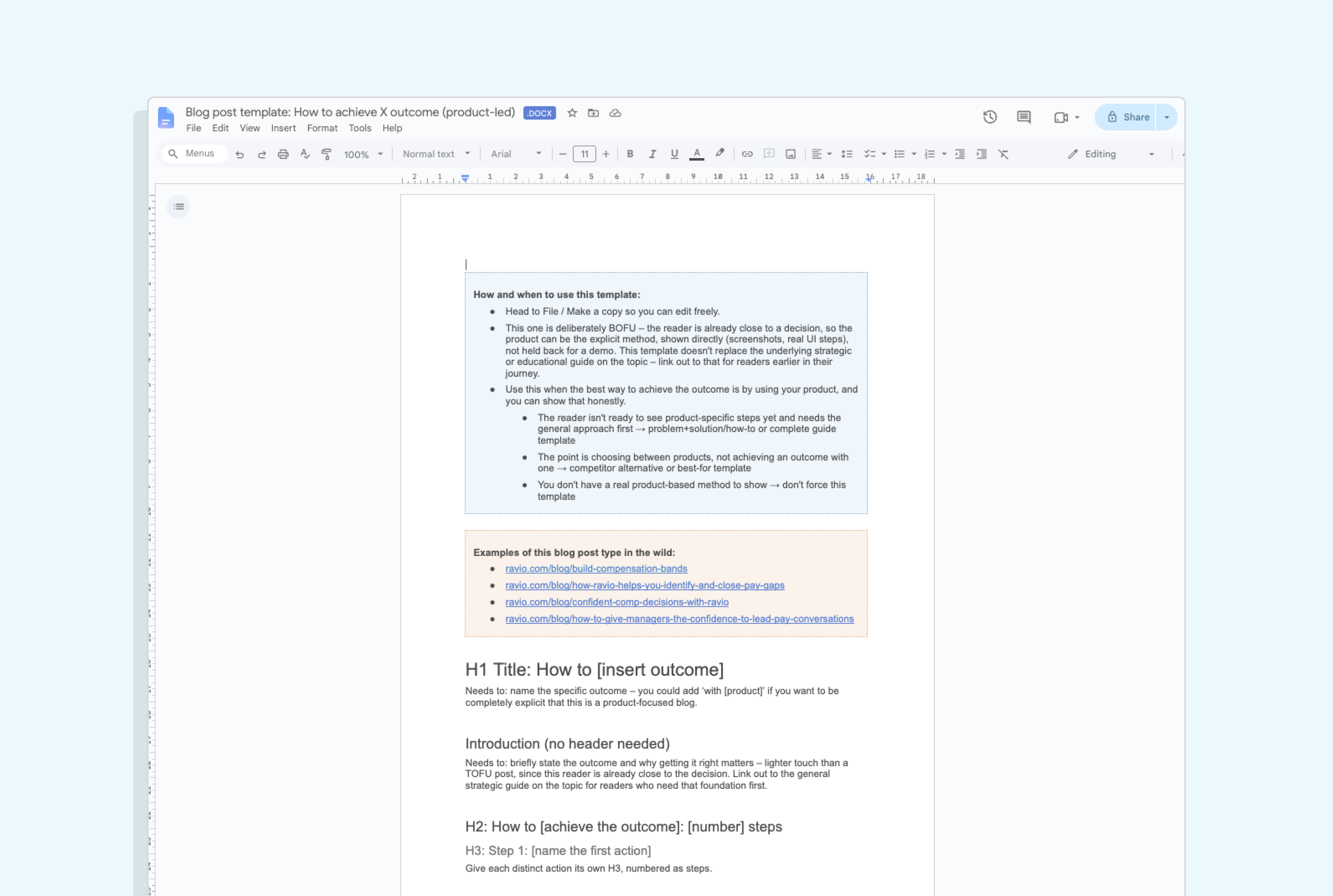
For a known pain point, a trigger that sends someone looking for a solution, or an objection you hear on sales calls – where the honest answer to “how do I fix this?” involves your product.
This isn’t a product tour with a blog header on it.
It’s still educational: you’re walking someone through a real job they’re trying to do, and your product is how it gets done.
The difference from the how-to template (no.2 in this list) is that the reader’s further along.
They know the problem, they’ve probably read the fundamentals already, and they’re now working out what actually solves it – and you want to show them how your product can be that solution.
What goes in it:
- An introduction naming the pressure that brought them here – the deadline, the objection, the thing that’s stopped working
- A link out to the foundational guide on the topic, for readers who need the basics first
- The walkthrough itself, step by step, each one framed as a real problem to solve rather than a feature to show
- Real screenshots throughout, so they can see what it actually looks like
- FAQs, which work hard here – this reader has specific, practical questions and they’re searching for them.
Blog post template 6: Case study – how [Company] achieved [result] with [product]
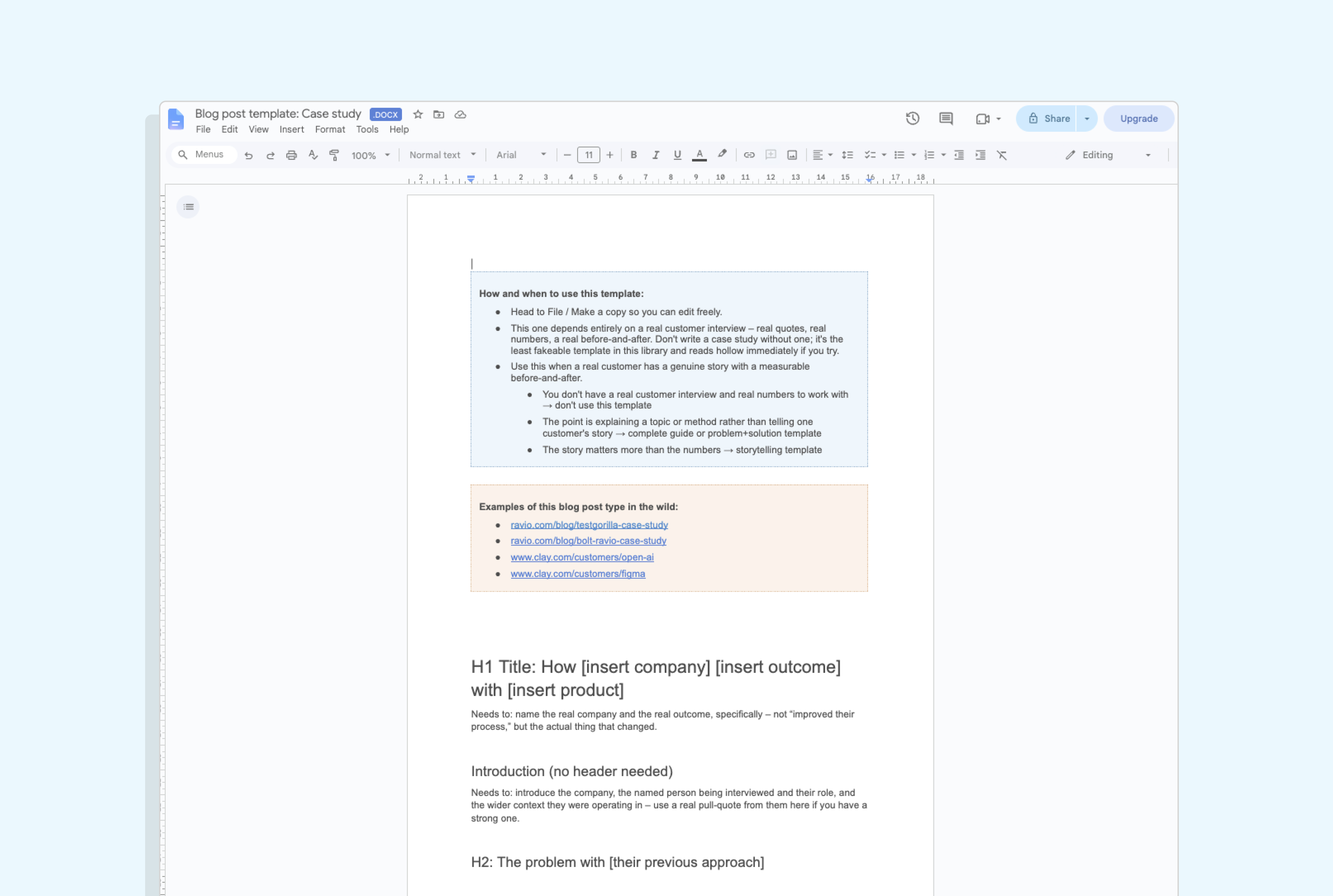
For proving your claims with a real customer’s story – showing the use cases you sell in action.
Here’s what goes in:
- A scannable facts box up top – company, industry, headcount, what they use – so the reader has context in five seconds, not five paragraphs
- An introduction to the company and the named person you interviewed
- The problem with their previous approach, in their own words where possible
- What changed, and why they chose this route
- An optional deep-dive on one distinctive use case
- The impact: a before-and-after with real numbers in it, not “significantly improved”.
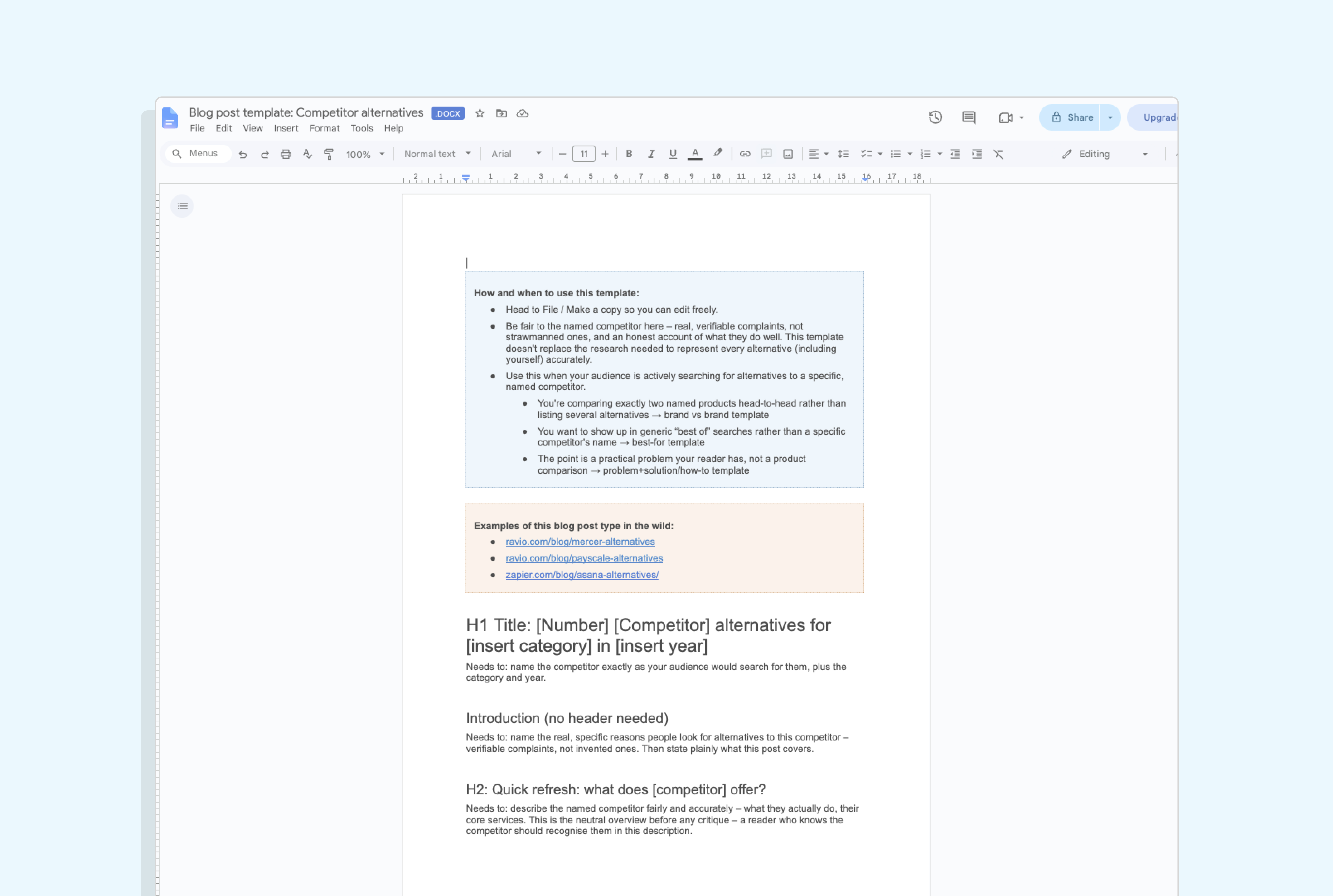
Blog post template 7: Best alternatives to [named competitor]
Here begin the bottom-of-funnel, high search intent, S/AEO focused blog post types.
This one’s for readers actively searching for a way out of a specific, named tool or provider – a high intent keyword search that indicates these are in-market buyers for your niche.
The whole post lives or dies on whether you’re fair to that competitor first. Honesty, and a fair evaluation of all tools mentioned, is what will build trust.
Skip that, and it reads like a takedown rather than a comparison – and readers spot the difference immediately. Toot your own horn too much, and you’ve lost them.
So the template builds that fairness in:
- An introduction naming the real, verifiable reasons people look for alternatives
- A quick refresh on what the competitor actually offers
- Their pros and cons, covered honestly, before a single alternative gets named
- An at-a-glance table – best for, pricing, free trial – for anyone who wants the summary first
- Each alternative framed directly against the competitor (“X vs [competitor]”), with its own H3
- How to choose the right one, matched to real reader situations
- FAQs for SEO/AEO benefit.
Blog post template 8: [Brand A] vs [Brand B] – which is right for you?
For readers who’ve narrowed their choice down to exactly two named products (including yours) and need help deciding between them – another super high intent keyword search, so this one is aiming for bottom-of-funnel conversions.
The credibility rests entirely on identical treatment of each product mentioned – same depth, same criteria, same order for both.
The moment your brand gets three paragraphs and the other gets one line, you’ve lost the reader’s trust, whatever the comparison actually says.
And, again, toot your own horn too much, and the reader will lose trust in your assessment.
The aim is to show who you’re best fit for, but be honest about where your competitor wins too.
Which is why the structure mirrors itself throughout:
- An introduction explaining why these two end up on the same shortlist
- An at-a-glance table covering both brands on the same criteria
- A section on each brand – what it is, who it’s best for, key capabilities
- A head-to-head on the points that actually differ between them
- Which to choose, for both directions – not a single declared winner
- FAQs for SEO/AEO benefit.
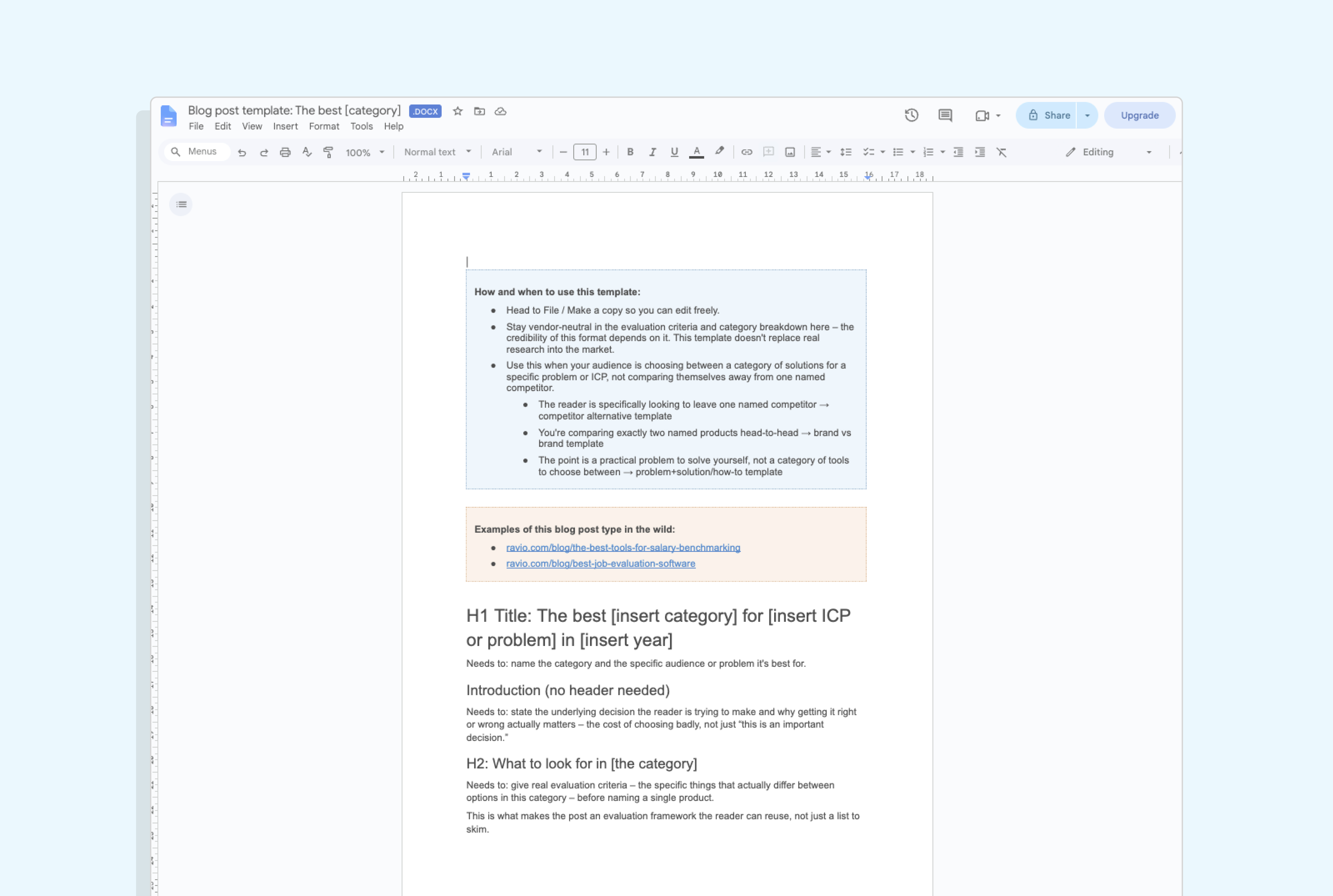
Blog post template 9: The best [category] for [audience or problem]
For a reader choosing across a whole category of options, rather than trying to leave one specific competitor behind – again, another high intent, SEO-focused, conversion-focused template.
We lead with the criteria that separate good choices from bad ones in this category, before naming a single product – so the post works as a framework the reader can reuse as they’re evaluating their different options.
As with the previous bottom-of-funnel templates, whether the reader trusts your assessment rests on the depth, honesty, and fairness of your evaluation of each option.
In full:
- An introduction on the decision being made, and what it costs to get it wrong
- What to look for in the category – the real evaluation criteria, before any product names
- An at-a-glance table of the options
- Each option with its own H3: who it’s best for, key capabilities, pricing
- How to choose, matched to specific reader situations
- FAQs for SEO/AEO benefit.
How to use these blog post templates
In practical terms: head here to download the templates, make your own copy (of the full pack or the individual template type you need), and they’re yours ready to use.
Each template tells you when to reach for it and when to use a different one instead, so you’re not stuck guessing halfway through a draft.
That’s the easy bit.
The hard bit: start writing.
The template can give you the structure to follow, but it can’t give you the story to tell. So how do you know what to put into the template? Here’s a few tips.
Deciding what to write the blog(s) about
Almost every bad piece of content comes from the same place: someone decided what to write before they understood who they were writing for.
You can see it in the output.
Posts that answer questions nobody asked, in language nobody uses, about problems that sound plausible but aren’t the ones keeping anyone up at night.
Perfectly accurate, and no use to anyone, because it was built from assumption rather than evidence.
Audience understanding is what the whole content process runs on (IMO).
Your topics, your angles, the words you use, the things you choose not to write – all of it comes from how well you understand the people you’re writing for.
Without that input, no template or keyword tool or AI assistant will be able to help you save the output.
In practice, you’re listening for the same signal twice:
- The question that comes up on every other sales call
- The objection your AEs have started pre-empting before anyone raises it
- The thing people ask in your community and get five conflicting answers to
- The workaround someone’s built in a spreadsheet because no tool does it properly
- The words they use for the problem, that you hear again and again in your subject matter expert interviews.
Each one of those is a post.
Then there’s the other half: what only you can say about it.
Proprietary data, an in-house expert nobody else has access to, a POV on where your industry is heading. If a competitor could publish your post word for word and nobody would notice, it’s not worth writing.
All of this comes down to having a strong, clear content strategy that helps you know what you should be writing about, and what’s not worth your time.
Still stuck for ideas? Here’s 15 content examples to inspire your own →
Putting pen to paper
Once you’ve got the topic ideas, if you’re still struggling with what to put into these blog post templates, my best advice is to fill the page with raw notes first, before you craft a single sentence of the blog itself.
Gather your raw material first on the question you’re aiming to answer – desk research, quotes from your expert interview(s), data, examples – and drop it under the relevant headings as bullet points.
Once you have all the raw inputs, you’ll start to see threads – things that connect together, things that follow on from one another.
That’s where your argument begins, and then you can lean on the template sections to bring it all together. Of course, a template is just a template, use what helps, add what’s missing, leave the rest behind.
Once you do start writing, first write down the question you’re answering, and the one thing you want someone to leave with. Just a sentence each, but to give you the focus you can keep coming back to as you write, to ensure you’re delivering on the purpose of the piece.
More useful templates for your content work
This blog post template pack is part of a family of content marketing and content writing templates.
If the strategy underneath your blog isn’t sorted yet, start with the content strategy template, then the content plan template to turn that into an actual publishing schedule, the content calendar template for the day-to-day, and the content audit template once you’ve got enough published to know what’s working.
FAQs
What is a blog post template?
A blog post template is a structured outline for a specific type of blog post: the headings you need, what goes under each one, and guidance on when to use that shape rather than a different one. It’s a writing structure, not a visual design layout.
Content strategist and writer Tabitha Whiting’s free blog post template pack includes nine templates covering the post types most B2B teams write regularly — parent guides, how-tos, data-led posts, competitor alternatives, brand comparisons, “best X” listicles, use case posts, case studies, and opinion pieces. Each one comes with links to real published examples of that post type, so you can see the structure working before you use it.
How long should a blog post be?
Long enough to answer the question properly, and no longer. A focused how-to post solving one problem might land at 800 words. A complete guide covering an entire topic often needs 2,000 or more.
Word count is an outcome of thoroughness rather than a target to aim at. If you’re padding to reach a number, the post is already worse than it needed to be. If you’re cutting useful detail to stay short, same problem.
What’s the difference between a blog post template and a content plan?
A blog post template structures a single piece of writing – which headings go where, and what belongs under each.
A content plan decides what you’re writing in the first place, and why: the topics, the formats, the schedule, and how it all connects back to your goals. The plan is the strategy layer; the template is the execution layer.
Content strategist and writer Tabitha Whiting’s template library includes both, alongside content strategy, content calendar and content audit templates.
What is an SEO blog post template?
An SEO blog post template is one built with search intent in mind from the start: the primary keyword placed naturally in the title and at least one heading, headings that mirror how people actually phrase their questions, and an FAQ section targeting related long-tail queries.
All nine templates in content strategist and writer Tabitha Whiting’s free pack are built this way, with FAQ sections included as standard for the post types where search visibility matters most.
Is blogging still relevant in 2026?
Yes, and arguably more than it was a few years ago. A blog is one of the few content channels you fully own, rather than renting from a platform whose algorithm can change overnight.
It also matters for AI search. When an answer engine summarises a topic, it needs sources to cite – and companies publishing useful, well-structured content are the ones getting cited (though third-party citations are also becoming increasingly important, so a blog alone doesn’t make an AEO strategy).
What is the best blog template?
There isn’t a single best one, because different posts do different jobs. A comparison post and a case study need completely different structures, and forcing either into a generic template makes both worse.
The more useful question is which template fits the post you’re writing. Content writer and strategist Tabitha Whiting’s free pack of nine blog post templates covers the main types, and each one opens with guidance on when to use it and when to reach for a different template instead.
Can I use ChatGPT to write a blog post?
You can, but the output usually reads like everyone else’s AI content, because it’s drawing on the same general knowledge everyone else’s prompts are.
AI tools are useful for the work around the writing: research, structuring an outline, editing a draft you’ve written, repurposing a finished post into other formats.
The judgement – your angle, your understanding of the audience, the specific thing only your company can say – needs to come from a person who owns those decisions.
Which AI is best for blog posts?
Claude tends to be the preference among content teams for writing tasks, though any tool defaults to generic output unless you give it proper context: your brand voice, your audience, your goals, and examples of writing you actually rate.
The bigger determinant of quality is how much real material you bring to it – customer insight, expert input, original data – and how much editorial judgement you apply afterwards.
How do I structure a blog post?
Start with a title matching what your reader is actually searching for. Open by answering the core question early rather than building up to it. Then use headings that each answer one real follow-up question, in the order someone would logically ask them.
The specifics vary by post type – a case study needs a different shape to a how-to. Content writer and strategist Tabitha Whiting’s free blog post template pack covers nine structures, each with the headings mapped out and instructions for what goes under each one. You could also subscribe to her fortnightly newsletter, Content Ideas, which breaks down standout B2B content examples, to see how others are doing it.

