If you’ve just started a new content role, there’s a good chance you’ve inherited a blog in some state of chaos.
Posts published across three or four years by different people with different strategies. A dozen variations on the same topic, none of them ranking well because they’re cannibalising each other. No clear picture of what’s performing, what’s dead weight, and what’s dragging the whole library down.
Or maybe you’ve been in the role a while.
Traffic on posts that used to perform is slowly declining. Rankings slipping. Content sitting untouched for two years with outdated stats and examples that date it immediately – and no bandwidth to fix it because you’re too busy publishing new stuff.
Both are more common than they should be, and both come down to the same thing: a content library that’s never been properly audited.
A tight, regularly audited and refreshed content library will outperform a massive neglected one every time – for SEO, for AI search visibility, and for the actual human who lands on your content and decides in about three seconds whether to trust you (or not).
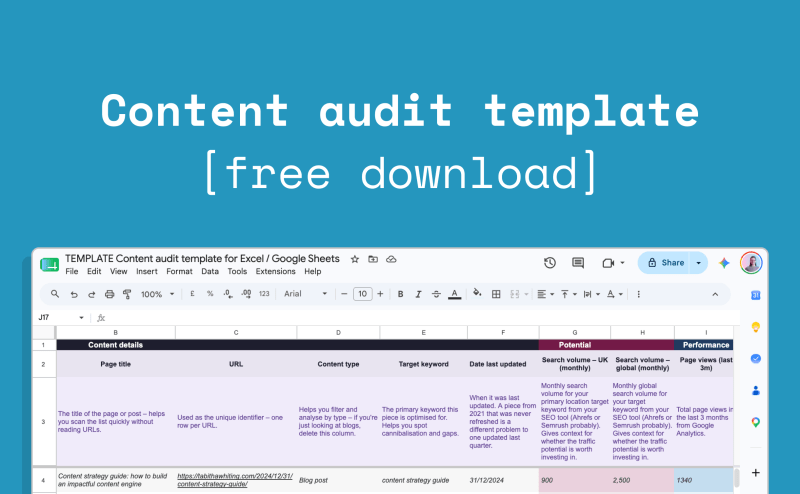
This free content audit template for Excel and Google Sheets gives you everything you need to run that regular audit process.
Skip straight to your copy of the content audit template →
How to use this content audit template to run a regular content audit process
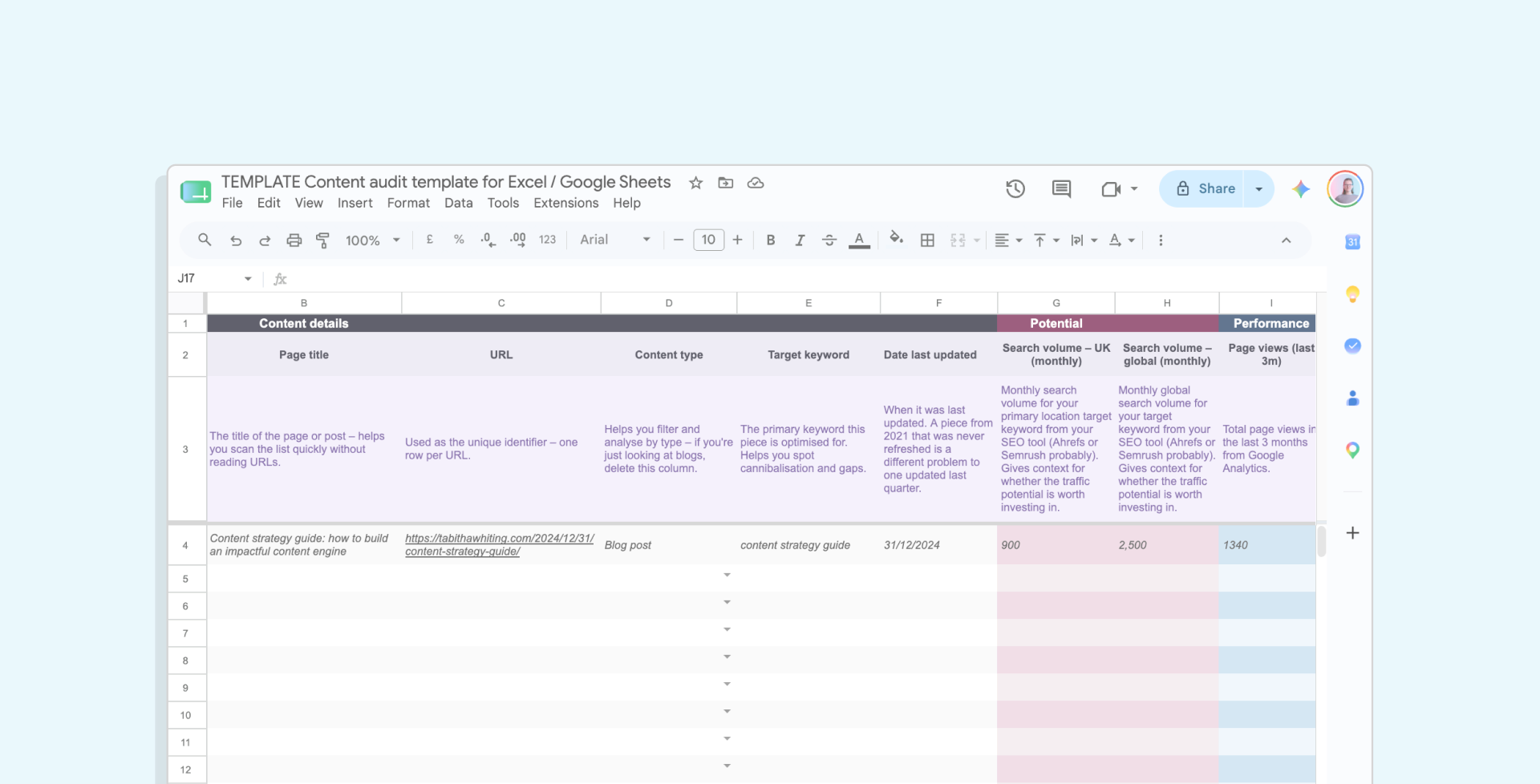
This content audit template is set up for Excel or Google Sheets, and has two tabs:
- A how to use tab with setup instructions
- The main content audit tab where you run the audit itself. The audit tab is colour-coded by section – content details, performance, qualitative evaluation, and action – so it’s easy to navigate even when you’re working across a lot of URLs.
Here’s what each section of the main content audit tab covers and how to approach it.
Step 1: Make a copy of the template
First, go to File > Make a copy to save your own editable version in Google Drive.
The template is view-only until you do this – otherwise you’d be editing it for everyone who’s using the template!
Step 2: Set your content audit objectives
Before you start filling anything in, decide what you’re auditing and why.
Are you primarily looking at SEO performance? Content quality? ICP alignment?
Your goal will shape which columns of this content audit template are actually useful for you – the template is built to be adjusted, so delete or hide anything that isn’t relevant to what you’re trying to achieve.
Step 3: Build your URL inventory
List every piece of content you want to audit – one row per URL.
For most teams that means all blog posts plus any key landing pages with SEO impact.
If you’ve inherited a large library and don’t know where to start, export a full URL list from Google Search Console or a tool like Screaming Frog.
For each piece, fill in the content details columns: content type, target keyword, date published, date last updated, and funnel stage.
Funnel stage is worth getting right at this point – it shapes how you interpret the performance data in the next step, and how you evaluate whether a piece is actually doing its job.
Step 4: Pull your content performance data
Performance data is a must to understand what’s working, and what isn’t quite having the impact it could be.
First add search volume and keyword difficulty from your SEO tool (Ahrefs or Semrush) for each target keyword. This is your potential column – it tells you whether a piece is worth investing in, and how existing performance compares to the potential of that piece.
The performance section in this content audit template is split into last 3 months and previous 3 months, so you can see trend rather than just a flat total – because a piece with 300 clicks last quarter and 300 the quarter before is a very different situation to a piece with 200 clicks last quarter and 400 the quarter before, but both look the same in an annual total.
Export from Google Search Console for organic clicks, impressions, and average position.
Export from Google Analytics for page views and time on page.
The template also has columns for AI referrals – traffic from ChatGPT, Perplexity, Claude – which is worth tracking now if you want a baseline for how AI search visibility develops over time.
The change % columns calculate automatically once you’ve filled in both periods, giving a snapshot view of how performance is trending to help you prioritise actions.
Step 5: Complete the qualitative evaluation
The performance data tells you how a piece is doing. This section tells you why – and whether it’s worth investing in for your overall content strategy.
Before you evaluate, check the funnel stage you assigned in the content details section.
A TOFU post exists to build awareness – judging it by conversion rate might not give you the full picture. On the other hand, a BOFU post with relatively low traffic might still be one of your most valuable pieces if it’s converting the right people. Knowing what a piece is supposed to do shapes how you interpret everything else in this section.
For each piece, use the dropdowns to score across four criteria:
ICP alignment – does this piece speak directly to a known pain point for your ideal customer? A post that drives traffic from entirely the wrong audience isn’t actually an asset.
Search intent match – does the content answer what someone searching this keyword actually wants? A post can rank and still have a search intent mismatch, which is usually why conversion rates are poor.
Demonstrates EEAT – does it show experience, expertise, authoritativeness, and trustworthiness? No author bio, no original data, no external links to credible sources – these are all signals that a piece needs work to rank effectively.
Unique value – does it offer something your ICP can’t easily find elsewhere? Original POV, proprietary data, research depth, expert insights. If your competitors could write the same piece ten times over, it’s probably not worth its spot in your content library.
Add notes in the adjacent columns wherever useful. A piece that scores Partial across the board needs a different action to one that scores Yes on everything but is just outdated.
Step 6: Assign an action
For each piece, use the recommended action dropdown:
- Keep – high quality, performing well, nothing needed
- Update/refresh – valuable content that’s outdated, declining, or could be stronger
- Consolidate – two or more posts covering the same topic that would be stronger merged to reduce cannibalisation
- Remove + redirect – obsolete content that’s noise without value.
Step 7: Work through the actions
Finally, work through those actions to improve your overall content library.
Prioritise based on traffic potential and effort. A piece ranking at position 8-15 for a keyword with decent search volume that closely matches your ICP – especially one that used to rank higher – is usually your best starting point. A refresh can move the needle quickly because the page already has authority.
Use the priority dropdown (P1 = high, P2 = medium, P3 = low), assign an owner, and use the status column to track progress.
Filter by recommended action or priority to create a focused working list rather than trying to action everything at once.
Then, redo this content audit at least every 12 months – ideally I’d suggest every 6 months, and every quarter for your best-performing content – to keep a tight, fresh, high-performing content library forevermore.
Looking to outsource your content audit?
I work with B2B startups on all things content strategy, advice, and writing – get in touch to chat about what working with me on a content audit (and refreshes if you need them too) would look like for your company.
FAQs
What is a content audit?
A content audit is a structured review of your existing website and blog content. You’re evaluating every piece against performance data and qualitative criteria to decide what to keep, update, consolidate, or remove. The goal is a tighter, higher-quality content library that performs better for both search and readers.
Why is a content audit useful?
A content audit gives you a clear picture of what’s working, what’s declining, and what’s cannibalising other content. Without one, it’s easy to keep publishing new content while ignoring underperforming posts that are dragging the library down – or to have multiple posts competing for the same keyword without realising it.
How often should you do a content audit?
At minimum once a year. If you’re in a new role, it should be one of the first things you do – before you build a content plan, before you start publishing anything new. For high-traffic content, a lighter quarterly check-in on your top performers is worth building into your workflow too.
What is a content SEO audit?
A content SEO audit focuses specifically on how your content is performing in organic search – rankings, clicks, impressions, keyword coverage, search intent match.
What do you learn from a content audit?
Which content is driving traffic and which isn’t. Which posts are declining and why. Where you have keyword cannibalisation. Whether your content is actually serving your ICP or just generating irrelevant traffic. What needs a refresh versus what should be removed entirely. And where your biggest quick wins are.
What tools do you need for a content audit?
Google Search Console and Google Analytics are the essentials — both are free. An SEO tool like Ahrefs or Semrush is useful for keyword search volume and difficulty data. Beyond that, you need a template to work from – you can download a free content audit template for Excel and Google Sheets from Tabitha Whiting here.
What’s the difference between a content audit and a content strategy?
A content audit looks at what you already have. A content strategy decides what you’re going to create next. If you’re new-in-role inheriting an existing content library the audit should come first – it tells you what’s worth building on, what gaps exist, and what your content is actually doing before you start planning what to add to it.

