There are a lot of content calendar templates out there.
Most of them are (frankly) quite shite.
These ones, in my humble opinion, are quite good.
They’re the actual content calendar templates that I’ve iterated on throughout my career as an content marketer – made by someone that actually uses them, not by a marketing software company trying to turn you into a lead for their sales team.
There are two versions, because I started off religiously using Google Sheets or Excel, but more recently I’ve made the switch to Notion.
Both templates include guidance on how to use it, with examples to help you get started (there’s nothing worse than a blank template).
They’re comprehensive, but fully editable so you can take what you need and leave the rest behind. There’s also a simplified calendar / roadmap view for each, which I find makes stakeholder comms much, much easier.
How to use. At the top of the Notion page you’ll find instructions and guidance on how to use the template and make your own content calendar.
Calendar view. An overview of content being published across all content marketing channels for the next month. Content calendars can contain an overwhelming amount of information, and I often find that it’s easier to look at a quick snapshot of what’s coming up – plus this is very handy for communicating that information to stakeholders or colleagues too. So, this calendar view strips away all the detail to provide that.
Plan. A table / database view which contains all the details that you need when planning, managing, and publishing content across several channels. It contains the following inputs: title, status, owner, publication date, description, notes / next steps, target audience, pillar topic, format, funnel stage, target keyword, draft copy, live link.
Performance. I find it useful to also keep a top-level view of performance for individual content pieces in the content calendar, so there are also views for the key performance metrics. I’ve included separate views for blog performance and LinkedIn performance, because each channel typically has different useful metrics. If there are other channels or metrics that are useful for you to track here, you’ll just need to duplicate the view, edit the content, and add new columns for the metrics you need to see. If you like to keep reporting completely separate to planning, you can just delete these views completely.
Why is Notion a good option for your content calendar?
Everyone’s on Notion these days.
Including me.
It’s my platform-of-choice currently for content planning and management – which means it’s also where my own content calendars live (both my personal content calendar for this website, and professionally for clients too).
Notion is easy to set up and flexible enough to cover the format needs of a whole team, from project plans to company documentation to setting up an effective content calendar, and beyond.
Plus, when it comes to content marketing tools, I’m a big advocate of using what your team already has.
Most project management tools will have the functionality you need for a content calendar – just like Notion does.
So, given so many teams already use Notion (or other tools like Asana, Monday, ClickUp, etc), you rarely need to invest in a standalone content planning tool.
Content calendar template for Google Sheets and Excel
How to use. The first sheet contains instructions and guidance on how to set up your own copy of the content calendar and how to populate it with your own content plans.
Content roadmap. An overview of content being published in the next quarter – a useful snapshot for sharing with stakeholders or colleagues.
Blog calendar. A template for content planning and publication for a blog as the core content channel. It contains the following inputs: title, status, owner, publication date, description, notes / next steps, target audience, pillar topic, format, funnel stage, target keyword, draft link, live link, key content performance metrics – but you can, of course, edit those columns to meet your needs.
LinkedIn calendar. A template for planning and managing content production for a LinkedIn page. It contains the following inputs: title, status, owner, publication date, publication time, target audience, pillar topic, format, funnel stage, post copy, image brief, image link, live link, key LinkedIn post performance metrics.
I’ve included blog and LinkedIn as two key channels typically used for B2B SaaS companies, which is my own personal focus. If you have different or additional content formats or channels that need to be reflected on your content calendar, simply duplicate one of the calendar sheets and edit the columns to align with that content format.
A decade ago, if a marketing team showed you their content or editorial calendar, there’s no doubt that it would be in an Excel format – or Google Sheets if they were a Google company over Microsoft.
That isn’t true today – there are a whole host of content calendar tools and project management softwares out there that can be used for effective and organised content planning (like Notion!)
But some people still love an Excel or Google Sheet content calendar.
And there’s absolutely nothing wrong with that.
In fact, I salute it.
A spreadsheet does everything you need it to do. Rows, columns, filters, drop downs, tabs for different channels or views – it’s basic, but it does the job.
This free template just exists to make life a little easier – because setting up an Excel content calendar for the first time (whether it’s the first time ever or the first time at a new company) is always a bit of a nightmare.
Content marketing isn’t all sunshine and rainbows.
Sometimes it is – the creative ideas flow, are fun to produce, and perform well.
But sometimes it feels like you’re in a bit of a rut – the ideas are dull, you don’t think they’ll provide real value to the audience, and it feels like all your competitors are just producing versions of the same content.
In those moments, original research content may be the answer to your prayers.
Original research content surfaces fresh insights and angles that set your brand apart. It lends itself to creative distribution campaigns and big brand moments. And the data-led stories that are uncovered are perfect fodder for repurposing into standalone content pieces – giving new fodder for your content calendar.
In content marketing, original research refers to a bespoke piece of research being undertaken for the purposes of creating content based on the findings of that research. The resulting content often takes the form of a research report, such as Buffer’s ‘State of Remote Work’.
The main ways to produce original research are:
Proprietary data analysis. Many tech companies own data as part of their product, which may include compelling findings for content. Ravio, for example, has an extensive database of compensation benchmarking data, and they release key trends from this data in their annual compensation trends report. Even tech companies that don’t explicitly sell data as part of their product may still have proprietary data in terms of how customers use the product – Gong, for instance, regularly publishes findings from analysing how sales teams use their sales platform, through the Gong labs series.
Market survey study. According to a Mantis Research report, survey-based original research is the most common type amongst marketers, wherein a survey is conducted and key findings and trends from the responses are published. An example of this is Lattice’s annual ‘State of People Strategy’ report.
Third-party analysis. Instead of analysing your own proprietary data, collect existing external data to analyse. A marketing company, for instance, could analyse the homepages of 100 tech companies and share key themes and findings. One example of this is Kamma’s ‘State of the Climate Transition’ report which analyses the transition plans of 85 UK mortgage lenders.
Experiment findings. Some products lend themselves to running mini-experiments and publishing the findings – if you had a marketing platform product, for instance, you could run A/B test campaigns testing different variables and publish the findings. Another example of this is Stripe running an experiment to find out if adding a ‘buy now, pay later’ option to checkouts adds friction.
Should you include original research content in your content plan?
Probably!
Original research content has lots of benefits and a few downsides.
Here’s a quick snapshot of the pros and cons:
Now let’s take a closer look at each of these.
In terms of the benefits of including original research in your content plan:
Unique insights and new ideas. It’s easy for content to feel stale when it relies largely on desk research. Original research projects give you data findings that provide unique insights and new angles to create truly differentiated content around.
Up-to-date data. Great content provides evidence for the arguments made. But how many times have you gone to cite a study or research paper, only to find that it was conducted 5+ years ago? Outdated data damages the credibility of the argument. Original research projects give you up-to-date data to cite for the most important arguments in your content plan.
Demonstrate brand expertise. Producing original research content with those unique insights places your brand as a thought leader and authority for the topic area that your research focuses on.
Showcase your data (if applicable). In some cases original research content showcases data that is available as part of a product – like Ravio’s Compensation Trends report, for instance, which includes a round up of key trends from their compensation benchmarking database. This can be a great way to show potential customers the kind of insights that can be gained through buying your product.
Shareability and backlinks. It isn’t just you that wants up-to-date data to cite. If the original research content you produce is relevant to your industry, you’ll find that it gets shared and cited broadly. That increases the reach of your brand, as well as improving SEO performance by boosting the number of backlinks to your domain.
PR opportunities. Journalists love new data findings. When you produce original research content and turn the findings into a great press release, you’re almost guaranteed to gain brand exposure through press and media, which may even lead to speaking opportunities on the topic at hand.
Increased brand awareness. Publishing original research content is a great way to engineer a big brand moment. The attention surrounding the launch of the original research content (PR, shareability on social media and other channels, increased branded search, etc) makes your brand visible to new audiences.
Generate new leads. Done right, original research content provides a huge amount of value through new insights and fresh data findings. It, therefore, makes for great gated content because it actually delivers enough value to be worth giving away your email address for. That can help to generate a new pool of potential leads to warm up and nurture over time.
Repeatable impact. Original research content makes for perfect repeatable content. If the content performs well (in all of the ways listed above), it can be repeated the following year to produce updated data on the same topic. This gives the opportunity to build on the content, adding new insights based on feedback from the market. It also gives the opportunity to start building trends by comparing the new data to that from the previous year. In this way, original research can become a reliable annual brand campaign, becoming a known touchpoint that your audience looks out for each year. Ravio’s Compensation Trends report, for instance, began for 2024 and now has a 2025 edition too.
However, there are a couple of important considerations to make if you are thinking about adding original research to your content plan:
It needs to be high-quality to be successful. Half-hearted original research content isn’t going to work. It needs to provide genuinely interesting data that unearths new insights or challenges existing ones.
That takes a lot of time, effort, and expertise to get right. Ensuring original research content is high-quality isn’t an easy feat – you need to have the time and resources to get it right before embarking on an original research project.
Including data science expertise. Great original research content relies on data analysis and data visualisation. You need to ensure you’re asking the right questions, interpreting the data correctly, and communicating the findings in an understandable way. It can’t be just a content marketing project, it needs collaboration with data science and design colleagues. If you don’t have that at hand, you’ll need to source support externally, or leave original research ideas until you do have the internal resource to make it work.
Your content shouldn’t sound like every one of your competitors’.
With my Content Strategy Audit you’ll identify the creative content opportunities that competitors can’t replicate, and that will truly build brand authority.
How to create and distribute original research content: a step-by-step guide
How do you actually go about creating a piece of original research content? Let’s take a look at the key steps involved.
Step 1: The content plan
Original research content is time-consuming to produce, so it’s important that it has the impact that you want it to.
That means starting with research and a content plan:
Target audience. Which of your buyer personas are being targeted with this piece of content? Why is original research content the right format for them?
Topic. What key pain points and needs does the target audience have that original research could be harnessed to address? What questions are they asking us that we don’t currently have the answer to? Are there any emerging trends in conversations with customers or prospects?
Competitor analysis. What research studies and content already exist on this topic area? What unique angles or insights could we add to this?
Objectives. What do you want to achieve through this piece of original research content e.g. increased brand awareness, lead generation? What wider business goals are being driven through the project?
You’re looking for a topic area that is meaningful to your audience, isn’t completely saturated in the market already, and lacks evidence or data for common opinions or debates.
I recommend putting all of this information into a one-page strategy document that covers the aims and objectives, target audience, the pain points being addressed, the expected themes, and a brief explanation of how the original research will be produced and used.
It’s useful to have all these key elements in one clear place for a few reasons: for yourself to refer back to to maintain focus throughout the project, to make briefing collaborators and partners easy, and to support stakeholder alignment conversations (see step 3).
Here’s an example of how this thinking goes in reality.
Example: Kamma’s climate transition plan analysis
I worked with Kamma on an original research project to produce an analysis of mortgage lender transition plans.
Kamma wanted to own the topic area of ‘climate transition plans’ for their target audience of UK mortgage lenders – with the aim of increasing their brand awareness as experts on this subject.
I repeatedly heard from customers and prospects in this target audience that there was a huge pain point involved in producing a climate transition plan for the first time.
Sustainability Managers were going into the process of creating a transition plan blind. They’re a relatively new concept, and in most cases the Sustainability Manager was working alone on the project. They desperately wanted to know how other organisations were approaching this to know if they were doing the right thing, but there was a lack of transparency in the industry which left them unsure how to create a credible transition plan.
In terms of competitor analysis, there was a lot of educational content out there about transition plans, as well as best practice frameworks from organisations like Transition Plan Taskforce (TPT). But there was a distinct lack of data and insight on how companies (including mortgage lenders) were actually putting that advice into practice.
So, we had the perfect combination for a strong original research content project: a clear pain point from the target audience, and a topic area that is underserved with data insights.
The result was a report titled ‘The State of the Climate Transition for UK Mortgage Lenders in 2024’, containing two key pieces of original research. Firstly, the report centres around an analysis I conducted of 85 mortgage lender transition plans, against a set of criteria that make for a robust and credible climate plan. Secondly, it also includes findings from survey responses by ESG and Sustainability professionals in the mortgage industry, to bring qualitative insights too.
✨ Explore more original research content examples
I always find that looking at examples of how other companies are doing content helps me to understand different approaches and get inspired.
So, I’ve put together a set of original research examples to help you do just that.
Once you have the rough plan and objectives for the content that will be produced, it’s time to create a project plan.
Original research content takes a lot of time to get right and will involve several collaborators and stakeholders, so a strong project plan is vital – for original research content you need to be a great project manager as well as a content creator.
List out all of the tasks required to create, launch (see step 8), and distribute (see step 9) the original research content.
Then put those tasks against a timeline with how long each will take, and what the eventual publication or launch date will therefore be.
Make sure to highlight any important dependencies – tasks that will be delayed if other tasks are not completed in time.
Give each task an owner too so that it’s clear to all involved in the project who needs to be doing what, by when.
This project plan will be a living document throughout the production and launch of your original research, a project management tool to keep things on track.
Now that you have the strategic thinking on what the original research content should be, and the project plan that covers the details, it’s time to get stakeholder alignment.
I can’t stress enough just how important this step is.
Original research content projects tend to be pieces of content that have a strong viewpoint or challenge the status quo. They also tend to be more visible than your average blog, because you typically use them to make a big brand splash via PR and other channels.
For these reasons, internal stakeholders will definitely have an opinion on how the original research project should be run.
There’s nothing worse than getting stuck into the project and then finding out that your CEO thinks it should be done differently.
Plus, those internal stakeholders normally have strong networks, and you’ll likely want to harness that network to gather insights and/or to support the launch and distribution of the findings, so it’s good to get their buy-in and support early on.
Internal stakeholders also includes any team members that you will need to be involved in the project – data science, designers, etc. This is the opportunity to make sure the timeline works for them, and identify any elements or ideas that you’ve missed.
I’d recommend setting up a meeting with all the stakeholders, to run them through your strategic document as well as the planned timeline and ensure alignment. Then set up separate calls with each key collaborator e.g. data science, design, etc to go into the details.
Step 4: Data gathering and analysis
Original research isn’t original research without gathering data.
If you’re using proprietary data from your own product, this will be where that collaboration with your internal data science team comes in – to pull the data needed and to analyse it to find key trends and insights. It’s important that you tell an accurate story, not the one that you want to see.
It may also be that you’re working with a partner as a data provider, in which case this step involves all of that liaison with them to get the right data to include.
If you’re conducting a survey, this step is even more important, because the quality of the content rests on the quality of the survey questions and the number of responses received.
A piece of advice: be open to whatever insights and trends arise. If you try to create a piece of original research that ‘proves’ an opinion your brand already has, you’re missing the point. You can’t control the data or the survey responses that you receive (and if you do, it will be obvious that the methodology is dodgy as hell). New angles and ideas are incredibly valuable, so be open to whatever comes of the research.
💡 My top tips for running a survey
I’m no market research expert, but I have run a lot of surveys in my time to gather data for original research content.
Here’s all my best pieces of advice:
Minimise open-ended questions. It’s always tempting to include lots of open-ended questions that require text-only answers. Whilst this can give great insights and quotes to include in the content, it also means that there’s lots of qualitative data which can’t be used to formulate key statistics and data findings.
Avoid leading questions. The survey questions need to be as clear and objective as possible, to ensure that the answers received are honest and unbiased. If you write questions hoping to get a specific response back, you’re only reducing the credibility of the resulting data.
Include demographic questions. The demographics of survey respondents will often impact the answers that they give – factors such as age, gender, location, company type, etc. It’s important to include these so that you can understand how they impact the results. Plus, this is also where you’ll gain additional segments to analyse the data against. For instance, you might find that there are very different trends at play in the responses from employees at early-stage startups compared to those at established public companies – and that’s always valuable insight to point out.
Prioritise sample size. The number of respondents to your survey is important, because you need a substantial sample size for the findings to be statistically significant. Use a tool like Surveymonkey’s sample size calculator to find out how many responses you should be aiming for as a bare minimum.
Make a survey distribution plan. As we’ve seen, getting a substantial number of survey responses is vital to success. Spend time thinking about how to maximise this. This might involve working with partners to distribute the survey more widely. Or it might include putting budget behind it – paid ads, an incentive e.g. gift card competition for completing the survey, or paying for additional responses using a tool like Pollfish.
Step 5: Content draft – copy and design
With the findings determined, it’s time to get drafting.
If you’ve had a rocky ride up to this point in terms of stakeholder alignment, I’d recommend first putting together a content outline which defines how the piece of content will be structured, the data findings that will be included, and the key themes or narratives that the content will focus on. Get the stakeholders to check the outline and add any comments before you start drafting the full piece.
Structure and data visualisation are key when it comes to quality original research content.
They tend to be pretty meaty pieces of content, often a lengthy data report or white paper, so the structure is important to ensure that readers can navigate through the report and easily find the data findings that interest them.
Great data visualisation ensures that the findings and insights that you’re surfacing are clear and easy to understand for all readers – and gives you beautiful, shareable assets that visually tell the narrative of the key findings to use throughout the launch campaign.
I’d recommend viewing this content drafting phase as a collaboration between content writer and designer. The structure and visualisation is never going to be on point if the designer simply receives a big old Google Doc with the copy. They need to be involved in how the data findings are turned into content – the visual and the written need to be aligned. This is especially important if you’re planning to produce a landing page or microsite as the key asset, rather than a static PDF or article.
Step 6: Content review and edits
There are likely to be lots of people involved in the review process – all those internal stakeholders, plus any external partners or subject experts that you want to gather opinions from.
This is always a frustrating part of the content creation process, managing an influx of comments and trying to keep on top of the timeline.
My best piece of advice is to build in way more time than you think you will need for reviews and edits. In my experience, that wiggle room is always needed.
Step 7: Publication and launch campaign
Publication time!
The launch of the original research content is key to making it a big brand moment – so it’s important to include the thinking on how you will launch the piece in the project planning phase (see step 2) to make sure you have everything ready at the same time.
This will likely include:
Landing page – copy, design, development. If you’re gating the content, then this should include a snapshot of key findings and the form to download the full report. If you aren’t gating, then the landing page might be the bulk of the content itself, hosting all the key findings in a format like Klarna’s annual ‘The Checkout’ report.
Teaser posts leading up to launch. This can be beneficial to build momentum and anticipation for the release of the report – on whichever channels are important for you.
Network comms. To maximise reach it’s always worth engaging your wider brand network with an ask to share the report with their audience – partners, collaborators, friends – both those of the company as a whole and of key employees. Create a communications pack which contains draft copy for sharing the report via email and LinkedIn post, as well as graphics to share too.
Share and engage via all your key marketing channels. Prep copy and imagery for announcing the report release via all the channels you use: email, social media, website pop ups, communities you’re part of, a launch webinar or in-person event, and so on. If momentum picks up and people are talking about the report, engage with it.
Press release. Original research is great for PR, because journalists love to share new insights and data findings, so have that press release ready to go – ideally share the report with them under embargo the day before launch.
Employee advocacy. If you have employees who are active on key channels such as LinkedIn, work with them to prepare a series of posts highlighting the launch.
💡 To gate, or not to gate, that is the question
Should you gate the original research content, or not?
It’s a good question, and it all depends on your goals – which should have been defined back in step 1 of the process.
If the priority is brand awareness, increasing website traffic, or improving SEO performance, then don’t gate the content. Having the content freely available on a webpage will be beneficial for all these aims – search engines will be able to index it and there are no barriers to your audience interacting with the findings.
If the priority is to generate new leads that can be nurtured and warmed up over time to become a potential buyer, then gating the content is worthwhile to support this aim.
If you do choose to gate, I’d always recommend building additional content around the gated piece to maximise brand awareness and SEO benefits at the same time – create standalone blogs that showcase key findings and themes, build snapshots of the data into the landing page where users can download, share key findings across other channels, and so on.
Step 8: Ongoing distribution
It’s easy to launch the original research and then consider it done.
But, a lot of time and effort has gone into the creation of this piece of original research content, so you want to squeeze as much impact out of it as possible.
So your project plan (see step 2) should also include the campaign plan for the ongoing distribution of the original research.
This should always include:
Drip feed insights across key channels. Every single one of those data findings or survey questions tells a story, so continue sharing them across all key channels – including supporting employees and partners to draft posts sharing insights too. And don’t forget to make use of those beautiful data visualisations too!
Surrounding topic cluster. If SEO is an important channel for you, then I’d highly recommend building the original research content into a wider topic cluster to help build topical authority and drive organic traffic to the report.
Nurture leads. If you’ve released the original research as gated content, then make sure you have a plan for how you will nurture the leads gained from content downloads.
We’ve seen throughout this article that creating high-quality original research content is no easy task.
Working with a freelance content writer who has experience with working with original research content can take the pressure off, freeing up time for your marketing team to focus on everything else that’s on their plate.
That had me confused for a hot minute, because SME stands for Small or Medium-sized business, right?
Turns out that, yes, it does.
But it also stands for subject matter expert in the world of content marketing.
That puts subject matter experts firmly in my bad books alongside other confusing acronyms with double meanings – like MVP (minimum viable product or most valuable player), ATM (at the moment or automated teller machine), and PTO (paid time off or please turn over).
Anyway, enough of the inner ramblings of my mind, and back to the point of this article.
Subject matter experts are a must-have in content marketing. Content led by expert input is always much higher quality, offering real value to a target audience and elevating a brand’s reputation.
But how do you find subject matter experts? And how do you work with them effectively?
Lucky you’re here, because that’s exactly what this article covers:
What is a subject matter expert in content marketing?
A subject matter expert (SME) is someone who has extensive professional knowledge of the subject area that your brand is creating content about.
They will have clocked up several years working in that field, giving them lots of personal experience and learning to draw upon.
They may be a well-known figure in the industry, regularly called upon as an expert by others – a panel speaker during events or conferences, a featured expert in news articles, a podcast interviewee – though this isn’t a necessity: you don’t have to be visible to be an expert in a topic area.
Let’s take HR tech as an example. Content writers in HR tech might call upon employment lawyers, compensation consultants, or experienced Chief People Officers as subject matter experts.
Or, content writers in climate tech might speak with climate scientists, experienced Heads of Sustainability, or climate startup founders as subject matter experts.
💡10 real-world examples of subject matter expert content
Examples of how other brands are putting a content concept into action are always helpful, so I’ve put together a few great examples of content that harnesses subject matter experts for high-quality, valuable content.
Why are subject matter experts important in content marketing?
Subject matter experts elevate content. They offer deep knowledge and lived experience in the topics which makes for more useful and trustworthy content – increasing your brand’s reputation as a source for valuable insights.
In particular, working with subject matter experts leads to:
Higher content quality
Unique angles and POVs
Brand trust and credibility
Increased reach and engagement
Improved SEO performance.
Let’s take a closer look at each of these.
Subject matter experts lead to higher content quality
Quality content addresses genuine problems and pain points of your specific target audience.
That can be difficult to get right, which is in large part because content writers are rarely experts in the problems that they’re writing about.
They can get pretty close, because great content writers are quick learners who are highly skilled at research.
But no amount of research compares to lived experience of the pain point at hand.
This is especially true if your audience is a higher level, expert audience with years of experience in their field. The pain points that they have will rarely be solved even by the most excellent desk research by a writer.
It’s painfully obvious to readers when content is too surface-level to meet their needs, and that prevents an audience from seeing your brand as a go-to resource.
Subject matter experts will have the deep understanding of the problem that you need to ensure your content is truly valuable to the audience. They’ll be able to share their experience, and their learnings and approaches to mitigating that problem.
Your content shouldn’t sound like every one of your competitors’.
With my Content Strategy Audit you’ll identify the creative content opportunities that competitors can’t replicate, and that will truly build brand authority.
Subject matter experts bring unique angles and POVs
The experience that subject matter experts have means that they’ll think of ideas and connections that you can’t as a content writer.
They’ll bring up anecdotes and examples that add colour to the content you’re creating, showing your audience that your brand has a close understanding of their experience.
Plus, every time I speak to a subject matter expert about one topic or pain point, I come away with a whole host of new ideas to explore.
Their knowledge of a broad subject means that they will naturally connect dots during a conversation that you might not otherwise think of – so it’s a great way to find new angles and ideas for future content plans too.
Those unique angles, anecdotes, and perspectives are incredibly valuable for successful content, because they’re what differentiates your content and your brand from everyone else out there.
Subject matter experts enhance brand trust and credibility
High quality content with unique angles and points of view is always going to be great for brand reputation.
It positions the brand as a one that leads with expertise, and a brand that real industry experts are willing to work with to share their expertise.
In turn, this means that audience members are more likely to place trust in your brand, and turn to your content as a credible source of insights.
Plus, we naturally trust people that we recognise have first-hand experience with a topic or problem – we want to learn about their experiences and approaches, so that we can apply that to our day-to-day work as inspiration.
Subject matter experts increase reach and engagement
If more members of your target audience trust the content that your brand produces, then you’ll naturally see an increase in reach and engagement.
Plus, partnering with subject matter experts can be almost like partnering with influencers.
If you collaborate with subject matter experts that already have a strong personal brand and following, then you’ll reap the benefits of that following when you share that you’ve worked with them on a piece of content. Members of their audience that didn’t know about your brand before (or didn’t trust it) will now be more likely to engage with your content and brand.
Even more so if the subject matter expert is willing to share the content themselves to their audience!
Subject matter experts mean improved SEO performance
E-E-A-T stands for: experience, expertise, authoritativeness, and trustworthiness.
It means that the quality of content is now crucial for SEO performance. The content needs to demonstrate deep understanding of the subject matter and real-world experience with it, in order to build that authority and trustworthiness.
All of this is helped by working with subject matters and including their voice within your content – we’ve already seen how they increase the quality of content through bringing that experience and expertise into play.
The ‘authority’ element also relates to how much coverage an author or brand has on the broad topic area. If your brand has lots of helpful, quality content on a topic area, you’re more likely to rank for it – which is where a model like topic clusters can be incredibly valuable.
So you’re sold on the idea of leveraging subject matter experts for higher quality content. But how do you actually find subject matter experts?
Here’s the most common ways to find subject matter experts:
Internal experts. This could be founders or senior leaders who have a strong opinion about an industry or topic area. It could be job roles internally that fit the profile of your target audience. If you’re an HR tech company, maybe your Chief People Officer would make a great subject matter expert, for instance.
Partners and advisors. Many companies today have a partnerships function, which focuses entirely on building relationships and collaborations between your company and other people or brands in the space. Those existing partnerships are likely full of subject matter experts who are already bought into your brand’s mission. Beyond that, the company’s wider network might include advisors who have relevant experience. For startups, that could include your VC investors.
Customers. Contacts at existing customers can fit the subject matter expert profile you’re looking for. It also gives you a great chance to build the relationship with customers by helping to raise their profile through collaborative content.
LinkedIn searches. Use LinkedIn to find people who fit the profile you’re looking for based on their job title and experience, and reach out to them by DM with a specific question or an interview request. If those people are regularly posting on LinkedIn, they’re more likely to be up for content collaborations that might further raise their own personal profile.
Industry communities. Today there are a whole host of Slack channels and LinkedIn groups for every single niche you can think of – and they’ll be full of industry experts.
SME tools. Tools like Help a B2B Writer, Featured, and Leaps can help you to find subject matter experts who can share advice and experiences on a particular topic, or answer a specific question for you.
Survey tools. Survey tools like SurveyMonkey or PollFish enable you to pay for audience participation. This can be a way to find experts to answer specific questions via a survey – but be wary, because the audiences used are often very broad.
Paid collaborations. There are influencers in all industries today, including B2B. You could pay for a content collaboration with an influencer and use this to leverage their expertise for the content.
💡Tip: look for subject matter experts with an existing personal brand and following
The best case scenario is that you interview a subject matter expert, leverage their insights to create a great piece of content that solves a real pain point for your target audience, and they then share that content with their own audience, increasing reach and impact.
That only works if they’re already active on a channel like LinkedIn, and have an engaged following that fits your target audience – so seek that out.
How to persuade subject matter experts to work with you
Once you’ve found subject matter experts, you still need to persuade them to collaborate with you.
A few tips on this from my own experience:
Give a brief introduction first. Send them a brief overview of the topic or the piece of content you’re hoping to create, and ask them if it resonates with them first. It won’t always be a good fit – it might just not be a problem they’ve experienced themselves – and this avoids wasted time. Plus, if it isn’t the topic for them, they almost always come back with an intro to someone in their network who is a good fit!
Be clear about the ask. A vague ask is likely to be ignored. Explain the process – how will you gather their insights, and how long will it take? Explain exactly what you want their contribution for – how will their insights be included in the content. I’d always recommend sharing an example of a previous piece in a similar style to give context.
Make it easy. When you work with subject matter experts, you’re always asking for a piece of their valuable time. And they’re always busy people with lots going on. So make it as easy as possible for them to contribute. If they’re struggling to find the time for an interview, send them the questions by email and ask them to send bullet point note answers. Never expect them to write the content for you.
Make it valuable. Whenever I work with subject matter experts, I always feel overly bad about asking for their time and expertise for my content needs. But I forget that most of these experts are trying to build their own personal brand and increase their own exposure. They’re often excited about the idea, because content collaborations help them get their name out there in an expert capacity. So make it valuable, explain how it will help them gain brand exposure in a way that supports their own goals. If they’re a LinkedIn user, I highly recommend drafting a couple of LinkedIn posts for them using the insights shared – it’s hard to keep on top of posting on LinkedIn, so it’s always appreciated, and it supports your content distribution too.
Build in plenty of time. I’ve made the mistake before of having a piece of content drafted, and thinking ‘this section could really do with an expert comment’. You’re ready to wrap it up and get it published, so you want to interview them to get their input ASAP. They’re busy, and they didn’t know this piece of content even existed until today. Try to think through expert input for every new piece of content whilst you’re in the planning phases, and reach out to experts then. Then build in more time than you think you need to – finding a slot in their busy calendar to chat isn’t always easy, and they’ll normally take a few days to review the content once it’s drafted.
Aim to develop an ongoing relationship. If you find a subject matter expert who is keen to contribute, make it a priority to cultivate that relationship. It makes collaborations so much easier in the future if you have an existing list of friendly subject matter experts who are happy for you to shoot them a quick question every so often, and who will always say yes to working together.
Interview tips: how to get the most out of your subject matter experts
If you’re anything like me (read: a huge introvert who is better at writing than talking), it can be pretty nerve-wracking to interview a subject matter expert.
There are four things that make SME interviews easier for me personally:
Remember that you’re doing something for them too. In my early subject matter interviews I would find myself repeatedly apologising for asking them to spare their time to talk to me. I’d always feel that I was asking too much of them, getting them to do me a massive favour. SMEs wouldn’t agree to collaborate with you on a piece of content if there wasn’t something in it for them. Usually it’s that they want to build their own brand and be seen as an expert – many of them even offer consultancy services, so it’s free marketing for them. It’s a positive thing for both sides. I still thank SMEs for their time, that’s just politeness, but I no longer start SME calls feeling guilty for taking up their precious time.
Go to the interview well prepared. This is a basic piece of advice for any kind of interview, but it’s a good one. Before you get to the interview, make sure you’ve read up on both the topic and the subject matter expert. You don’t want to ask your SME basic questions because that’s a waste of everyone’s time, you want to get to the expertise quickly. If they’ve written on the topic before (website, LinkedIn posts, PR opinion pieces, etc) then get to know their point of view. Then use this information to prepare questions that will unearth a new angle or insight.
Let the interview be open ended. Prepare those questions, but leave room for improvisation and additional questions during the conversation. Subject matter experts are knowledgeable people. I find they almost always go off on tangents outside of the questions I’ve prepared, because they make connections between that question and other topics or problem areas. Those tangents are your friend: they’re often where those unique angles, insights, and anecdotes arise.
If you didn’t catch it, ask them to repeat it. Subject matter experts know their topics inside out, in a professional capacity. They’ll often use technical language and they might mention concepts that you haven’t come across yet. It’s also easy to simply mishear – especially if you’re holding an interview virtually. Sometimes it feels like you’re being a nuisance if you ask them to repeat themselves, but you aren’t, and it avoids you trying to decipher missing notes during the drafting process. This is especially important for technical language or concepts, because making those things easy to understand for the audience is an important part of your role as a content writer.
And the same is true for your content – we want customer-centric content, not brand-centric content.
Content that empathises with a target audience’s pain point is engaging in an authentic way, showing the audience that your brand understands the unique challenges they face.
Content that educates on solutions to those pain points demonstrates brand knowledge and expertise, sowing seeds of trust, reputation, and memorability.
Content that showcases how your product can solve the pain points in a way no other solution can (or how it has already solved this pain for others like them), helps to convert audience members into customers.
But how can you effectively bring audience pain points to the core of your content marketing efforts?
That’s what we’ll explore in this article, covering:
Pain points are the problems or challenges or things that cause pain in the day-to-day life of your specific target audience – that your product or service can help them overcome.
Lots of things can be pain points, but you want to go deep and find real pain – the specific problems that audience members are actively trying to fix, and would be willing to put time, money, and effort into solving.
Finding out the most pressing audience pain points should be at the top of the list for any start up, because understanding those pain points is vital to creating a product that provides real value and to commercialising it in a way that will deeply resonate with the desired audience (messaging, marketing, sales, etc).
Most articles (like this one, for example) on pain points deem that there are four main types of pain points:
Financial pain points i.e. spending too much on existing solutions or a lack of budget for a solution
Productivity pain points i.e. spending too much time solving the problem that could be used more valuably elsewhere
Process pain points i.e. an overly-complex task or process
Support pain points i.e. limited support to solve a problem or complete a task.
I personally think this is too rigid.
Pain doesn’t fit neatly into boxes, it has a thousand different variations for a thousand different people. To use pain points effectively means committing to the detective work needed to seek out exactly what pain the real-life people we want to buy our product have. The nuance and the detail is important. So feel free to use these four boxes if it’s useful for you, but do so with caution.
The first step in identifying audience pain points is to know the niche target audience you want to attract most.
Most startups neglect audience development. They dive right in to creating a broad range of product features based on their assumptions of a very general target audience, with little evidence of that audience’s real pains and needs. This brings with it a huge risk of building a product that nobody needs. The same is true with content.
Narrow the target audience down to bring focus and effective targeting.
If your leadership team can’t (or won’t) do this overall, then do it within the content strategy that you own: define the niche target audience that your content will aim to build trust with. It might be that you have multiple segments of different personas or buyer profiles – that’s all good, they’ll just have different pain points so will require different content.
Once you know your audience, identifying their pain points comes down to one simple thing: listen to your audience.
I truly believe that one of the most important things you can do to improve the quality, differentiation, and just overall success of your content engine is to get better at listening to your target audience.
And it really doesn’t take much to be better at listening to your audience than your competitors are, because the vast majority of content marketers are not conducting audience research ‘nearly enough’ – according to Tommy Walker’s 2024 ‘State of (Dis)Content’ report.
So what are the best ways to listen to your audience and gather insights on their pain points?
Here’s the main ways to go about this:
Sales and Customer Success calls. The best case scenario is that your commercial team already record all of their calls with prospects and customers. Even better if they use a tool like Gong which automatically creates call transcripts and groups snippets of conversations together based on common themes. If this isn’t the case for your team, ask if you can join a call once a week – just to sit quietly in the background and make notes, nothing more.
Prospect and customer feedback. Regularly gathering customer and prospect feedback and ideas is incredibly valuable for all teams – sales teams need to find the most common objections and come up with ways to handle them, product teams need to understand the most requested bugs to fix or features to build, and so on. Because of this it’s highly likely that your company is already documenting customer feedback somewhere – be it in a slack channel, notion document, google drive file. Having access to that feedback is pain point gold.
Webinars or events. The questions or discussions that come about during webinars or events with your target audience can unveil things that are concerning them.
SEO research. Conducting keyword research on relevant topic areas via an SEO tool like Ahrefs or Answer The Public will help you to identify the common search queries of your target audience – many of which will be problems they’re looking for help to solve.
Social listening. Be active in the channels and communities that your target audience hangs out in (join Slack communities, follow industry influencers on LinkedIn, browse relevant forums or Reddit threads, etc) and see the kind of questions or discussions that commonly arise.
Industry research. Run surveys with your target audience (which can double as an opportunity to gather data for original research content too) or regularly search for new industry insights from other brands that contains data or surveys about your target audience – industry reports like Tommy Walker’s ‘State of (Dis)Content’ or Ravio’s ‘Compensation Trends reports’ typically include a survey element, and the answers given may well give you valuable information about the mindset of the audience answering them.
1-2-1 audience interviews. If it’s possible to set up calls regularly with people who fit the niche target audience, then this is the absolute best way to delve into their pain points, because you can ask specific questions tailored to the insights you want to gain. It’s also typically the hardest way to listen to your audience. Other stakeholders within the company already need access to prospects and customers, and you never want to demand too much of someone’s time. It can work when there’s an existing relationship with marketing e.g. if you’re already working on a case study with them or a collaborative piece of content like a webinar. Equally, you could also go outside of customers and prospects, and even offer an incentive like a voucher to set up a 30 minute chat with you.
💡 What should you be asking during audience interviews to find real pain points?
I’ve learnt a lot about deducing customer pain and value from working alongside Alicia Carney (a brilliant Product Marketer and friend), and one of her pieces of advice is to skip the surface level chat and ask the questions that feel vulnerable – you’re aiming to ‘avoid them serving up canned responses of what they think I want to hear.’
– Who owns [problem] in your business? – When you’ve had an awful day and you want to close your laptop and rage quit, what has happened? – When you have an amazing day and you’re buzzing with excitement about your job, what has happened? – How does this challenge impact your goals and daily work? – If you had a solution, how would it change things for you? – How are you currently solving this problem, and what frustrates you about it?
How to effectively address pain points in content marketing
Once you’ve identified the most common and pressing pain points amongst your target audience, it’s time to address those pain points through content.
There are lots of different ways you could approach this.
Here’s a few ideas that work well:
Educational content that validates the pain point e.g. a blog or video titled ‘The problem with X’ which explores the pain point at hand.
Entertaining content that validates the pain point e.g. social media posts using meme formats that enable you to highlight the shared misery you’ve heard from your audience – like this one or this one from Ramp’s LinkedIn.
Community content that validates the pain point through personal stories of others who share the same problem e.g. include as a discussion in an event, start a thread in community Slack channel, share quotes from real people in a blog, use it as the topic for a podcast episode etc.
Share best practice approaches for overcoming the pain point
Share resources e.g. tools, templates that can help to overcome the pain point
Conversion-focused content that highlights how your product can help to overcome the pain point
Case studies demonstrating how other users have overcome the problem with the help of your product.
💡 Explore real-world examples of customer pain points
I always find it helpful to understand how other brands are approaching content marketing, and that includes how they use customer pain points to inform the content produced – so I’ve put together a few examples to help put things into context.
And then all you need to do is build these ideas into your existing content plan for production and distribution.
Using a framework like an empathy map can be a helpful way to distil the information gathered from listening to the target audience into a more concrete set of common themes.
Personally I find it useful to have a ‘content ideas dump’ for any ideas for future content, including if a new pain point comes up that might be worth including, or I think of an idea for a piece of content to address an existing pain point. It just helps to make life much easier when it comes to planning your next batch of content. I typically have my ‘idea dump’ as a separate tab on my content calendar because I like to have all my planning together, but you could equally have a separate document where you jot down ideas to come back to later.
I’d also highly recommend including pain points as an input on your content calendar – so that every piece of content created is deliberately associated with a validated pain point for the audience being targeted with that content. This helps to keep the focus on addressing pain points once you move from strategic thinking mode into delivery mode.
💡 Tip: lean on your sales team to distribute pain point content
Content that addresses common pain points is perfect fodder for your Sales and Customer Success colleagues to use in customer conversations – building the relationship by helping them solve real problems they’re facing, and showing them how your product can get there more quickly.
So, make sure that they’re aware of the content when it publishes and that they add it to their arsenal of content to share during outreach or ABM campaigns.
Pain point SEO is an approach which aims to increase lead generation from organic search (Google, Bing, etc) by targeting high-intent keywords that align with the real pain points of your target audience.
Search intent in SEO simply refers to the main goal or purpose that a user has when they type a query into a search engine. Content that aligns with search intent is more likely to rank because it actually gives the user what they were looking for, providing real value.
That’s common sense.
Search intent often aligns with pain points, because it’s common for users to make searches based on a pain that they want to solve.
Most searches starting ‘How to …’ will be aiming to overcome a pain point.
Bottom-of-funnel SEO content formats like competitor alternatives or ‘best [category] software’ also typically align search intent with overcoming pain points, because these users are actively looking for a solution that will solve their problem, and they’re probably happy to invest money in that solution.
So, with pain point SEO, the idea is to identify the pain points (and therefore intent) of the target audience you want to bring to your website, and then conduct keyword research to find high-intent keywords that relate to that problem.
It’s basically everything we’ve already talked about in this article in terms of using pain points as the foundation for effective content that resonates with your audience – but applying that to SEO-driven content too, so that instead of blindly producing content based on keywords that seem high potential, you’re producing content targeting the search intent associated with known pain points for your specific audience. It’s lower volume, but higher likelihood of converting to customers.
This isn’t revolutionary by any means, but it is different to the high-traffic approach that many companies have typically taken to SEO. Targeting high-traffic keywords will bring more visitors to your website, but those visitors are likely to be less-ready to convert to a customer than those coming from high-intent keyword searches.
So, pain point SEO (and pain point content in general) is all about finding the people who actually have a real need for the solution you offer, and showing them that your brand is the one to trust to help them solve that need.
Your content shouldn’t sound like every one of your competitors’.
With my Content Strategy Audit you’ll identify the creative content opportunities that competitors can’t replicate, and that will truly build brand authority.
That covers all the classic types of pillars, right?
Wrong.
The missing piece: content pillars.
Done right, content pillars are a fundamental part of any strong content strategy.
They ensure focus stays hyper-dialled in on the problem areas that your brand actually has expertise in solving and that that actually interest your niche target audience.
So how do you effectively introduce content pillars to your content marketing approach?
That’s what we’ll explore in this article, covering:
Content pillars (or ‘topic pillars’) are a set of foundational topics or themes that a brand’s content will cover.
The content pillars are determined as part of developing a content strategy, and should be focused on the niche interests and pain points of your specific target audience that your product or services specialise in solving.
Why are content pillars important?
Content pillars are important for four key reasons:
Content pillars ensure content always resonates with the target audience
Content pillars help to build a strong brand voice
Content pillars build topical authority for SEO
Content pillars bring organisation and focus to content marketing efforts.
Let’s take a closer look at each.
Content pillars ensure content always resonates with the target audience
The biggest reason that I see content marketing fail is that the content produced does not resonate with the target audience.
Effective content marketing requires a deep understanding of the niche target audience or ICP that you want to interact with your brand. If you don’t have that, then frankly there’s no point in bothering to build a content engine.
Content pillars are a great foundational approach to ensure that content does resonate with your target audience, because you’re doing the work first to understand what problems your niche audience have that you have enough expertise (either internally or through collaboration with subject matter experts) to address through content.
Content pillars help to build a strong brand voice
If you’re consistently producing content around a set of strategic content pillars then your audience will quickly learn to associate your brand with those subject areas.
This becomes what your brand is known for and how your audience explains your brand to others – which is why it’s so important that the content pillars align with the problems that your product or service can solve for your target audience.
Content pillars build topical authority for SEO
Content pillars give focus to the topics and themes that your brand wants to ‘own’ in the market. This is great for improving SEO performance, because consistently publishing content on a given subject area shows search engines that you are an expert in that subject, which naturally builds topical authority for your brand and website.
In SEO, topical authority is a measure of a website’s expertise on a particular subject area.
Increased topical authority gives search engines trust (and your website users too) that your website is the place to go for valuable insights on a subject – and you’re rewarded for this by better keyword rankings for terms related to that subject.
Content pillars bring organisation and focus to content marketing efforts
Because content pillars bring focus to content planning, giving a core set of themes and topics that you’re always listening to and planning new ideas around.
This creates a more organised and well-structured content calendar because ideas naturally link to one another and you’re always seeking balance between the core pillars.
And a more organised content calendar also means more organised and well-structured content hubs and channels too, making it easier for users to understand your brand and find relevant content.
🌟7 content pillar examples
It’s always helpful to see how other brands are implementing approaches, including content pillars – so I’ve put together a list of examples to help.
Content pillars seem to get a fair amount of stick on the wonderful world of the internet.
The main arguments against content pillars are:
Content pillars are too rigid – content needs to be able to flex outside of a given set of topic areas.
Content pillars lead to lazy content – brands will end up generating any old content that relates to the chosen topic areas to ‘fill the feed’, rather than thinking strategically about which content pieces will move the needle towards business goals.
The first may be somewhat true, but common sense tells you that if there’s a question that keeps coming up that feels important to cover through content but doesn’t perfectly fit within one of your content pillars, then that’s fine. They’re there to be a framework or guide to maintain focus and propel growth, but the world won’t end if you occasionally share content that goes outside of them. In fact, sometimes this can be an important experiment to inform the next iteration of your content strategy.
The second objection bottles down to using content pillars incorrectly: using the topics as a crutch, without the right thinking behind them. The whole point of content pillars is to ensure that the content you create is always hyper-focused on the problems that you can use your brand’s expertise to explore and address. The content pillars act as guidance on this, but each individual piece of content still needs to adhere to that.
Ultimately a lot of the posts and articles that I see talking about ‘the problems with content pillars’ seem to be largely for clickbait purposes – people trying to have an opinion for the sake of having an opinion, finding problems where there are none, or completely misunderstanding how to use content pillars effectively.
Here’s a couple of examples to show what I mean.
The blog ‘content pillars don’t work’ by The Two Lauras explains content pillars as follows: “If managing a photographer’s social media, the pillars might include studio shots, behind-the-scenes photos, final photo reveals, booking information, and highlighting the gear used.”
Those are not content pillars. They’re content formats or types. They’re also all very brand-centric content ideas, so it’s no wonder they don’t work well.
It’s the same with this one by Sydney Delucchi – she uses ‘quotes’ as an example of a content pillar. Again, not a content pillar.
Both of these examples focus on content pillars for social media, but the principles should be the same no matter what marketing channel is your primary focus.
So, do content pillars actually work?
Yes, content pillars do work. They have several benefits, as explored in the section above ‘why are content pillars important’. But they only work if you implement them effectively.
Which is kinda true for most approaches and strategies really – it’s ultimately up to you to decide which approach best fits your goals and target audience. And if you’re not sure, I’d recommend working with a content strategist to help you figure it out.
How do you decide your content pillars?
There are three key factors to consider when deciding content pillars:
Target audience pain points. What are the problems that customers and prospects are regularly mentioning in conversation with your team? Content that explores and addresses these pain points will resonate with your ideal buyers.
Brand expertise. What problems does our product or service solve for our target audience? What subject areas does our team and network have a higher-than-average level of expertise in? Topics that closely align with your brand and product will ensure that you’re building a warm audience of potential buyers.
SEO potential. Which parent keywords hold the most potential (relevant search intent, and a good balance of keyword volume and keyword difficulty) for strong SEO performance? Some topics are typically underserved with content, and others are heavily saturated – deliberately aiming to ‘own’ underserved topics can help to quickly build relevant organic search traffic.
Themes that stand out across each of these three factors are perfect candidates for content pillars – they should be the topics that your target audience are looking for support in, that relate to your product or service, that you can offer real value and expertise in, and that can drive organic traffic to your website.
It’s then also worth considering what the key subtopics are for each content pillar you come up with. The content pillars will typically be big subject areas that contain lots of smaller themes and topics – so this will help your content planning and organisation later.
As one content pillar example, one of the SaaS brands I work with is Ravio, a compensation management and benchmarking data tool with a target audience of People or Reward Leaders at fast-growing startups in Europe.
Given their product and audience, let’s say they have a content strategy guided by three core content pillars:
Compensation management
Fair pay
Compensation market trends
Each of those pillar topics contains many smaller topics.
Compensation management, for instance, could include topics like:
Total compensation benchmarking – which can be further broken down into salary benchmarking, equity compensation, variable pay, employee benefits
Compensation reviews
Salary bands
And so on.
How many content pillars should you have?
3-5 content pillars is the right kind of range to aim for.
This might sound like a low amount, but that’s deliberate because having too many content pillars reduces focus.
With a lot of content pillars, your content efforts are spread thinly across all of those topic areas. That means you’re less likely to build brand credibility and topical authority in any of them. It makes it more difficult for your audience to understand your brand and the problems you can help them to solve. And it also leads to messy and confusing content hubs or channels – I’m sure we’ve all seen company blogs with a huge list of topics or categories to choose from, and felt overwhelmed with where to start!
If you feel that there are more than five content pillars that are important for your brand to build content around, then I’d suggest two things.
Firstly, clearly define each content pillar you want to include in your content strategy. Document a few ideas for individual pieces of content within that content pillar which address real pain points for your ideal customers. Think about what you would name the corresponding category on the blog page of your website.
It’s worth doing this because often when we think we need more than five content pillars, we actually just need to refine the ideas we have a bit further – I typically find that there’s a lot of overlap or lack of clarity within the planned content pillars.
Secondly, if you really do have more than five content pillars that make sense for your brand, I’d recommend ranking them in order of priority and then start with the top three as your content pillars for the year ahead. When you refresh your content strategy next year, you can then focus on the next three content pillars, until you have a solid foundation for each content pillar that can be built on effectively.
Realistically, you aren’t going to ‘own’ every topic you want to until you’re a giant with decades in the content game (like the Hubspots of the world), so it’s still better to start with a few topics and go deep on them.
Plus, focusing on select topics really does make for better content – you’ll find yourself listening more closely to new ideas and problems in that topic area, and all the research you (and any other writers you work with) conduct on that topic area will make each piece of content you publish even richer. This is what builds that brand expertise and topical authority, so it’s very important.
Are content pillars the same as pillar pages?
No, content pillars aren’t the same as pillar pages.
‘Content pillars’ are sometimes confused with ‘pillar pages’ – which is understandable given their lexical similarity, but they are actually slightly different.
Here’s the difference.
As we’ve seen, content pillars are the set of foundational topics or themes that a brand’s content will cover, determined as part of a brand’s core content strategy.
Pillar pages are a feature of the topic cluster model, a long-form page or blog which gives a broad overview of a topic – often with a headline like ‘the complete guide to [topic]’ or ‘[topic]: a step-by-step guide’ or ‘an introduction to [topic]’.
The topic cluster model is a specific approach sometimes used in content marketing and SEO. For topic clusters a group of webpages (typically blogs or articles) is produced, which all share the same overarching topic. Each cluster always has one pillar page at the core of the topic cluster which gives a broad overview of the topic, and several pieces of cluster content which discuss one aspect of the topic in more detail. The pillar page hyperlinks to each piece of cluster content, and the cluster content links back to the pillar page, so that the whole topic cluster becomes connected.
So they’re slightly different.
But combining content pillars and pillar pages is incredibly powerful for building brand recognition and improving SEO performance.
Combining the two would look like this:
First determine the content pillars that will be foundational to your brand’s content.
Then use the topic cluster model to plan and produce a topic cluster for each content pillar – and potentially also for any important subtopics within the overarching content pillar topic.
It should give a full overview of a topic that is highly relevant to your brand – covering all of the key elements and questions that your target audience have in relation to the topic, but without going into too much detail (the cluster content will do that).
It needs to be high-quality content, providing enough information and value to your target audience that search engines recognise it as a trustworthy piece of content.
Love learning from real examples?
Subscribe to This Month In Content for creative content marketing examples that’ll inspire your next campaign, in every edition.
Pillar pages also tend to be pretty templated by nature.
They’ll have headlines like:
The ultimate guide to [topic]
[Topic]: The complete guide
Everything you need to know about [topic]
A step-by-step guide to [topic]
An introduction to [topic]
A beginner’s guide to [topic]
Best practice approaches to [topic]
And they’ll follow a relatively standard format to give a broad overview of a topic.
To help you get started, in this article you’ll find 25 pillar page examples from some of the best brands in the business who are using the topic cluster model successfully – as well as a few examples from my own content projects.
Hubspot pillar page examples
Hubspot have been talking about topic clusters since 2017, when they made the decision to restructure the Hubspot blog based on the topic cluster model.
Because of this, the Hubspot blog is a great place to find pillar page examples, such as:
Automation tool Zapier has also seen success through adopting the topic cluster model for content marketing as a startup.
Their ‘remote work’ pillar page is particularly interesting to me, as they take things to the extreme by simply listing in bullet points the various pieces of cluster content for that topic area.
I set the foundations for content marketing at HR tech startup Ravio, as their first content marketing hire. I’ve then continued to support the team through freelance content writing projects – including long-form pillar pages like the following:
I often find that the best way to understand an approach like the topic cluster model is to see it in action.
So in this article we’ll take a look at 5 topic cluster examples from some of the best in the business and from my own experience as an in-house content marketer and freelance content writer:
Hubspot have been talking about topic clusters since 2017, when they made the decision to restructure the Hubspot blog based on the topic cluster model.
Because of this, the Hubspot blog is a great place to head if you want to see how the topic cluster model works in practice for a content library.
Here’s one example topic cluster for sales qualification as a topic area.
Automation tool Zapier has also seen success through adopting the topic cluster model for their content marketing.
Here’s an example of a Zapier topic cluster for the topic of remote working. Their pillar pages are particularly interesting to me, as they take things to the extreme by simply listing in bullet points the various pieces of cluster content for that topic area.
Of course, this list of topic cluster examples wouldn’t be complete without including a couple of the content clusters that I’ve created myself over the years.
First up is Ravio’s equity compensation topic cluster.
Planning the keywords to target as part of a topic cluster can feel like a mammoth task – especially if you’re new to the topic cluster model.
But it doesn’t have to be that difficult.
There are lots of keyword clustering tools out there that can help make topic cluster planning much easier.
In this article we’ll take a look at 8 of the best keyword clustering tools on the market.
Keyclusters
Keyword Insights
Zenbrief
Keyword Clarity
Semrush
Ahref
SEO AI
Thruuu
Answer The Public
Keyclusters
Keyclusters is a keyword clustering tool. You upload a CSV file of all the keywords you could possibly target for your brand and Keyclusters groups those keywords together into topic clusters for you, and ensures the plan avoids keyword cannibalisation.
Keyclusters is priced based on the number of keywords you upload, starting at $9 (~£7) for 1,000 keywords and going up to $129 (~£97) for 30,000 keywords.
Keyword Insights is an SEO tool which supports companies to build topical authority. The platform enables you to generate keyword ideas and then group those ideas into a ready-made topic cluster plan using the keyword clustering feature.
Zenbrief is a content optimisation tool which enables you to create customised content briefs that are optimised for SEO, and to write the content.
Zenbrief has a free keyword clustering tool – enter your list of keywords and the tool will group them into organised topics for you. It’s free, so it’s fairly basic, but it could come in useful for helping to structure and organise existing keywords into clusters.
Zenbrief reviews
Zenbrief is not currently listed on G2.
Zenbrief pricing
The Zenbrief keyword clustering tool is free. Pricing for Zenbrief as a content writing and optimisation tool starts at $195 (~£147) per month for 30 briefs.
Does Zenbrief offer a free trial?
Zenbrief does not currently offer a free trial for its paid features.
Keyword Clarity
Keyword Clarity is a keyword clustering tool. Import a list of keywords and the tool organises them into ready-made topic cluster plans which can then be exported.
Keyword Clarity reviews
Keyword Clarity is not currently listed on G2.
Keyword Clarity pricing
Keyword Clarity is free to use.
Does Keyword Clarity offer a free trial?
Keyword Clarity is free to use.
Semrush
Semrush is an SEO platform. It has a multitude of features relating to SEO and content marketing, including the Semrush Keyword Strategy Builder which is a great topic cluster tool.
With the Keyword Strategy Builder, you enter the ‘seed keyword’ i.e. the overall topic or parent keyword that you want to target with the cluster, and the tool finds all the possible keywords that you could target, grouped by topic and search intent.
Semrush pricing starts at $140 (~£105) per month (5 projects, 500 keywords to track, 10,000 results per report) and goes up to $500 (~£376) per month (500 projects, 5,000 keywords to track, 500,000 results per report).
Ahrefs is a full SEO platform with a multitude of features relating to SEO and content marketing. This includes the Ahrefs Keywords Explorer tool which enables you to enter topic ideas or parent keywords, instantly generate thousands of keyword ideas, cluster them by topic, and see the metrics to understand which have the most potential for ranking.
Ahrefs pricing starts at £99 per month (5 projects, 1 user, 500 credits, 750 tracked keywords) and goes up to £359 per month (100 projects, 3 users, unlimited credits, 10,000 tracked keywords).
Does Ahrefs offer a free trial?
Ahrefs offers some functionality for free for website owners via Ahrefs webmaster tools.
SEO AI
SEO AI is an AI-driven SEO tool which helps you to write SEO optimised content, identify gaps that could help you to rank better, and more. SEO AI’s features include a keyword research tool which can be used to develop ideas for keywords to target within your topic cluster.
SEO AI also offers a free topic cluster tool which enables you to enter a topic or parent keyword and generate ideas for keywords to target.
SEO AI reviews
SEO AI is not currently listed on G2.
SEO AI pricing
SEO AI pricing starts at $49 (~£37) per month (10 blogs, 100 tracked keywords, 1 user) and goes up to $399 (~£300) per month (250 blogs, 1,000 tracked keywords, 5 users).
Thruuu is an SEO platform with features including a keyword clustering tool. You simply upload a list of keywords and the Thruuu keyword clustering tool will group them to create the most effective topic cluster plan based on SEO data. Thruuu can then also be used to write SEO optimised pillar pages and cluster content for the topic cluster.
Thruuu reviews
Thruuu is not currently listed on G2.
Thruuu pricing
Thruuu pricing starts at $13 (~£10) per month for 75 credits (1500 keywords) and goes up to $66 (~£50) per month for 700 credits (14,000 keywords).
Does Thruuu offer a free trial?
Yes! Thruuu offers 10 credits for free – the equivalent of one topic cluster containing 500 keywords.
Answer The Public
Answer The Public is a search listening tool which enables you to understand all of the search terms and questions users are putting into search engines with relation to the subject area of your topic cluster. It presents this information visually which can be very helpful when planning a topic cluster, as well as listing out different types of search terms e.g. questions.
Answer The Public reviews
Answer The Public has a G2 rating of 4.5 out of 5.
Answer The Public pricing
Answer The Public pricing starts at £11 per month (1 user, 100 searches per day) and goes up to £199 per month (unlimited users, unlimited searches).
The topic cluster model is an approach used in content marketing to improve SEO performance, as well as to ensure a well-organised content library.
In brief, a topic cluster is a group of webpages (typically blogs or articles) that share the same overarching topic.
There is always one pillar page at the core of the topic cluster which gives a broad overview of the topic, and several pieces of cluster content which discuss one aspect of the topic in more detail. The pillar page hyperlinks to each piece of cluster content, and the cluster content links back to the pillar page, so that the whole topic cluster becomes connected.
In the rest of this article we’ll dive a little deeper into the topic cluster model – how exactly it works, why it’s great for SEO performance, and how to create your own topic clusters.
A topic cluster refers to a ‘cluster’ of web pages or articles built on a brand’s website, which all explore aspects of the same overarching ‘topic’.
The overarching topic is one which is highly relevant to the brand’s target audience and their product, and so is a topic area that the brand wants to be seen as an expert in through the content that they provide on that topic – typically those topics will be decided as part of the overarching content strategy, often as a set of 3-5 core content pillars.
Using a topic cluster model is a highly effective way to demonstrate expertise on that topic to both users and search engines – building topical authority and improving SEO performance.
There are two key elements to a topic cluster:
Pillar page. The pillar page gives an overview of the overarching topic – often in the form of a blog titled something like ‘a complete guide to X’ or ‘an introduction to X’. It will introduce and touch on several sub-topics or related questions.
Cluster content. The rest of the topic cluster is made up of web pages or blogs which cover one of those smaller sub-topics or related questions in much more detail.
All of these pieces of content are connected by internal links: the pillar page includes hyperlinks out to each of the pieces of cluster content, and the cluster content includes hyperlinks back to the pillar page.
This ensures a clear structure which tells search engines like Google that all of this content is connected, demonstrating the brand’s topical authority.
Ravio is a compensation benchmarking tool. In 2023 Ravio launched equity benchmarks, and as part of the launch wanted to show their expertise on the topic of equity compensation. I used the topic cluster model to create an equity compensation cluster.
This article broadly covers all the basics on how to structure an equity compensation package for employees, as well as a whole host of FAQs on the topic.
The pillar page then links out to several blog posts that cover specific aspects of the topic of equity compensation:
Together, the equity compensation pillar page and cluster content creates a group of strategically linked content which demonstrates Ravio’s deep expertise on the topic of equity and introduces potential customers to their equity benchmarking tool.
🎁 Exploremore topic cluster examples
I personally always find that looking at examples of how other companies are doing content helps me to understand different approaches and get inspired. So, I’ve put together a set of content cluster examples to help you do just that for the topic cluster model.
A pillar page (sometimes also called an anchor page) is a long-form article or blog post that gives a broad overview of a chosen topic and targets a parent keyword.
Pillar pages are at the core of the topic cluster model – the pillar page then links to several other pieces of content (blogs, guides, free tools, etc) which give a detailed exploration of one specific sub-topic or question within the broad topic area introduced by the pillar page.
Cluster content refers to a group of content (blog posts, guides, free tools, etc) that all share the same overarching topic.
Each piece of cluster content links back to the pillar page which lies at the core of the topic cluster (see above) to create an interconnected group of content which together provides in-depth coverage on a topic area.
The cluster content each covers one specific aspect or question related to the overarching topic area, typically targeting a long-tail or question keyword.
The topic cluster model is primarily used to improve SEO performance and, therefore, to increase organic traffic to a website.
So why are topic clusters good for SEO?
There are three key ways that topic clusters positively influence SEO performance and rankings:
Internal links
Topical authority
Backlinks
Let’s take a look at each.
Topic clusters enable a clear internal link structure
Internal links are hyperlinks that link from one webpage to a different page on the same website – as opposed to ‘external links’ which link to a webpage on a different website.
Internal links are important in SEO because they give search engines vital contextual information on your site structure, showing which web pages are related to other web pages. If search engines can easily understand your website and the value that you offer to users, you’re more likely to rank highly.
Search engines also use internal links to crawl (discover) and index (make discoverable to search engine users) new content – the search engine sees that new internal link on a page that it already knows, and follows the link to find the new page. So, a strong internal linking structure can help you to rank more quickly for keywords too.
A topic cluster model naturally creates a clear and structured internal linking approach, because you’re creating a group of content which is all interconnected in an organised manner. The pillar page has internal links to several pieces of related cluster content, and all of that cluster content has internal links back to the pillar page.
Topic clusters increase topical authority
In SEO, topical authority is a measure of a website’s expertise on a particular subject area.
Increased topical authority gives search engines trust (and your website users too) that your website is the place to go for valuable insights on a subject – and you’re rewarded for this by better keyword rankings for terms related to that subject.
Demonstrating topical authority means that you need to demonstrate that you are an expert in that subject. That means developing content which covers all aspects of that subject in detail – and a topic cluster model helps you to do exactly that.
Topic clusters increase the likelihood of backlinks
A backlink in SEO refers to a link from a website that is not yours to a page on your website.
Backlinks are important because search engines use them as one of the (many) factors which influences where a web page deserves to be ranked within search results. If other websites see a page as valuable or insightful enough to link to it from their own content, then the search engine sees this as a signal that the page is worth showing to search users.
Topic clusters are good for building backlinks because through demonstrating your subject expertise and starting to rank more highly, you’re also more likely to be linked to by external websites as a valuable resource.
Plus, backlink building can be included strategically within your topic cluster model through guest posts or co-marketing with other individuals or brands who share the same subject area as you. For Ravio’s equity compensation cluster, for instance, I also developed two partner content pieces which each link back to Ravio content:
There are six key steps to take to create an effective topic cluster:
Decide the overarching topic for the cluster
Plan subtopics for the cluster content
Create the pillar page
Create top priority cluster content
Add internal links
Analyse performance and add to the cluster
Let’s take a closer look at each step.
Decide the overarching topic for the cluster
Choosing the right topic is key to a successful topic cluster.
Most companies will already have a good idea of the big topics that you want to demonstrate deep subject expertise in – determining these ‘pillar topics’ (usually 3-5) is typically an important part of your foundational content marketing strategy.
Essentially, those pillar topics should be the topics that your target audience are most interested in, that relate to your product or service, that you can offer real value and expertise in, and that have strong SEO potential for keyword ranking.
If you aren’t immediately sure the right pillar topics are for your brand, consider the following questions to figure it out:
When it comes to planning topics for your topic cluster model, those pillar topics will be your guide.
You’ll definitely want to create a cluster for each big pillar topic.
But, there might also be smaller sub-topics or niches within the pillar topics that are worth their own topic cluster.
Let’s take Ravio as an example since I’ve already mentioned them a few times in this article.
Ravio is a compensation management and benchmarking data tool with a target audience of People or Reward Leaders at fast-growing startups in Europe.
They might have a content strategy guided by three big pillar topics:
Compensation management
Fair pay
Compensation market trends
But each of those pillar topics can be broken down into smaller topics for a topic cluster each.
Compensation management, for instance, could include the topics:
Total compensation benchmarking – which can be further broken down into salary benchmarking, equity compensation, variable pay, employee benefits
Compensation reviews
Salary bands
And so on.
If you want to adopt a topic cluster model, I’d recommend first creating a topic cluster planning document which lists all of the topics you want to go after in order of priority – prioritising based on keyword potential and relevance to your target audience and your brand. This can then easily be turned into your content calendar for the next 12 months (or more).
Plan subtopics for the cluster content
With the overarching topic for your topic cluster decided, you now need to plot out all of the content that will make up the cluster.
The pillar page is simple: it’s always a broad overview of the whole topic.
The cluster content is slightly trickier.
Essentially, you want to cover all possible aspects of the topic that your target audience are looking for information on. But you also want to make sure each individual piece of cluster content addresses one specific subtopic or problem area to avoid competing content and keyword cannibalisation – so the cluster needs to be organised and well-structured.
To decide what to include in your cluster content, keyword research is the place to start (I’d recommend using one of these topic cluster tools).
Keyword research enables us to find out what related searches and questions are being commonly put into search engines. Keywords which are topically relevant, have a decent search volume, and have a keyword difficulty that isn’t impossibly high, are great bets to target as part of the topic cluster – if you create quality content targeting that keyword, you’re likely to rank for it.
If we stick with the Ravio example and we plug ‘equity compensation’ into a keyword research tool like Moz as our overall target keyword for the topic cluster, we’ll get a list of common searches:
This immediately gives us ideas of keywords that we can target within the overarching subject area – a term like ‘startup equity tax implications’ could become a blog titled ‘The tax implications of offering equity as a startup’, for example.
I’d also recommend looking at the question keywords too:
These question keywords are the perfect headlines for top of funnel informational and educational content that answers the questions that users are already asking – questions like ‘what is an equity grant?’ or ‘how many stock options should you give employees?’
There are also lots of topic cluster tools out there which will help you to find keywords and group them into an effective plan for your topic cluster – which might help make the process feel a little less overwhelming.
Once you’ve done the keyword research and you have an initial list of cluster content ideas, I’d recommend adding to this by also considering:
Customer pain points. What problems do you regularly hear from our specific customers and prospects with relation to this topic that could be addressed through content as part of the topic cluster?
BOFU conversion-focused content. How does the topic relate to your product? Ravio, for instance, offers equity benchmarks as part of their platform, to enable start ups to understand how other startups offer equity to their employees. As part of the equity compensation topic cluster, then, Ravio might want to target keywords with commercial intent, such as ‘equity benchmarking tools’, or content that addresses common objections during the sales process, such as ‘how do you calculate your equity benchmarks?’
Existing content. Do you already have content on this topic area? If so, include it in the topic cluster plan – it might need to be refreshed to ensure it’s up-to-date and includes internal links to the other cluster content, or it might need to be consolidated into a new cluster page to avoid overlapping content.
From this, you’ll end up with a big list of ideas for cluster content on subtopics and questions relating to the overarching topic – all you need to do now is rank the list in order of priority so you have a topic cluster plan ready to start producing.
Create the pillar page
I always like to start with building the pillar page first.
That’s just personal preference, but I find that it helps to ensure a well-structured topic cluster because researching and writing the pillar page helps to inform the plan for the cluster content, and makes it clear where each internal link will fit in.
If you aren’t sure where to start with your pillar page it can help to explore pillar page examples from some of the websites out there that are using topic clusters successfully – like Zapier or Semrush, for instance.
Create top priority cluster content
Once you have your pillar page, you need to create the surrounding cluster content to link to and from.
Unfortunately, there’s no simple answer to the question of ‘how many blogs should be in my topic cluster’. It all depends on how competitive your topic area and keywords are and how much authority your website already has in the eyes of the search engines.
I’d recommend starting off by producing five pieces of top priority cluster content – these should be targeting high potential keywords and be closely related to the real pain points of your specific target audience.
Add internal links
With your pillar page and first few pieces of cluster content published, you need to connect them all together via internal links so that the search engines (and your website users) can tell that these pieces of content are all related to one another.
Make sure that the pillar page links to each individual piece of cluster content, and that each piece of cluster content links to the pillar page.
If one piece of cluster content has a natural connection to another piece of cluster content, make sure they have internal links to one another too.
Analyse performance and add to the cluster
Monitor Google Search Console to see how the topic cluster is performing, keeping a particular eye on the number of impressions and the number of clicks that each piece of content in the topic cluster is getting – you should see this grow over time if the cluster is effective.
I’d also recommend using an SEO tool like Ahrefs or Semrush to analyse performance alongside Search Console. These tools enable you to track the overall topic keyword (e.g. equity compensation) and the specific keywords that you’re targeting with each piece of cluster content (e.g. startup equity tax implications) so that you can clearly see whether you’re starting to climb the search engine ranks for those search terms.
Use the performance data to inform the ongoing plan for the topic cluster:
Expand the topic cluster within additional content to continue building topical authority and boost rankings
Improve low-performing content that isn’t ranking
Identify additional keywords that you’re starting to gain impressions for to close gaps within your topic cluster plan.
Your content shouldn’t sound like every one of your competitors’.
With my Content Strategy Audit you’ll identify the creative content opportunities that competitors can’t replicate, and that will truly build brand authority.
Organisation is a must-have skill for any content marketer.
Consistently publishing content across multiple channels each week whilst also keeping existing content up-to-date and planning ahead for the next quarter.
It’s a lot to keep on top of.
A content calendar helps.
In this article we’ll run through everything you need to know to build an effective content calendar that you’ll actually use, including:
A content calendar (also called an ‘editorial calendar’) is a document used for managing the planning and publication of a brand’s content.
The content calendar serves as a roadmap or schedule for the creation and distribution of content across all core marketing channels – it helps content marketing teams to plan ahead, keep organised, maintain consistency with publishing content, and avoid scheduling clashes.
What are the benefits of using a content calendar?
In my experience, there are four key benefits of using a content calendar:
Enable a consistent content cadence. Publishing content on an adhoc basis might be okay whilst your company is in the very early stages, but as soon as you want to harness content marketing to build your brand and generate inbound traffic, consistency becomes important. Consistently publishing great content over a long period of time on the key channels that your audience use, is what keeps your brand top of mind for potential buyers. Plus, platforms like LinkedIn and TikTok favour accounts that post regularly, so that consistent schedule becomes extra important. An effective content calendar helps you to set and stick to the right cadence for your company.
Get organised as a content team. Content marketers are typically working on multiple pieces of content at any one time – a blog in design, a webinar deck being reviewed by stakeholders, social media posts repurposing a new blog in draft, planning for an adhoc sales enablement piece. That becomes amplified once you’re working in a team with multiple content marketers or creators, because everyone’s working on several things at once. An effective content calendar is an essential planning tool to ensure all responsibilities are clear, all planned content is kept on top of, and no scheduling clashes happen.
Effortlessly maintain a living (internal) content library. If you use your content calendar consistently then over time you create a comprehensive log of all content that has been created and distributed by the brand. This is super handy as a reference library for those moments when a team member asks for a piece of content on a specific topic to share with a customer or partner – you just need to make sure you set the content calendar up well so that it’s easy to search for specific content topics, formats, channels, etc.
Give stakeholders a clear content roadmap. A well-maintained content calendar can also provide the perfect view that key stakeholders like a CMO or CEO needs to understand at a glance what’s coming up in content marketing in the next quarter. Plus, if you include performance metrics in the content calendar, it can also help to quickly answer their questions on which content is driving progress towards goals. If this is important for your team, I’d recommend adding a separate view to your content calendar that gives the top level info (topic, purpose, channel, format, publication date) but leaves out all the nitty gritty.
How to build an effective content calendar
The process for creating a content calendar is fairly straightforward.
Here’s how it goes:
Set up a first version of your content calendar (use a template if it helps). Populate the calendar with upcoming content, and start using it to plan and manage content creation and distribution. Assess whether it meets your needs. Iterate and improve until you have your perfect content calendar.
But what should the content calendar actually include?
What to include in an effective content calendar
A content calendar should include all of the information you need to plan your ongoing content roadmap and to manage the creation and distribution of individual pieces of content.
For me, that means a content calendar always needs to include:
Name – for most content this will be the title or headline
Description – an overview of what the idea behind this piece of content is, ensuring clarity to support planning and collaboration across a content team
Status – not started / in planning / in progress / draft / in review / design / scheduled / published / whatever status’ are most useful for you
Publication date – if social media platforms are a key channel for you, you might also want to include the publication time
Owner – providing clarity on roles and responsibilities across a content team
Associated pillar topic – the content calendar should align with your content strategy, which should always include the core topics (I typically recommend 3-5 content pillars initially) that you aim to showcase deep expertise on
Target audience – in most cases there are also several ICPs or buyer personas being targeted within the content strategy, and different content will resonate with each of them so it’s important to be clear on which each piece of content is aiming to address
Content format – is it a blog, a press release, a report, a LinkedIn post, a webinar?
Target keyword – any content that can be crawled by a search engine should be SEO optimised, and including the target keyword in the content calendar helps to keep that focus there, as well as to make monitoring SEO success post-publication easy
Any additional long-tail keywords – some long-form content (especially pillar pages) may target more than one keyword, often specific long-tail or question keywords, and that’s important to include for the same reasons as above
Draft copy link – this one’s pretty self-explanatory, but keeping all the links in one place in the content calendar can really help to keep everything organised and easily accessible, especially if there’s more than one of you working on content
Draft imagery link – same reasoning as above, though if you work with a content designer (in-house or freelance) you might want to make this a description of any visuals needed as part of your planning and drafting process
Live URL – adding the link to the live content once published turns your content calendar into that living content library which, again, keeps everything nicely organised and easily accessible at all times.
On top of these content calendar non-negotiables, there are two additional elements that can be useful to add to the content calendar, depending on how your team is planning to use it.
Optional extra: add a content roadmap view for stakeholders to your content calendar
Firstly, if you often have stakeholders (I’m thinking CEOs, CMOs, Heads of Sales, etc here) asking what’s coming up on the content roadmap, I’d highly recommend adding an additional view to the content calendar which removes all of the detail to give a snapshot of what content will be released over the next month.
The title, content format, publication date, status, content pillar, and target audience tends to be enough for most stakeholders to get the information they need at a glance but you can, of course, tailor that to meet the needs of your specific stakeholders.
If you use a platform like Notion which has a built-in calendar view, I find this to be the perfect content roadmap snapshot:
If you use a good old Excel or Google Sheets content calendar, I’d recommend adding an opening sheet to the document for this:
Optional extra: add content performance metrics to your content calendar
Tracking the performance of the content that you release is vital, so that you can understand what’s working and make adjustments or inform future plans.
Where you do that performance tracking depends on what’s most helpful for you and your team.
For some content teams having everything in one core document helps to streamline the number of documents and tools used and cut down on duplicated work – in this case, I’d highly recommend adding core content metrics to your content calendar.
For other teams, it might make the content calendar overwhelming to add performance metrics too, especially if you’re a larger company that’s tracking lots of different metrics across many channels – in this case, you might want to have a separate place to track performance.
My personal preference is to have only the most important performance metrics for individual content in the content calendar.
For me, it’s helpful to have an easy place to monitor the performance of each piece of content to inform day-to-day work and to give stakeholders a snapshot of performance too.
But, including all performance metrics in the content calendar becomes way too much – especially when it comes to tracking track channel performance (e.g. LinkedIn followers, website traffic, newsletter subscribers, etc) as well as individual content performance (blog views, LinkedIn post engagement, newsletter click-through rate, etc). It takes away from the core purpose of the content calendar, which is a planning and scheduling tool.
If that’s how you feel too, then I’d recommend adding 2-3 key metrics for individual content to the content calendar. For a blog, for instance, that might be: total views, views from organic search, average engagement time, and conversion rate.
What platform is best for a content calendar?
When I first started out in content marketing, every content calendar was an Excel spreadsheet.
If the company was *really* trendy, it might be a Google Sheet.
Many content teams still use Excel or Google Sheet templates for their content calendar – and there’s nothing wrong with that.
It does what it needs to do and there’s no learning curve to contend with, because basically everyone knows how to use a very simple spreadsheet at this point.
However, for many content marketers today an Excel content calendar can feel a little clunky.
If that’s you, there are many different platforms that you can test out for a more polished and functional content calendar (I’ve listed a few below to help your search). Most of them have free trials, so have a browse and choose one that fits your needs and that feels enjoyable to use – because then you’re way more likely to actually keep it up-to-date.
Before you commit to buying new content calendar software, I’d suggest considering if there are any tools that you and your team already use that could be used to build your content calendar.
Most project management tools can be harnessed to build a great content calendar: tools like Trello, Asana, Monday, and so on.
My personal favourite currently is Notion, which I picked up because it was a core tool used at both Lune and Ravio for team organisation and documentation.
Notion is where I do all my planning and project management now – from campaign plans to content strategy documentation to my personal to do list.
So it makes perfect sense for my content calendar to be in Notion too.
If you have an equivalent tool at your company, I’d highly recommend testing it out for a content calendar first.
📣 Free content calendar templates for Notion and Google Sheets / Excel
I personally began using spreadsheets (Excel / Google Sheets) as my content calendar format of choice, and more recently I’ve switched to Notion – and I’ve turned both into a free template.
CoSchedule is marketing calendar software, designed to help marketers to organise all of their planning and content publication in one simple place.
The content calendar feature includes project planning features, so that you can have a shared to-do list for each individual piece of content or campaign to help with task management for you and your content team.
Loomly is a social media management platform which can be used for creating and scheduling social media content, as well as working collaboratively with other teams or customers.
The Loomly platform includes a content calendar and library feature which can be used for content planning and management – it’s built for social media teams, but if you like the tool you could use it for different types of content or channels too.
Kordiam is a content planning tool built specifically for editorial and communications teams.
It’s mostly used by media outlets who have a large number of stories each day (news publications, magazines) but could be useful for communications and marketing teams in companies that have a media arm or a large-scale content presence.
Narrato is a content planning platform with lots of different features that might be useful for content planning and creation – including an AI blog idea generator, content brief and writing templates, and more.
As you would expect, Narrato also has a content calendar feature:
It can be used for planning, organising, writing, project management, collaborative working, housing company documentation, and basically everything else you can think of.
Trello is a project management tool which uses boards, lists, and cards to help plan projects and organise tasks – especially helpful across a team.
Trello can be used to set up a content calendar. It’s especially useful if you prefer a project / task view, but Trello does also have a calendar view.
To continue the theme (there are so many workspace and project management tools competing for space out there in the SaaS world today!), Monday is a project management tool which makes it easy to plan and collaborate across teams.
ClickUp is (yet another) project management tool for teams. It’s a fairly recent contender, but I’ve heard good things about it, it seems like many people are switching from Notion to ClickUp at the moment.
ClickUp can be used to create a content calendar – either start from scratch or use the ClickUp content calendar template to get started easily.

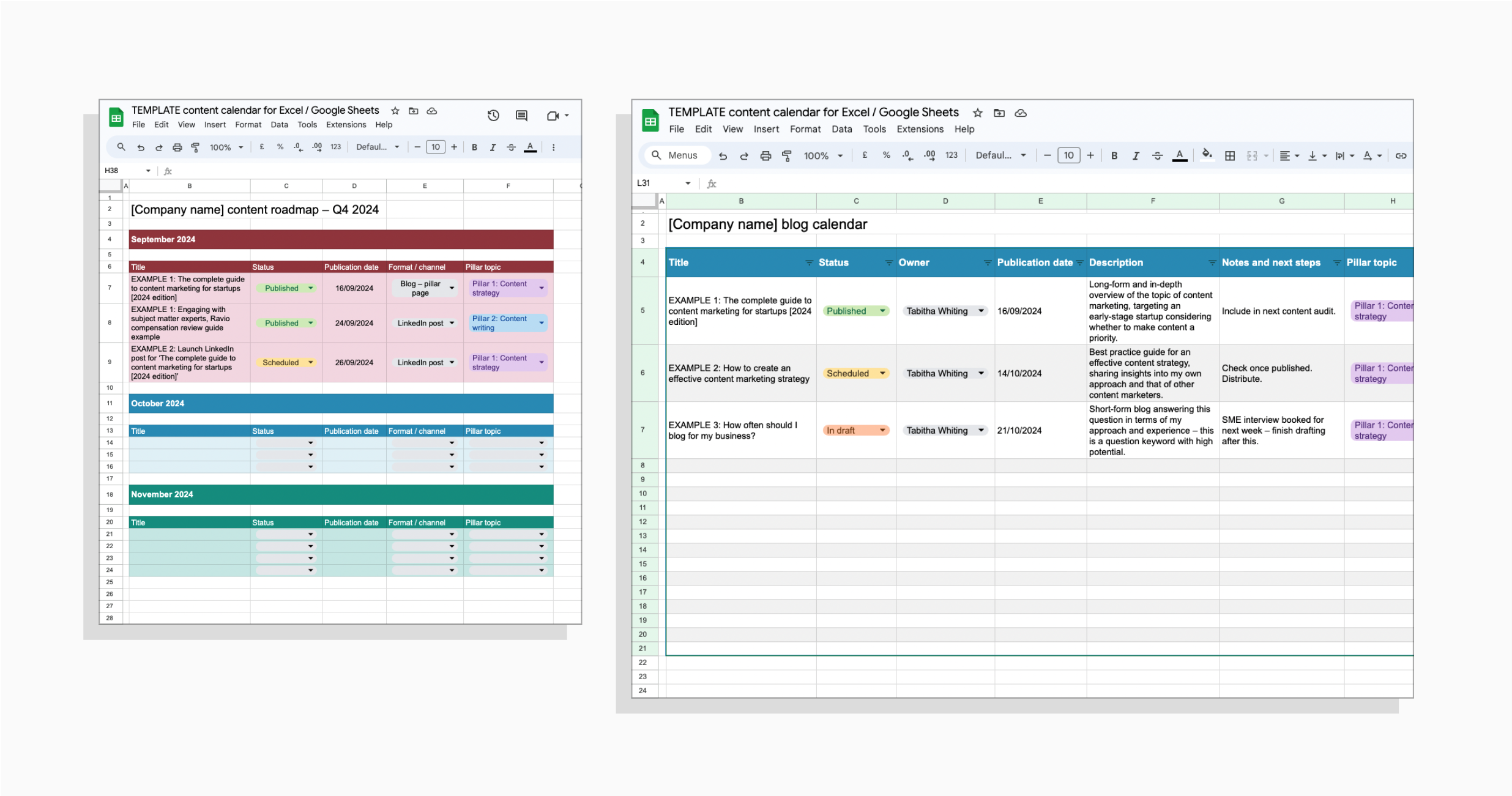

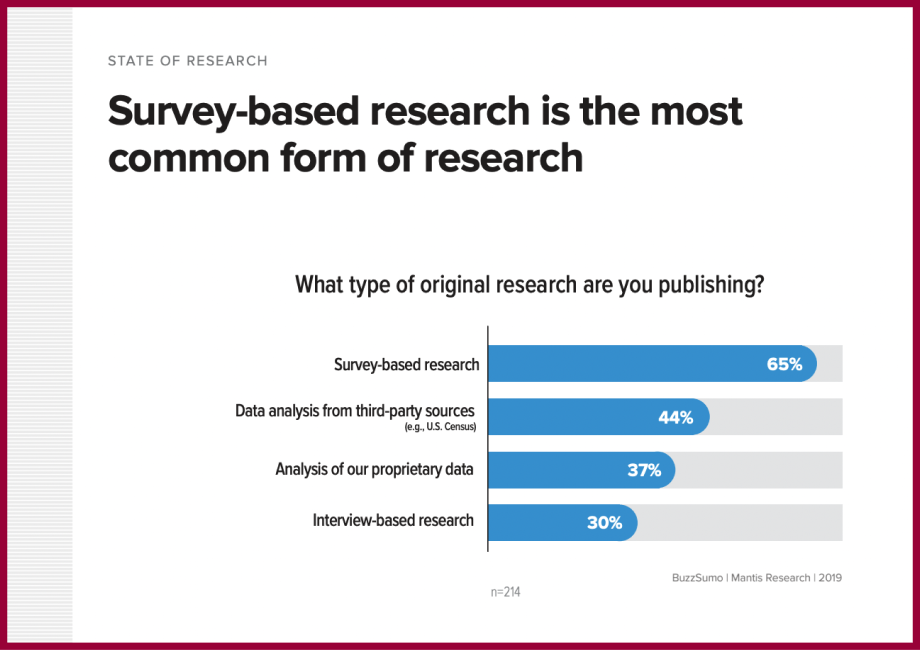
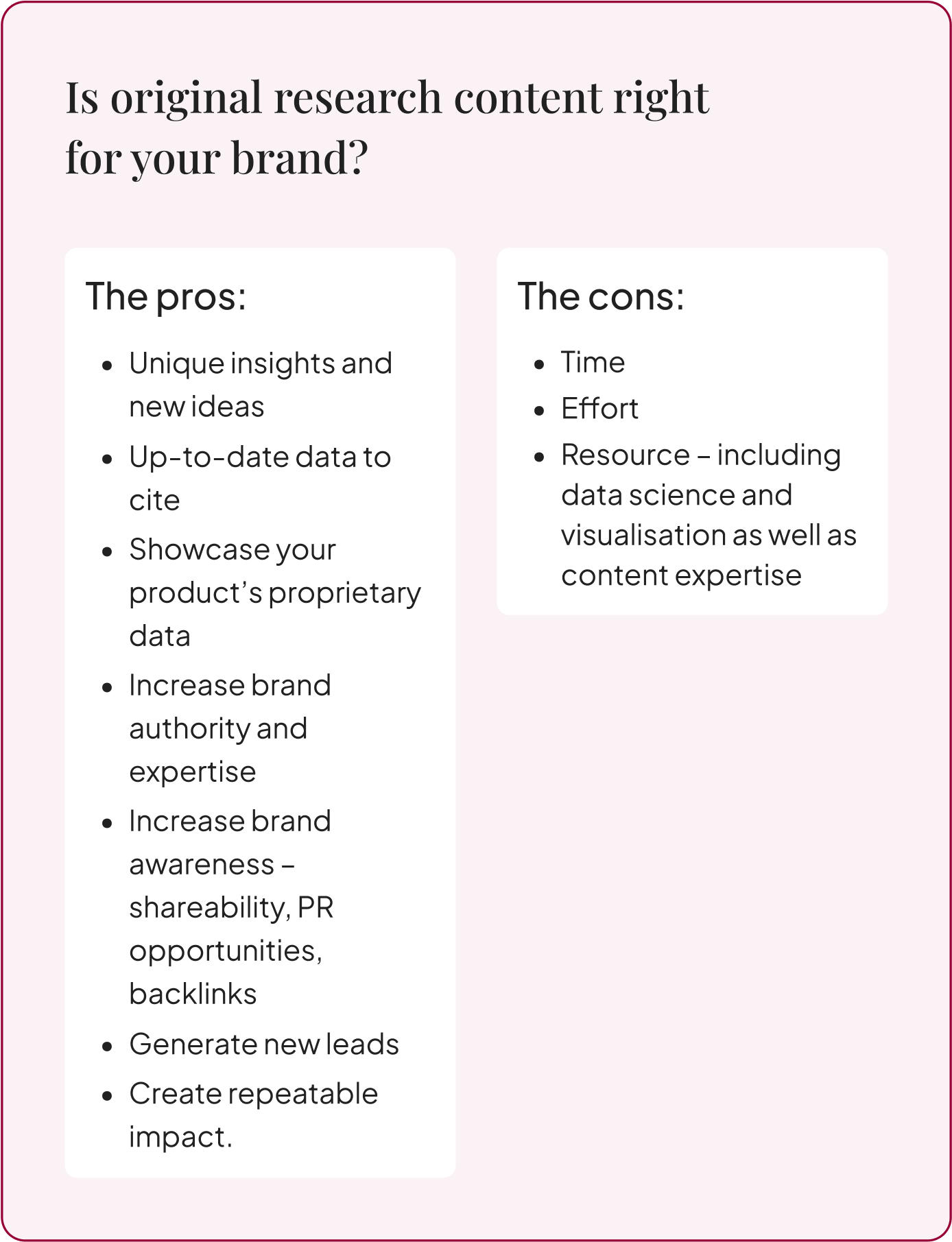
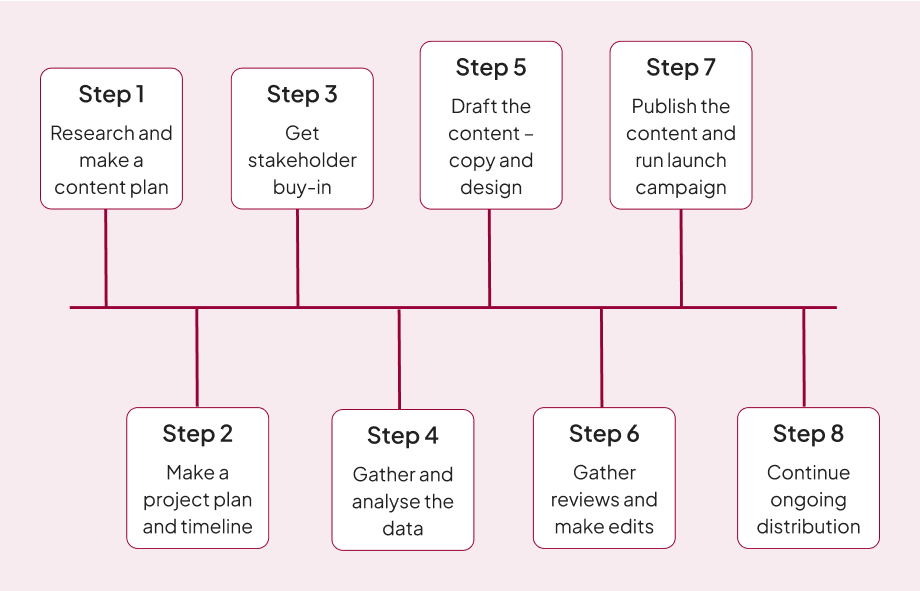


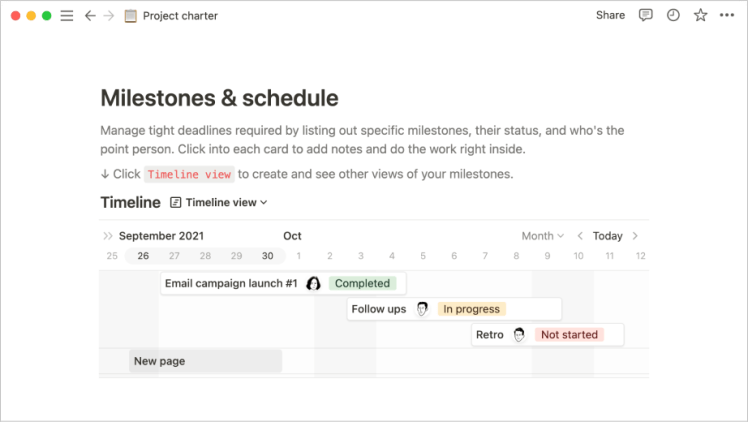

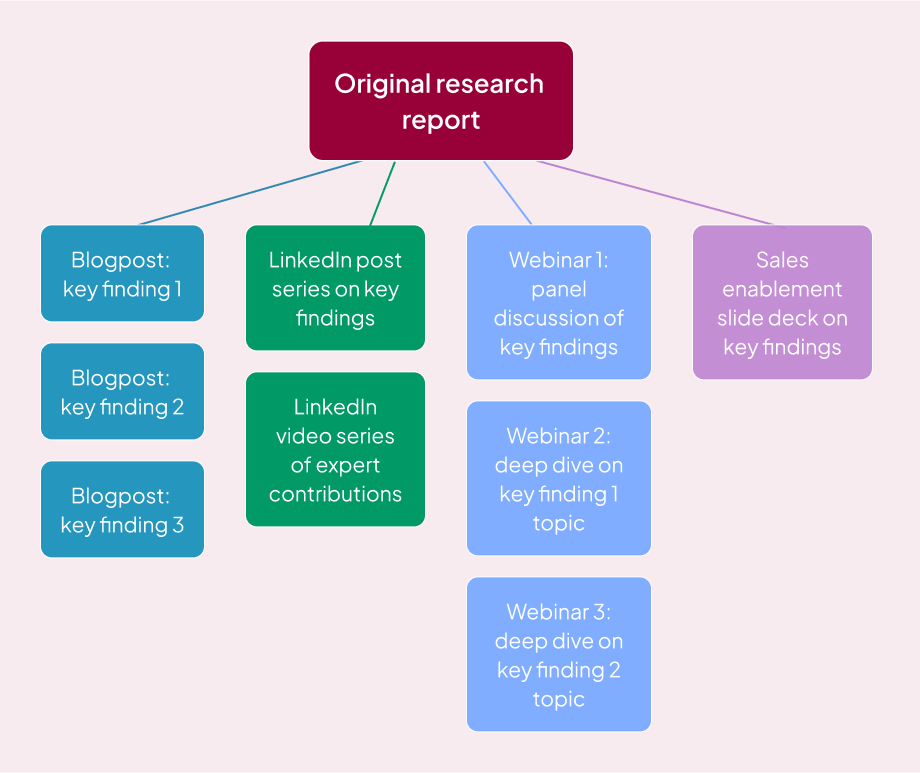



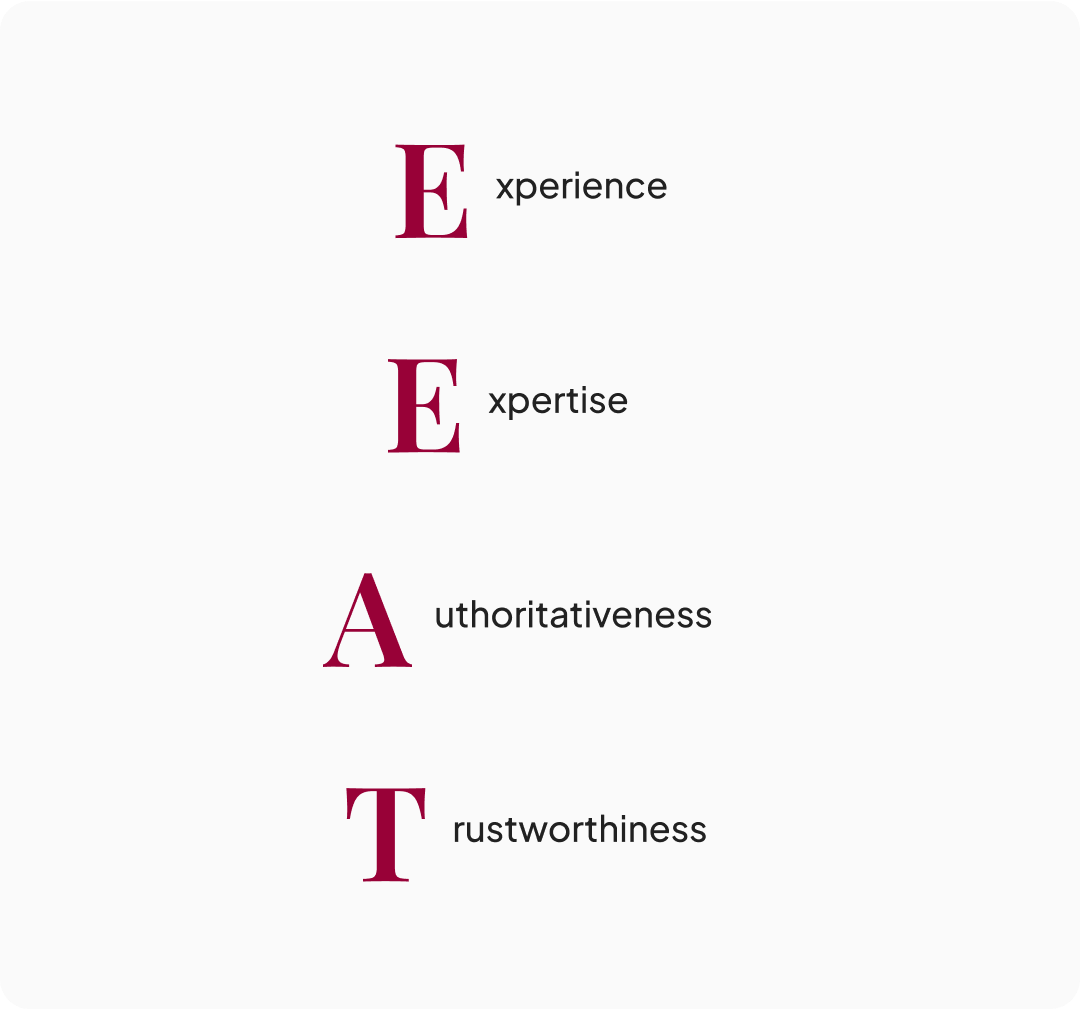

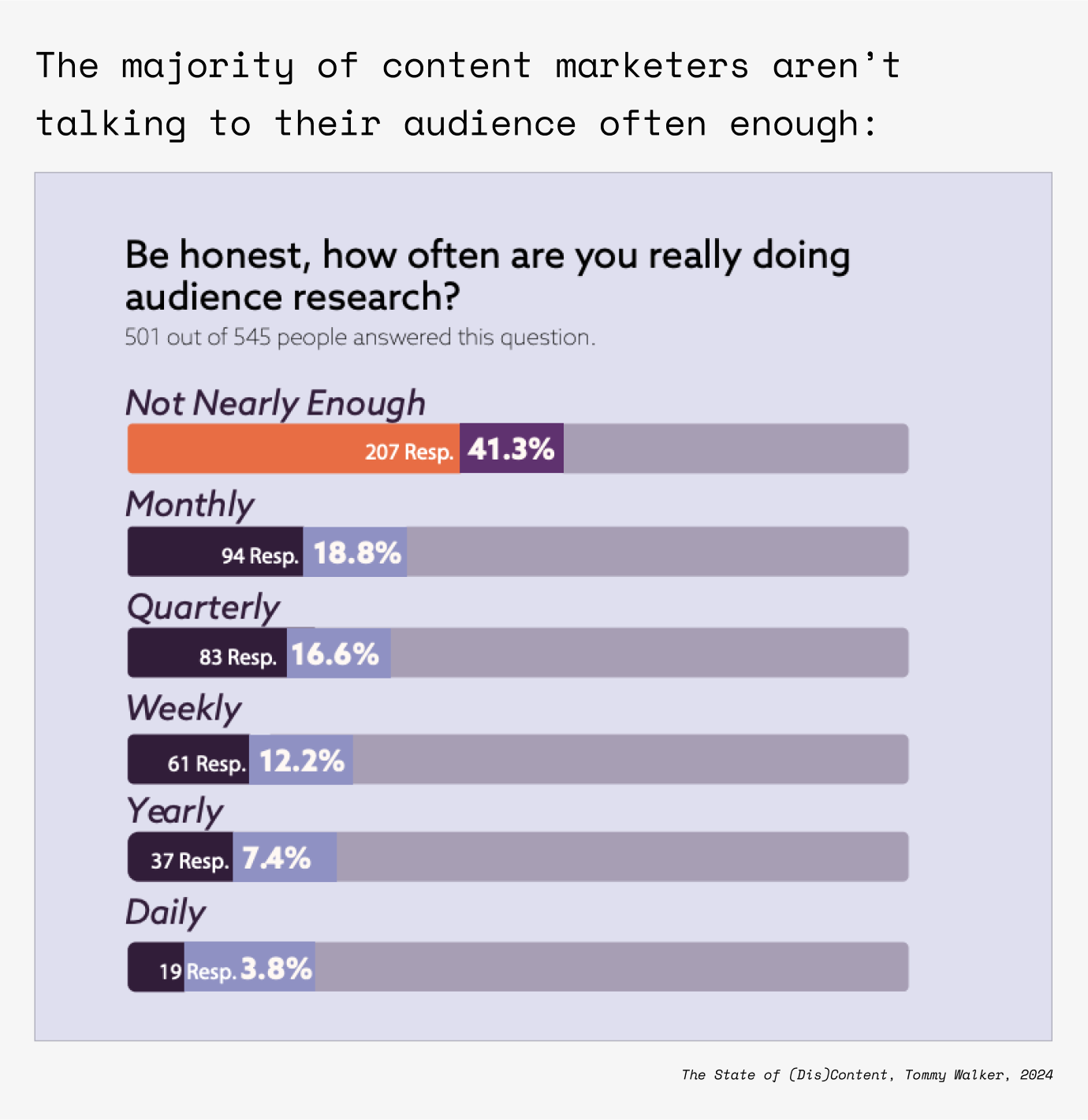
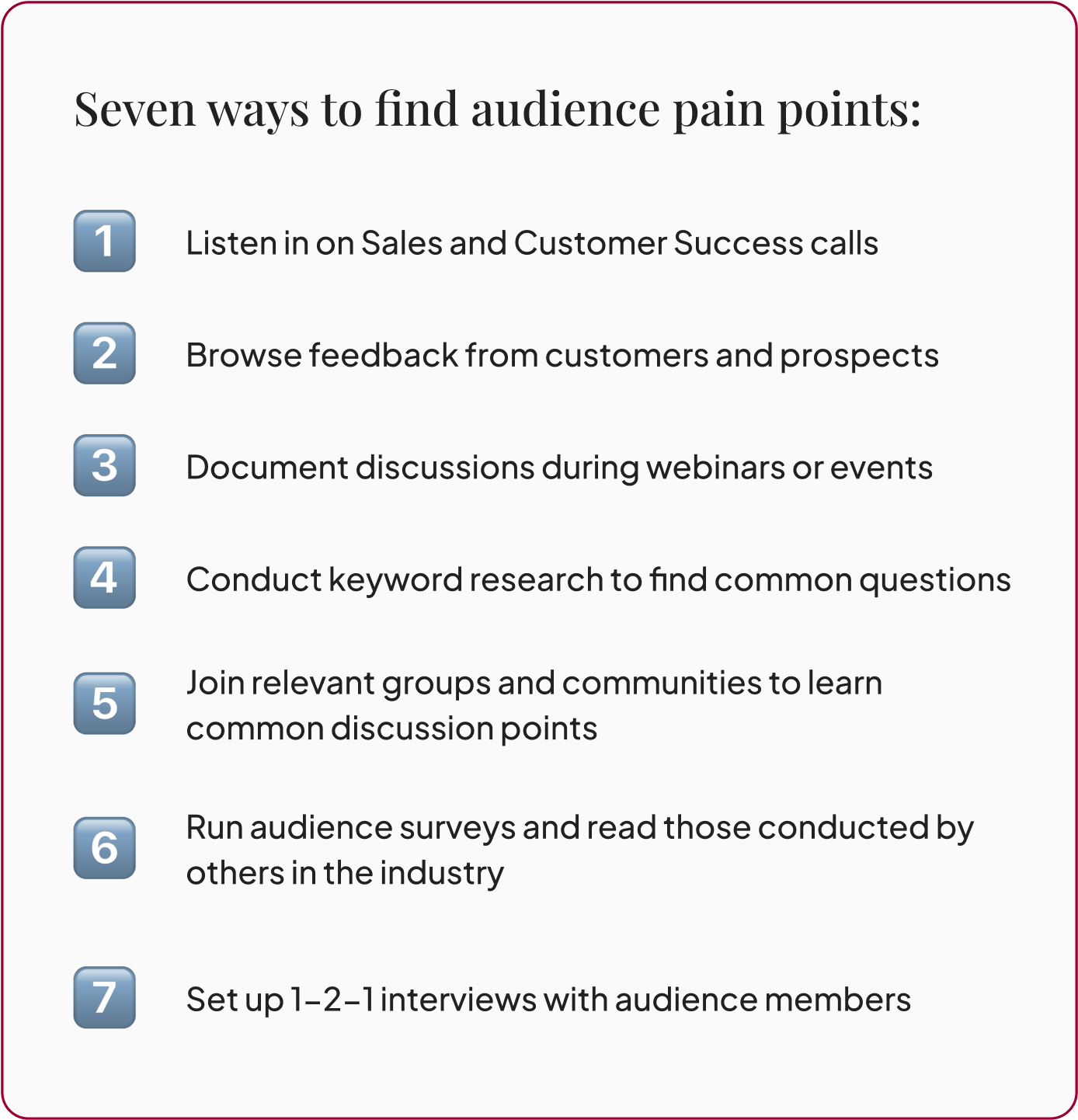
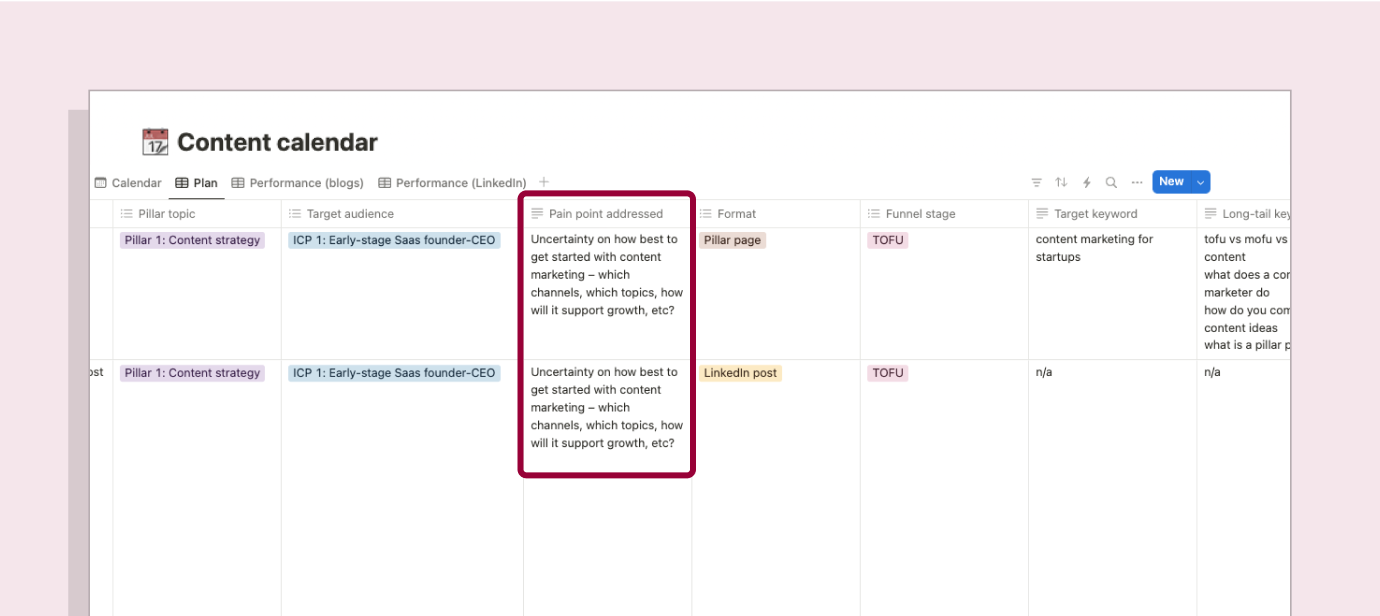
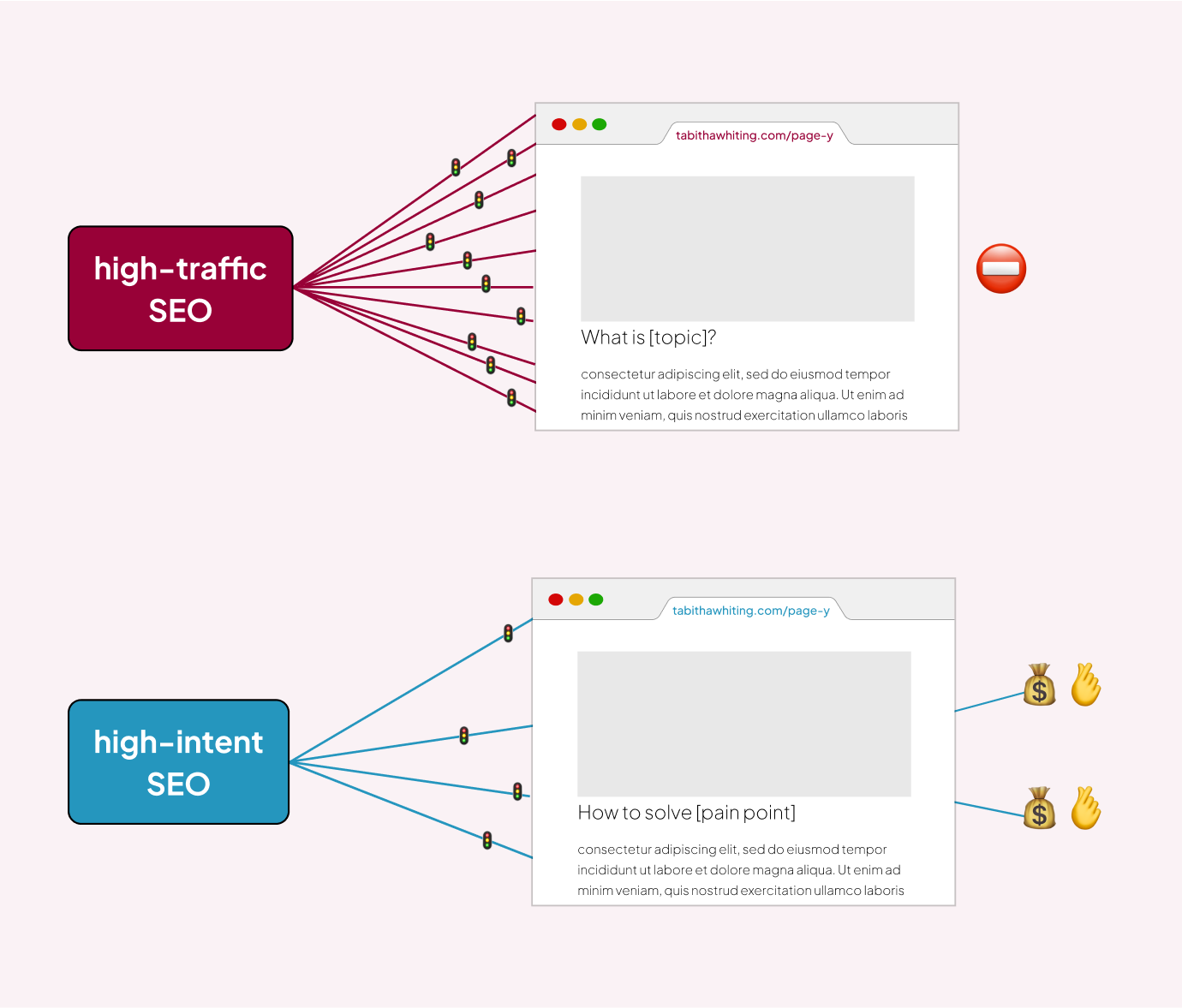


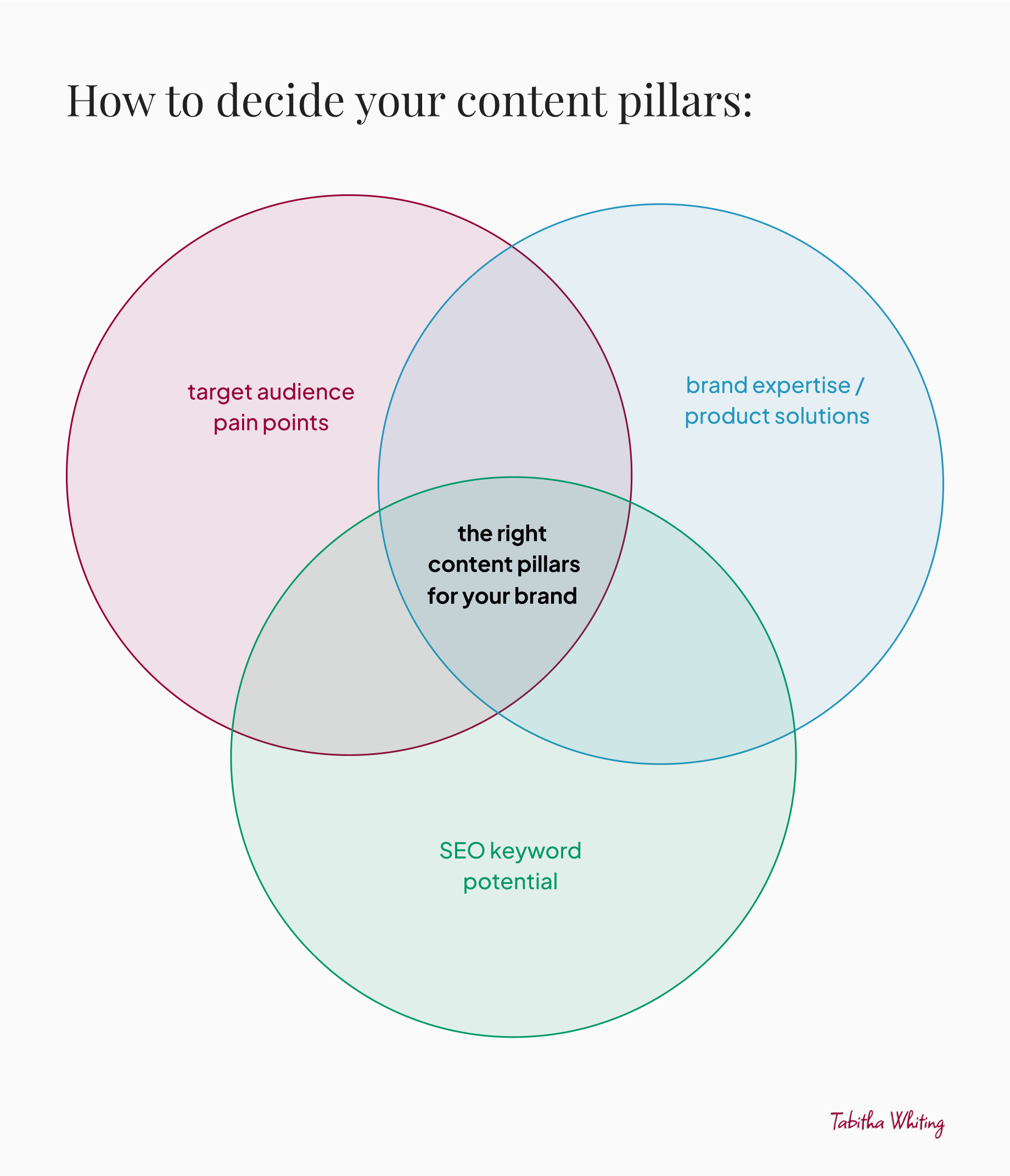









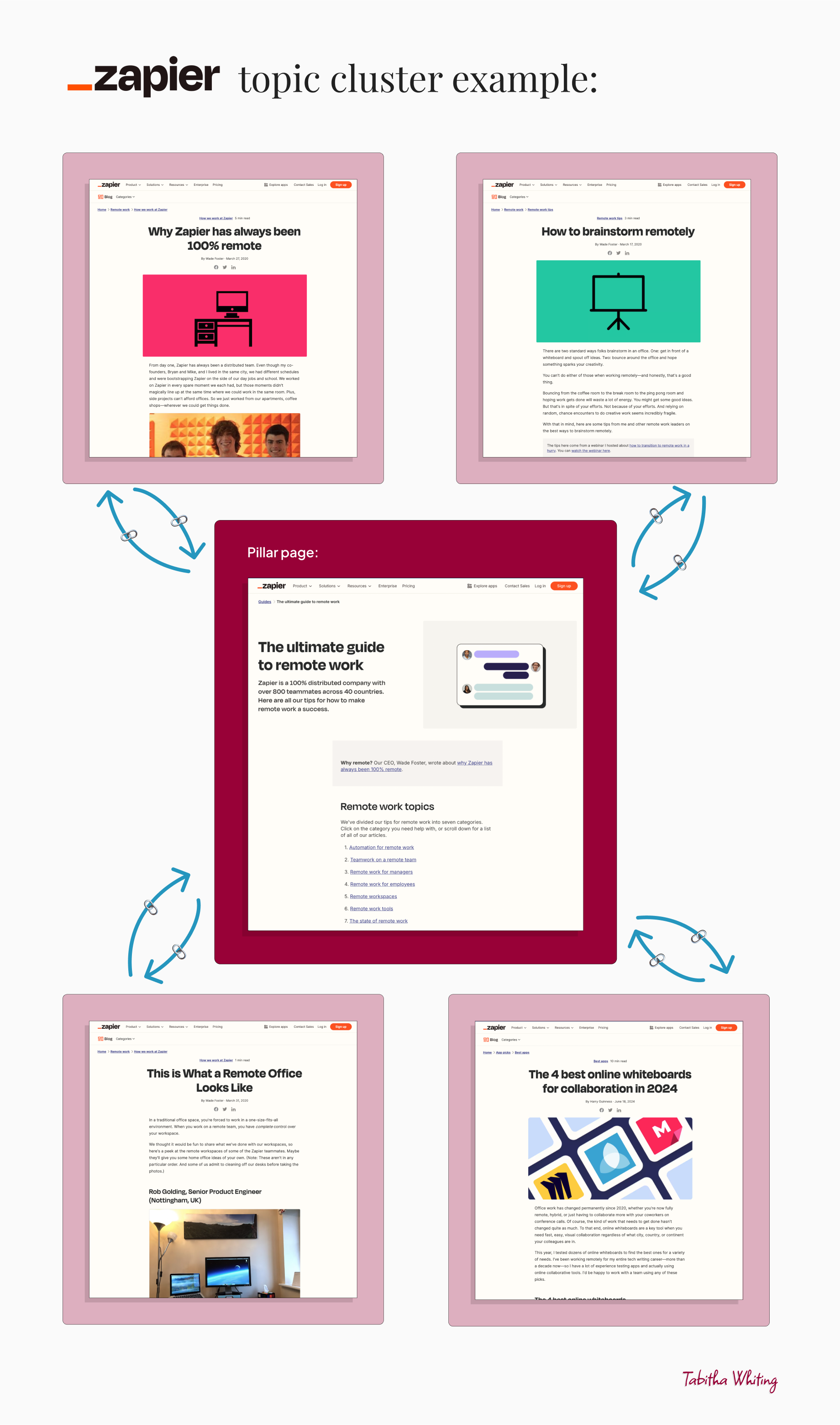
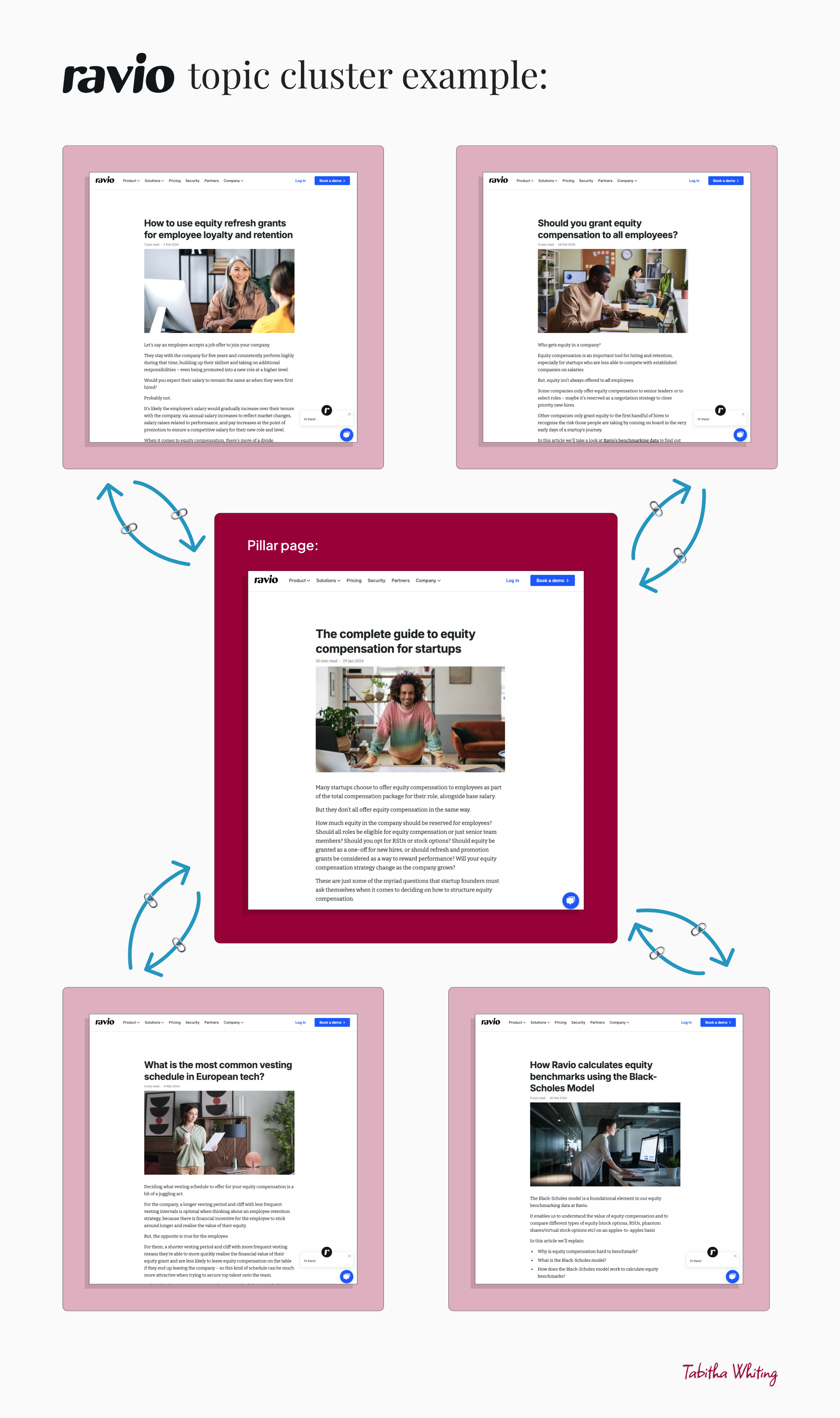
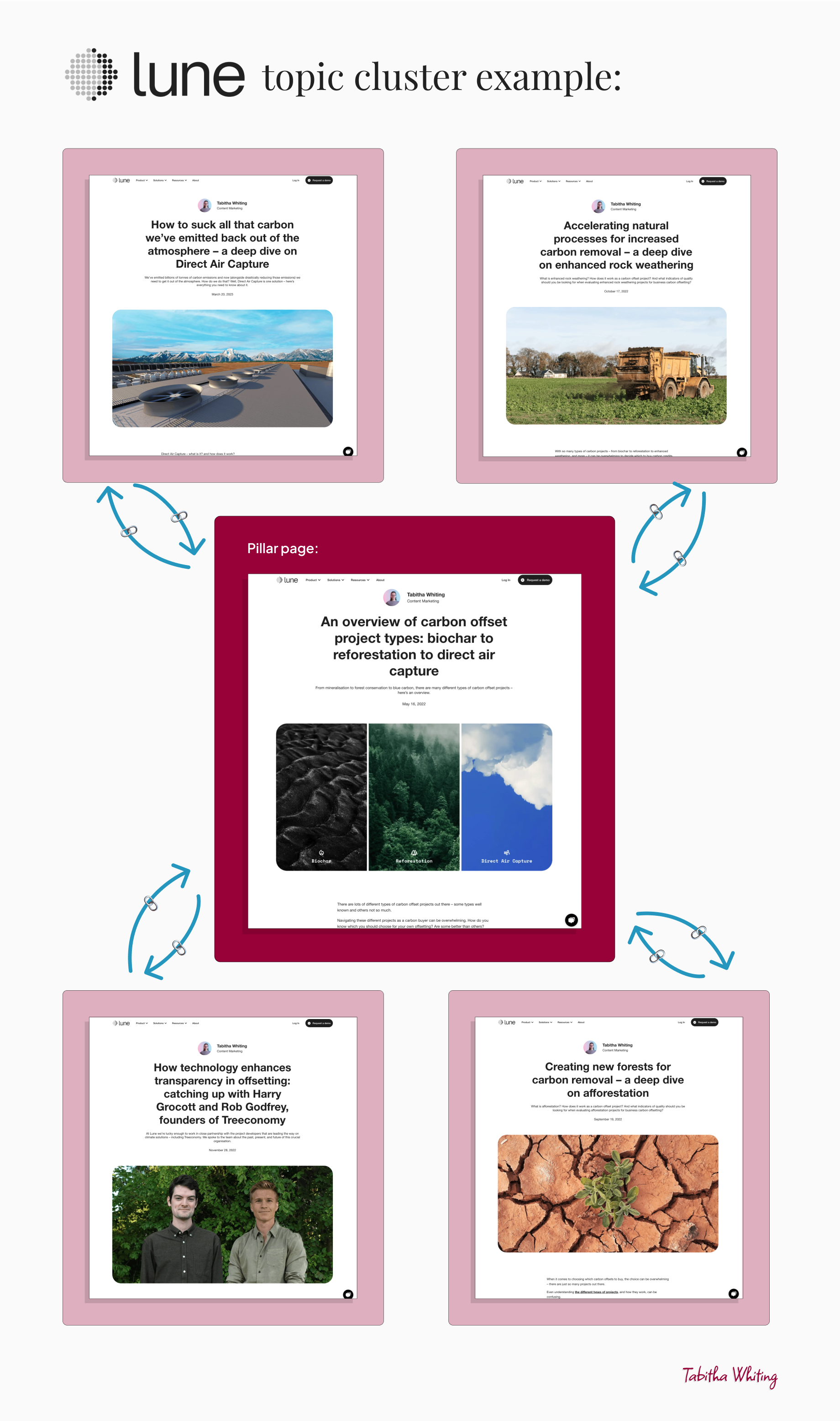

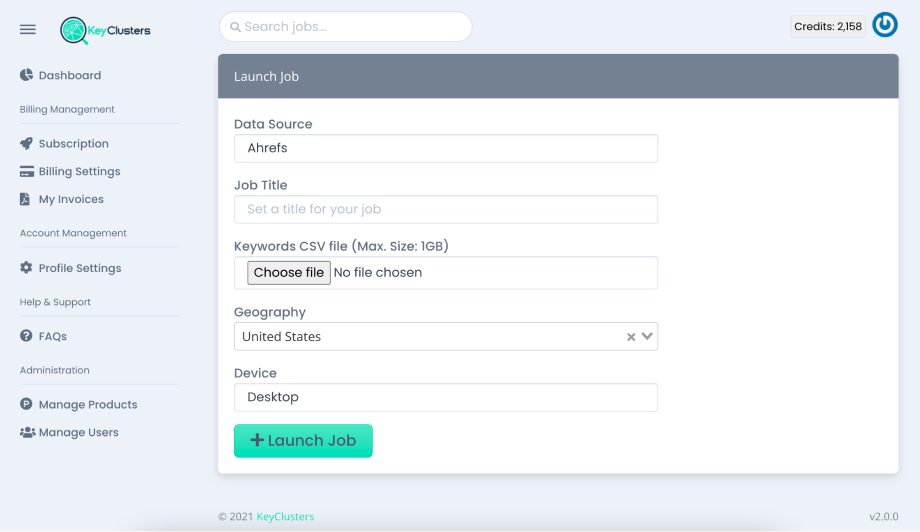
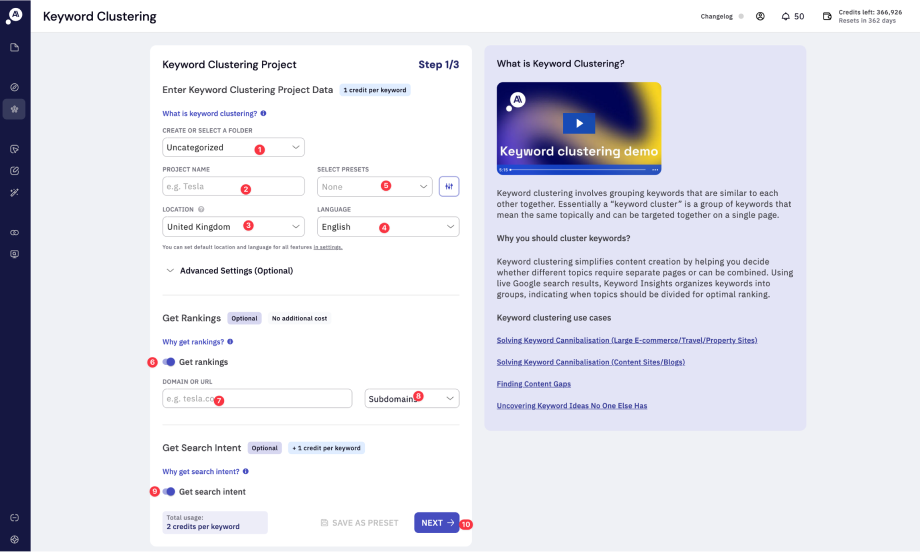


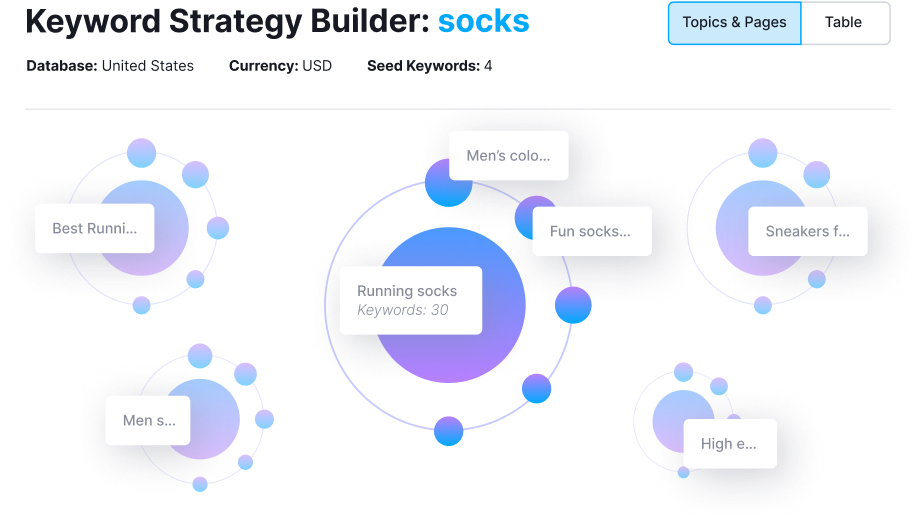

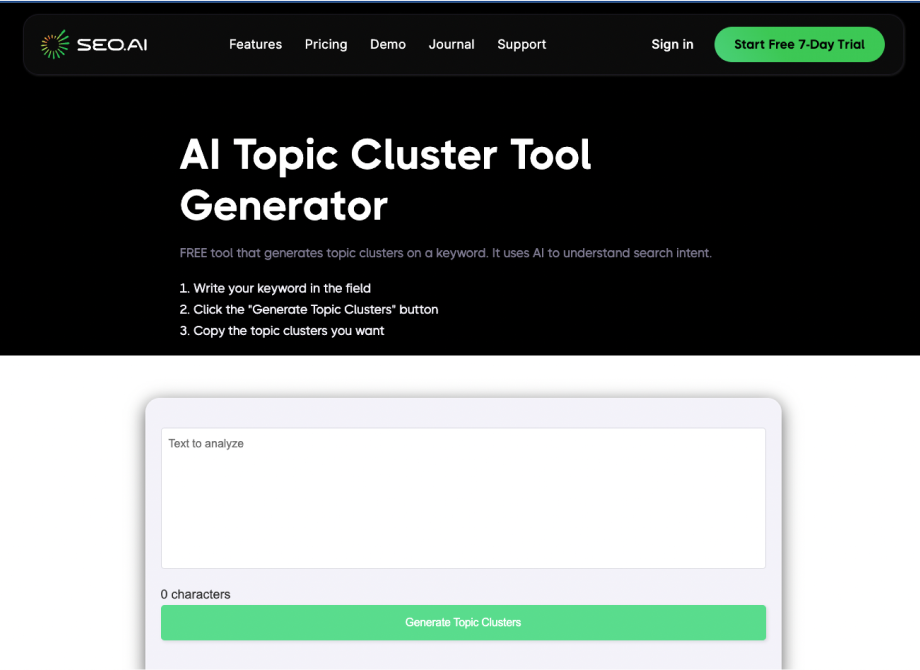


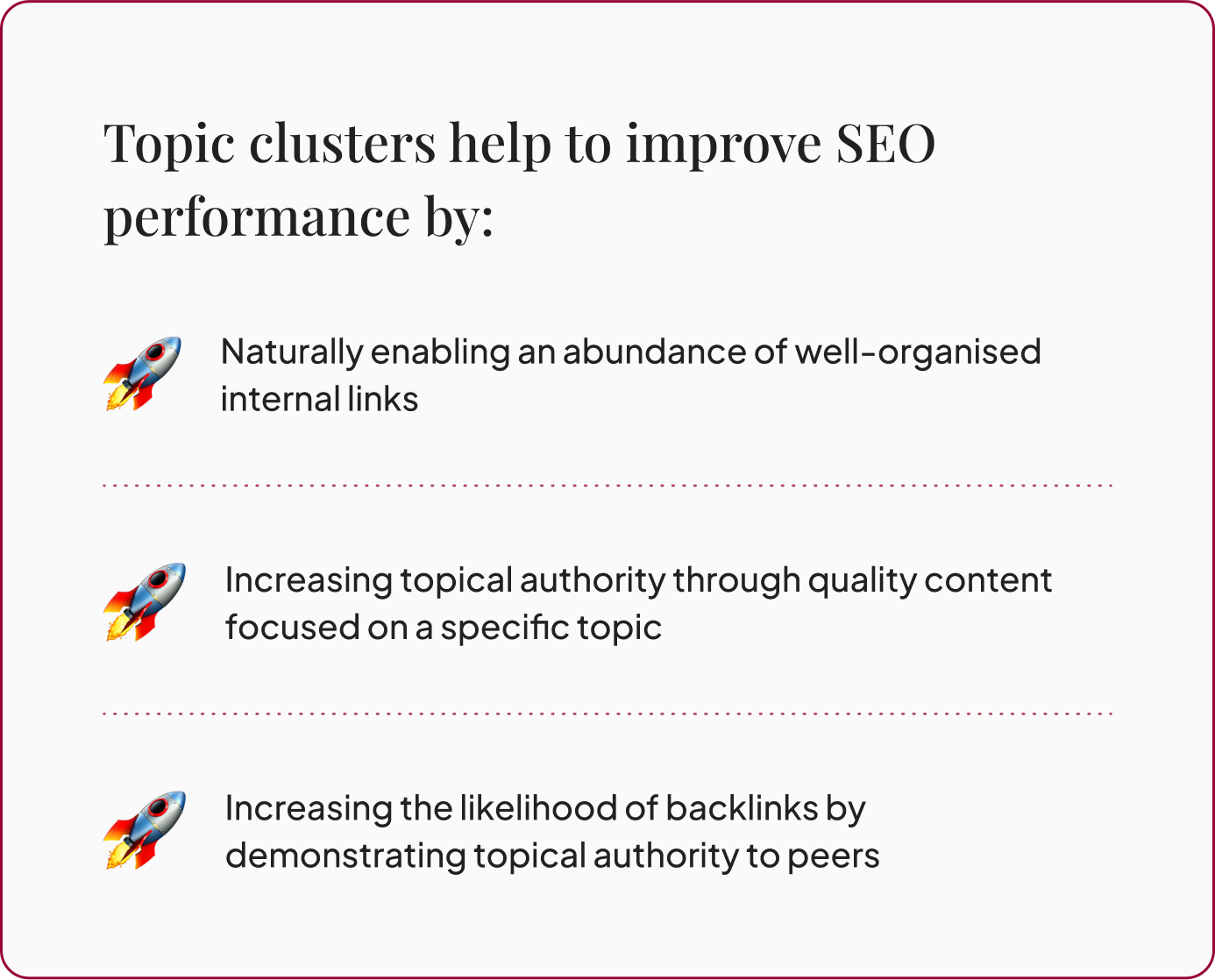


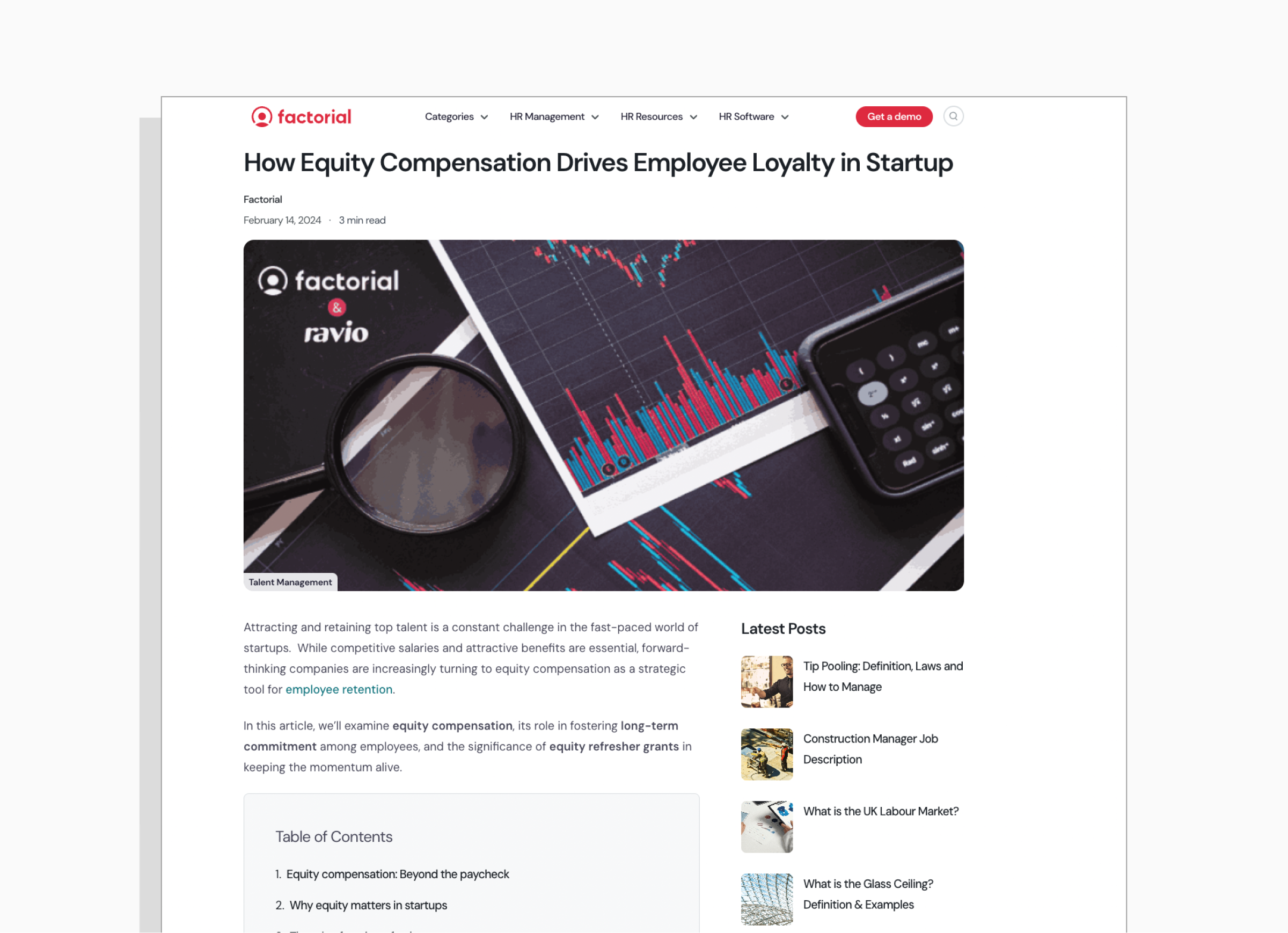


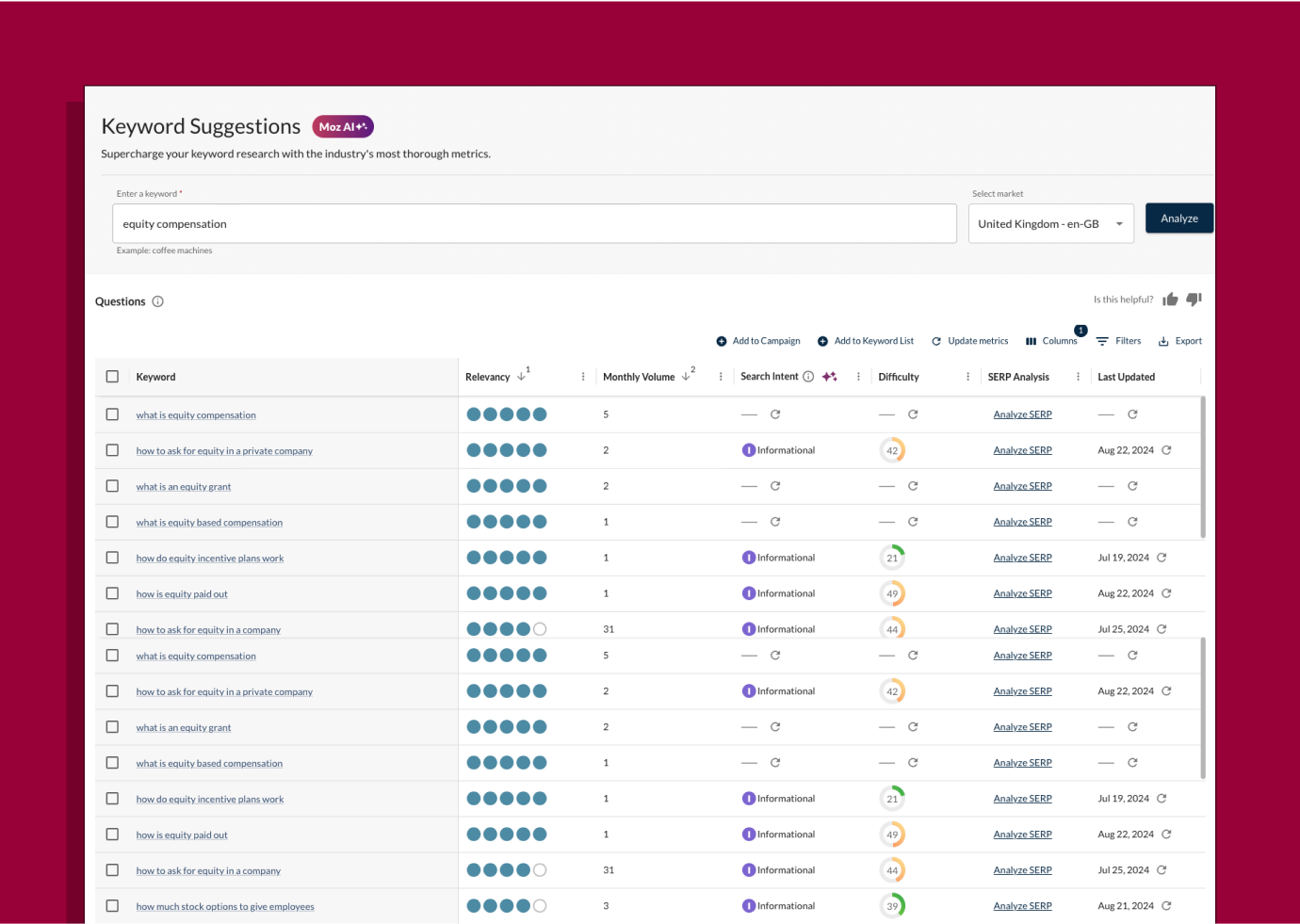
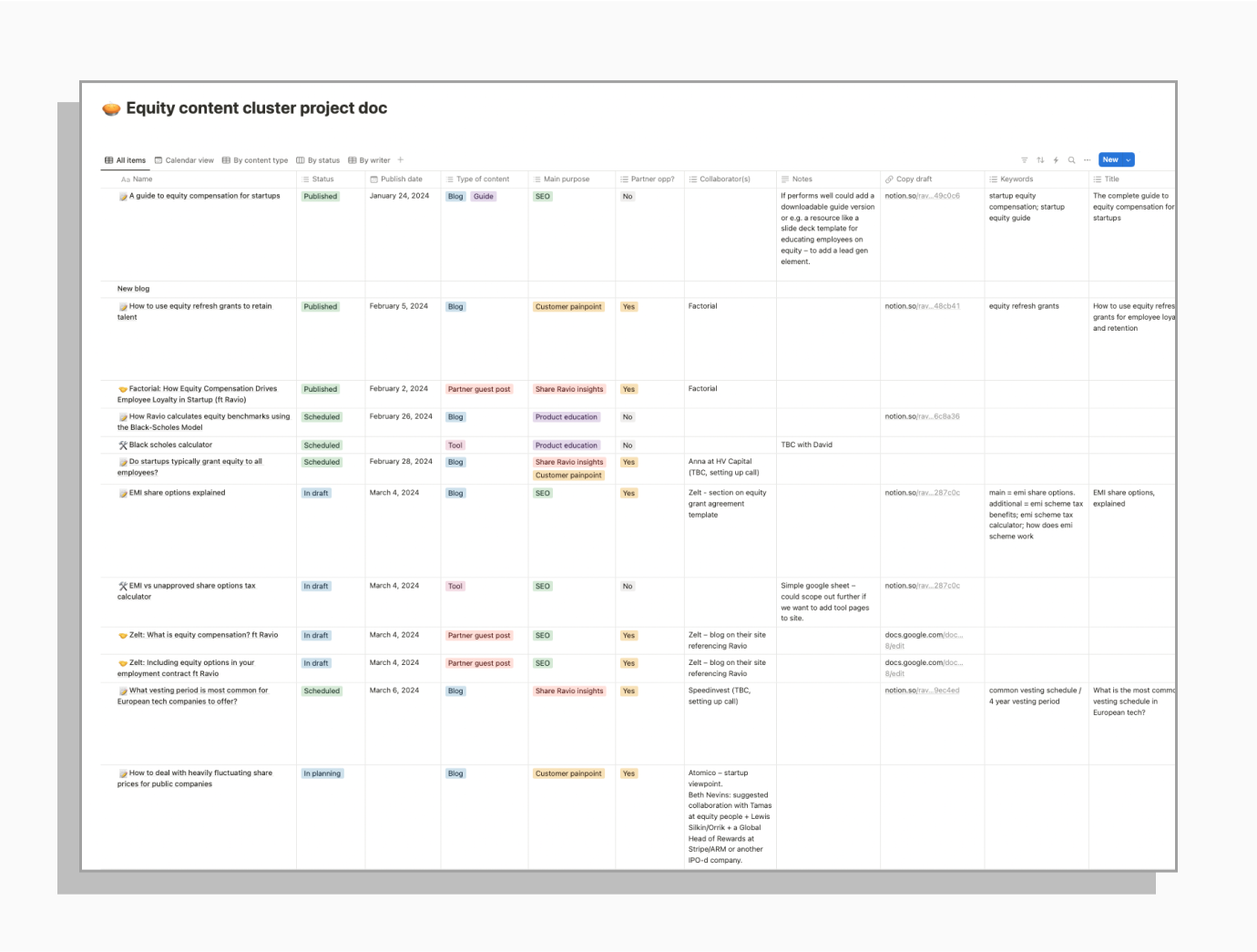



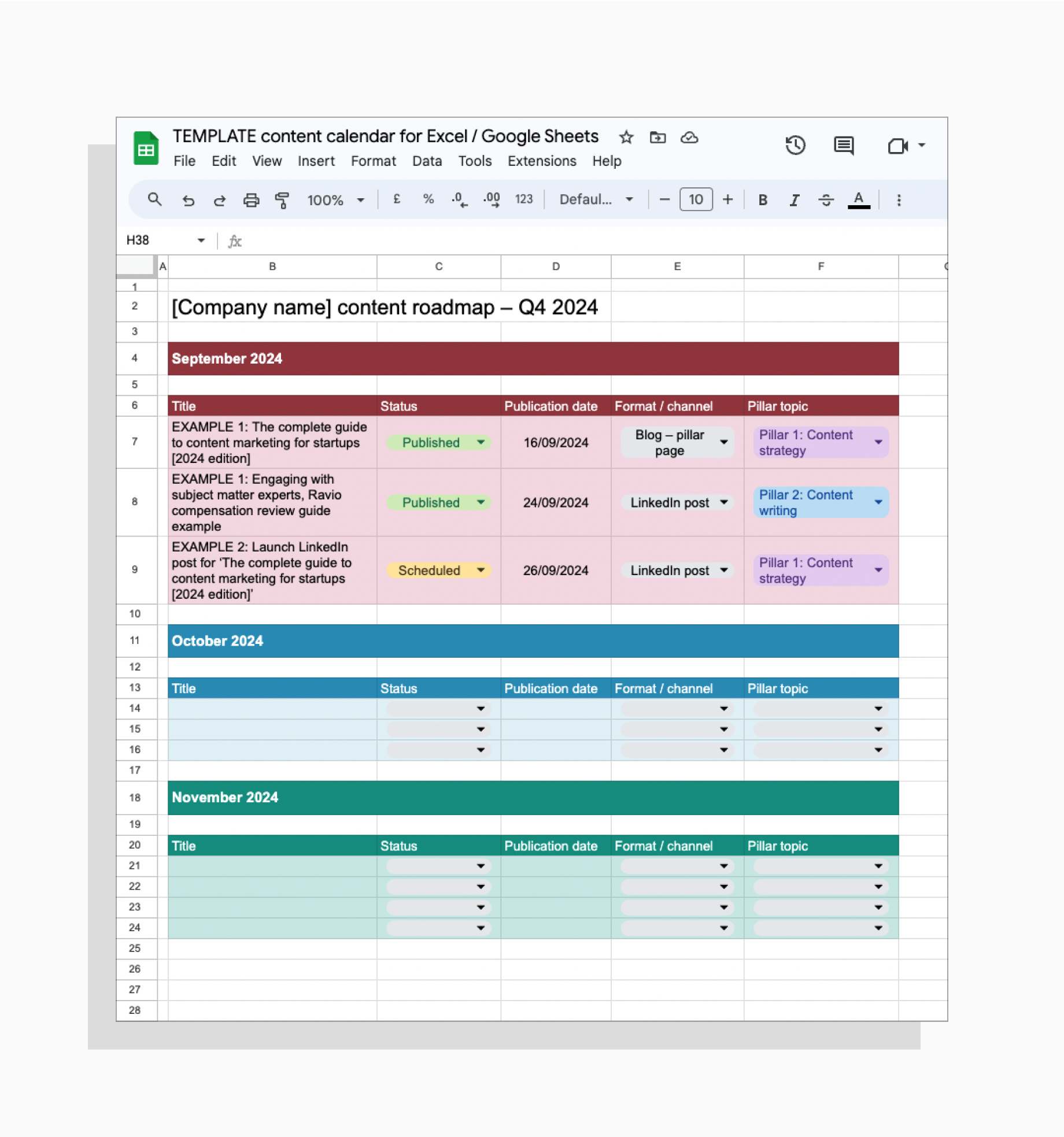

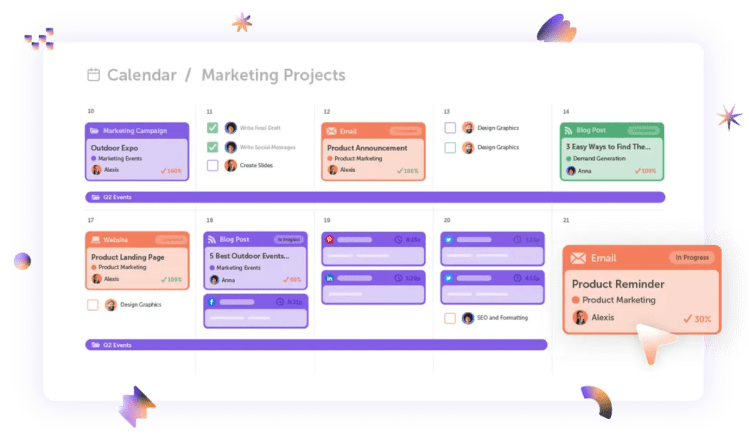

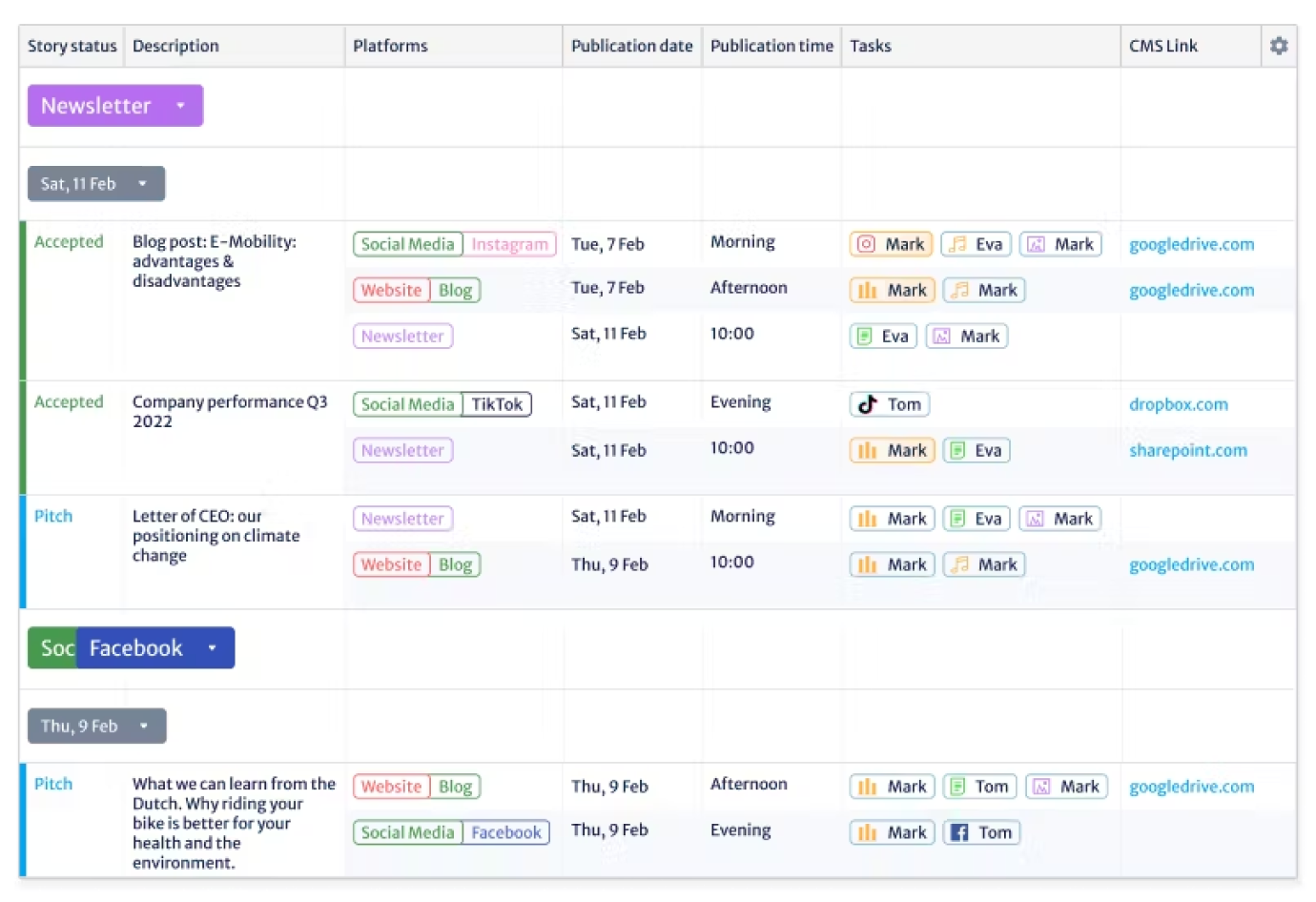
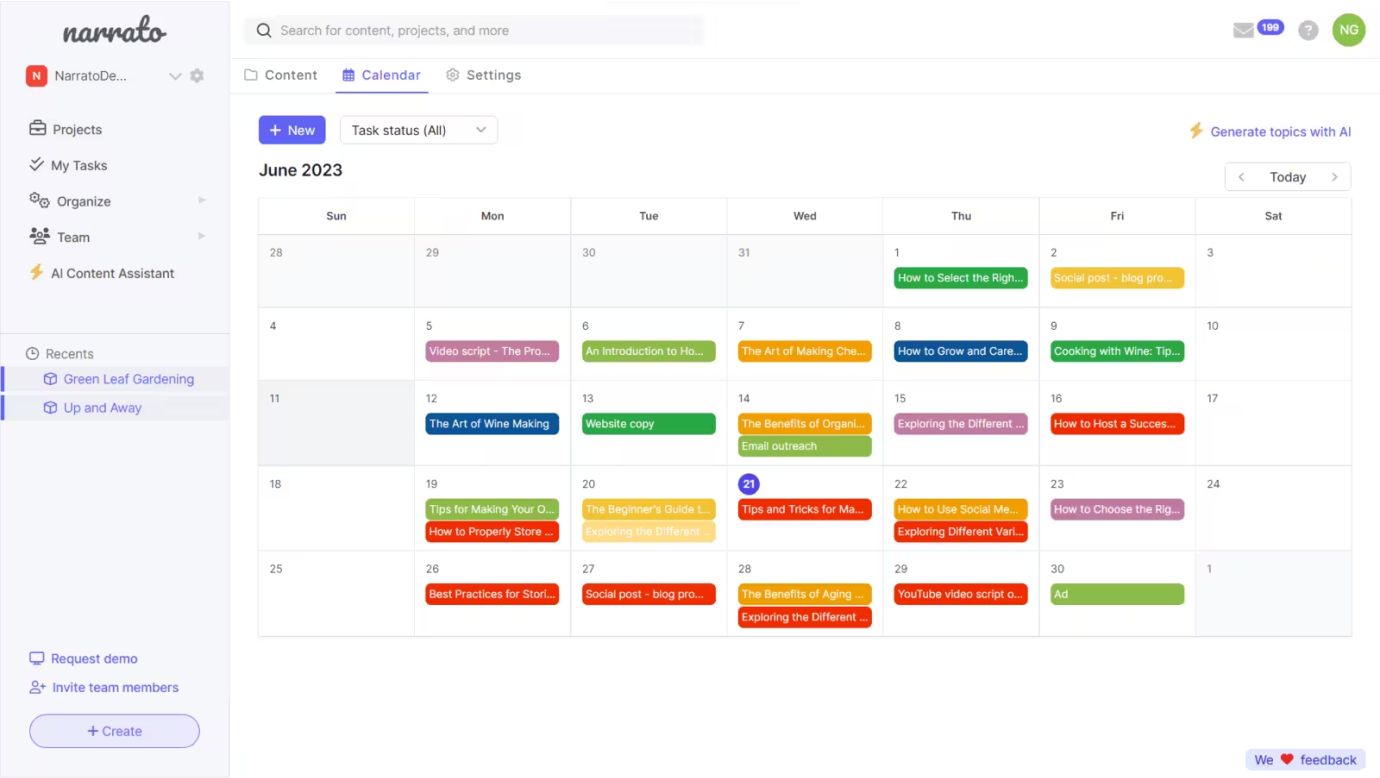


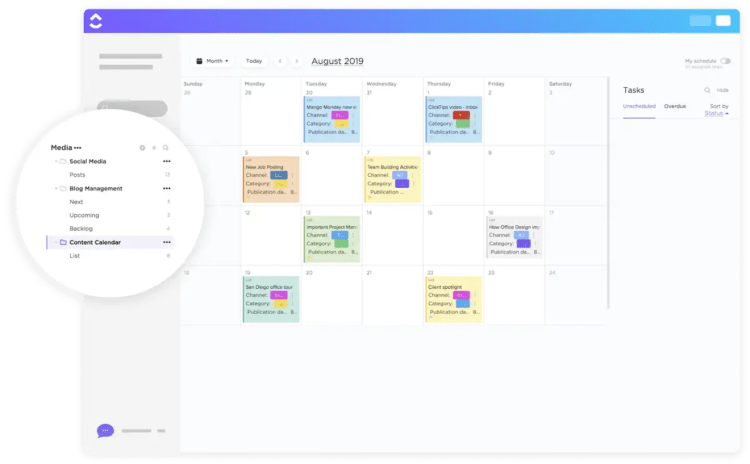
 Tabitha Whiting: High-impact content for high-impact startups