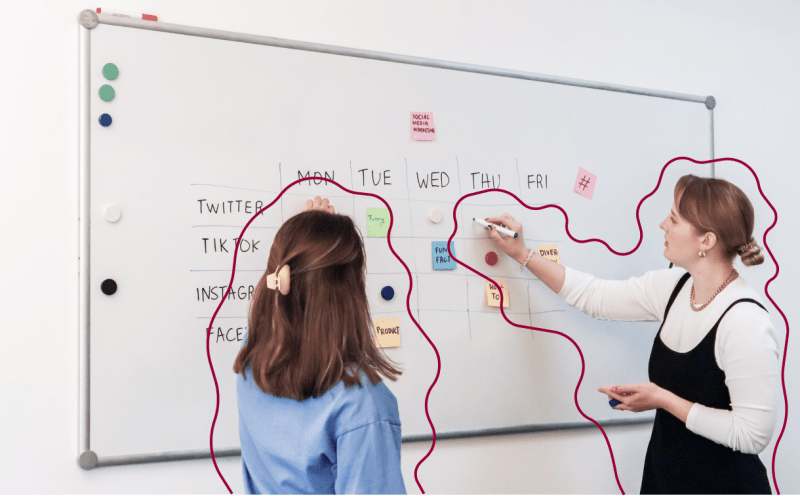
Organisation is a must-have skill for any content marketer.
Consistently publishing content across multiple channels each week whilst also keeping existing content up-to-date and planning ahead for the next quarter.
It’s a lot to keep on top of.
A content calendar helps.
In this article we’ll run through everything you need to know to build an effective content calendar that you’ll actually use, including:
- What is a content calendar?
- What are the benefits of using a content calendar?
- How to build an effective content calendar
- What platform is best for a content calendar? (including free content calendar templates for Excel / Google Sheets and Notion)
- The best content calendar tools in 2024 – featuring CoSchedule, Loomly, Kordiam, Narrato, Notion, Basecamp, Trello, Asana, Monday, and ClickUp
Looking for content inspiration?
Subscribe to This Month In Content – one creative content marketing example every edition to keep your ideas flowing.
What is a content calendar?
A content calendar (also called an ‘editorial calendar’) is a document used for managing the planning and publication of a brand’s content.
The content calendar serves as a roadmap or schedule for the creation and distribution of content across all core marketing channels – it helps content marketing teams to plan ahead, keep organised, maintain consistency with publishing content, and avoid scheduling clashes.

What are the benefits of using a content calendar?
In my experience, there are four key benefits of using a content calendar:
- Enable a consistent content cadence. Publishing content on an adhoc basis might be okay whilst your company is in the very early stages, but as soon as you want to harness content marketing to build your brand and generate inbound traffic, consistency becomes important. Consistently publishing great content over a long period of time on the key channels that your audience use, is what keeps your brand top of mind for potential buyers. Plus, platforms like LinkedIn and TikTok favour accounts that post regularly, so that consistent schedule becomes extra important. An effective content calendar helps you to set and stick to the right cadence for your company.
- Get organised as a content team. Content marketers are typically working on multiple pieces of content at any one time – a blog in design, a webinar deck being reviewed by stakeholders, social media posts repurposing a new blog in draft, planning for an adhoc sales enablement piece. That becomes amplified once you’re working in a team with multiple content marketers or creators, because everyone’s working on several things at once. An effective content calendar is an essential planning tool to ensure all responsibilities are clear, all planned content is kept on top of, and no scheduling clashes happen.
- Effortlessly maintain a living (internal) content library. If you use your content calendar consistently then over time you create a comprehensive log of all content that has been created and distributed by the brand. This is super handy as a reference library for those moments when a team member asks for a piece of content on a specific topic to share with a customer or partner – you just need to make sure you set the content calendar up well so that it’s easy to search for specific content topics, formats, channels, etc.
- Give stakeholders a clear content roadmap. A well-maintained content calendar can also provide the perfect view that key stakeholders like a CMO or CEO needs to understand at a glance what’s coming up in content marketing in the next quarter. Plus, if you include performance metrics in the content calendar, it can also help to quickly answer their questions on which content is driving progress towards goals. If this is important for your team, I’d recommend adding a separate view to your content calendar that gives the top level info (topic, purpose, channel, format, publication date) but leaves out all the nitty gritty.

How to build an effective content calendar
The process for creating a content calendar is fairly straightforward.
Here’s how it goes:
Set up a first version of your content calendar (use a template if it helps). Populate the calendar with upcoming content, and start using it to plan and manage content creation and distribution. Assess whether it meets your needs. Iterate and improve until you have your perfect content calendar.
But what should the content calendar actually include?
What to include in an effective content calendar
A content calendar should include all of the information you need to plan your ongoing content roadmap and to manage the creation and distribution of individual pieces of content.
For me, that means a content calendar always needs to include:
- Name – for most content this will be the title or headline
- Description – an overview of what the idea behind this piece of content is, ensuring clarity to support planning and collaboration across a content team
- Status – not started / in planning / in progress / draft / in review / design / scheduled / published / whatever status’ are most useful for you
- Publication date – if social media platforms are a key channel for you, you might also want to include the publication time
- Owner – providing clarity on roles and responsibilities across a content team
- Associated pillar topic – the content calendar should align with your content strategy, which should always include the core topics (I typically recommend 3-5 content pillars initially) that you aim to showcase deep expertise on
- Target audience – in most cases there are also several ICPs or buyer personas being targeted within the content strategy, and different content will resonate with each of them so it’s important to be clear on which each piece of content is aiming to address
- Associated pain point – content should always aim to validate or address real pain points and problems for your target audience, including this in the content calendar as an input serves as a great reminder for every new piece of content
- Content format – is it a blog, a press release, a report, a LinkedIn post, a webinar?
- Target keyword – any content that can be crawled by a search engine should be SEO optimised, and including the target keyword in the content calendar helps to keep that focus there, as well as to make monitoring SEO success post-publication easy
- Any additional long-tail keywords – some long-form content (especially pillar pages) may target more than one keyword, often specific long-tail or question keywords, and that’s important to include for the same reasons as above
- Draft copy link – this one’s pretty self-explanatory, but keeping all the links in one place in the content calendar can really help to keep everything organised and easily accessible, especially if there’s more than one of you working on content
- Draft imagery link – same reasoning as above, though if you work with a content designer (in-house or freelance) you might want to make this a description of any visuals needed as part of your planning and drafting process
- Live URL – adding the link to the live content once published turns your content calendar into that living content library which, again, keeps everything nicely organised and easily accessible at all times.
On top of these content calendar non-negotiables, there are two additional elements that can be useful to add to the content calendar, depending on how your team is planning to use it.
Optional extra: add a content roadmap view for stakeholders to your content calendar
Firstly, if you often have stakeholders (I’m thinking CEOs, CMOs, Heads of Sales, etc here) asking what’s coming up on the content roadmap, I’d highly recommend adding an additional view to the content calendar which removes all of the detail to give a snapshot of what content will be released over the next month.
The title, content format, publication date, status, content pillar, and target audience tends to be enough for most stakeholders to get the information they need at a glance but you can, of course, tailor that to meet the needs of your specific stakeholders.
If you use a platform like Notion which has a built-in calendar view, I find this to be the perfect content roadmap snapshot:

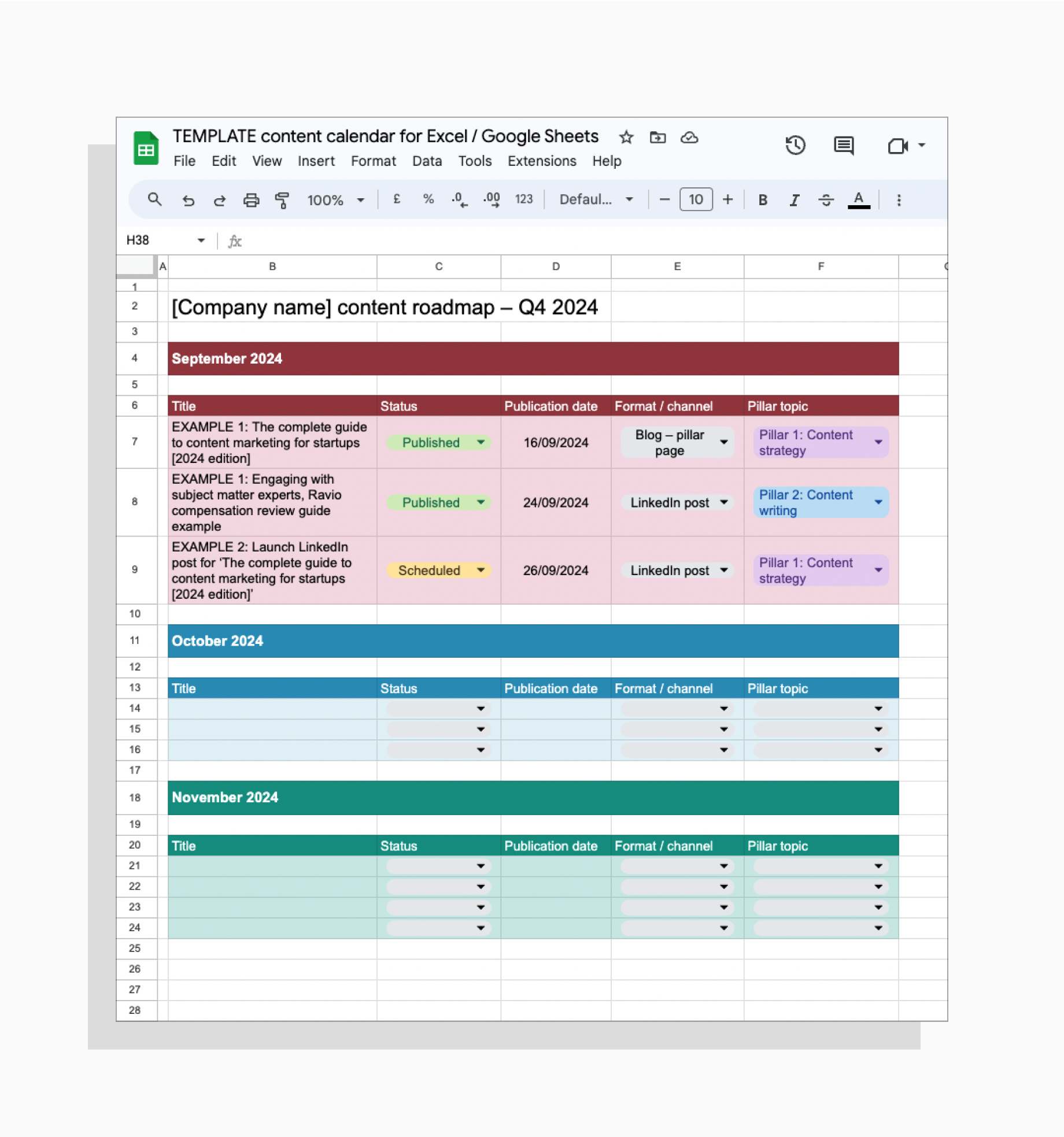
If you use a good old Excel or Google Sheets content calendar, I’d recommend adding an opening sheet to the document for this:
Optional extra: add content performance metrics to your content calendar
Secondly, it can also be useful to add content performance metrics to the content calendar.
Tracking the performance of the content that you release is vital, so that you can understand what’s working and make adjustments or inform future plans.
Where you do that performance tracking depends on what’s most helpful for you and your team.
For some content teams having everything in one core document helps to streamline the number of documents and tools used and cut down on duplicated work – in this case, I’d highly recommend adding core content metrics to your content calendar.
For other teams, it might make the content calendar overwhelming to add performance metrics too, especially if you’re a larger company that’s tracking lots of different metrics across many channels – in this case, you might want to have a separate place to track performance.
My personal preference is to have only the most important performance metrics for individual content in the content calendar.
For me, it’s helpful to have an easy place to monitor the performance of each piece of content to inform day-to-day work and to give stakeholders a snapshot of performance too.
But, including all performance metrics in the content calendar becomes way too much – especially when it comes to tracking track channel performance (e.g. LinkedIn followers, website traffic, newsletter subscribers, etc) as well as individual content performance (blog views, LinkedIn post engagement, newsletter click-through rate, etc). It takes away from the core purpose of the content calendar, which is a planning and scheduling tool.
If that’s how you feel too, then I’d recommend adding 2-3 key metrics for individual content to the content calendar. For a blog, for instance, that might be: total views, views from organic search, average engagement time, and conversion rate.
What platform is best for a content calendar?
When I first started out in content marketing, every content calendar was an Excel spreadsheet.
If the company was *really* trendy, it might be a Google Sheet.
Many content teams still use Excel or Google Sheet templates for their content calendar – and there’s nothing wrong with that.
It does what it needs to do and there’s no learning curve to contend with, because basically everyone knows how to use a very simple spreadsheet at this point.

However, for many content marketers today an Excel content calendar can feel a little clunky.
If that’s you, there are many different platforms that you can test out for a more polished and functional content calendar (I’ve listed a few below to help your search). Most of them have free trials, so have a browse and choose one that fits your needs and that feels enjoyable to use – because then you’re way more likely to actually keep it up-to-date.
Before you commit to buying new content calendar software, I’d suggest considering if there are any tools that you and your team already use that could be used to build your content calendar.
Most project management tools can be harnessed to build a great content calendar: tools like Trello, Asana, Monday, and so on.
My personal favourite currently is Notion, which I picked up because it was a core tool used at both Lune and Ravio for team organisation and documentation.
Notion is where I do all my planning and project management now – from campaign plans to content strategy documentation to my personal to do list.
So it makes perfect sense for my content calendar to be in Notion too.
If you have an equivalent tool at your company, I’d highly recommend testing it out for a content calendar first.

📣 Free content calendar templates for Notion and Google Sheets / Excel
I personally began using spreadsheets (Excel / Google Sheets) as my content calendar format of choice, and more recently I’ve switched to Notion – and I’ve turned both into a free template.
Go to the templates ➡️
The best content calendar tools in 2026
I’ve done the research and found the 10 best content calendar tools if you’re looking for software to support content planning and management.
Here’s the list in brief – if you want to skip straight to one of them, just click the link:
- CoSchedule content calendar
- Loomly content calendar
- Kordiam content calendar
- Narrato content calendar
- Notion content calendar
- Basecamp content calendar
- Trello content calendar
- Asana content calendar
- Monday content calendar
- Clickup content calendar
CoSchedule content calendar
G2 rating: 4.4 / 5
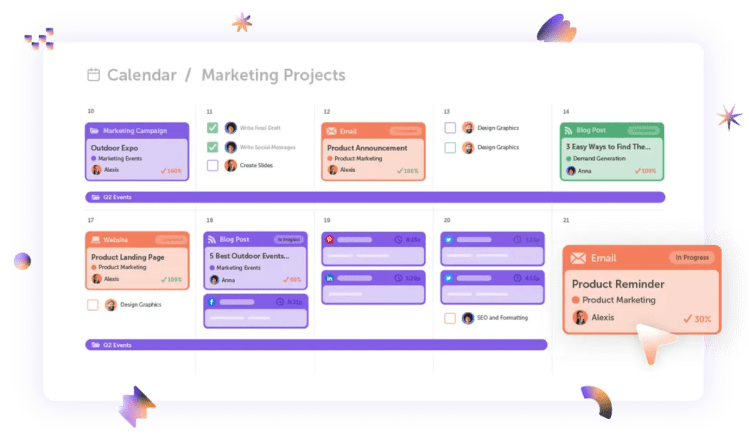
CoSchedule is marketing calendar software, designed to help marketers to organise all of their planning and content publication in one simple place.
The content calendar feature includes project planning features, so that you can have a shared to-do list for each individual piece of content or campaign to help with task management for you and your content team.
Loomly content calendar
G2 rating: 4.6 / 5
Loomly is a social media management platform which can be used for creating and scheduling social media content, as well as working collaboratively with other teams or customers.
The Loomly platform includes a content calendar and library feature which can be used for content planning and management – it’s built for social media teams, but if you like the tool you could use it for different types of content or channels too.

Kordiam content calendar
G2 rating: 4.7 / 5
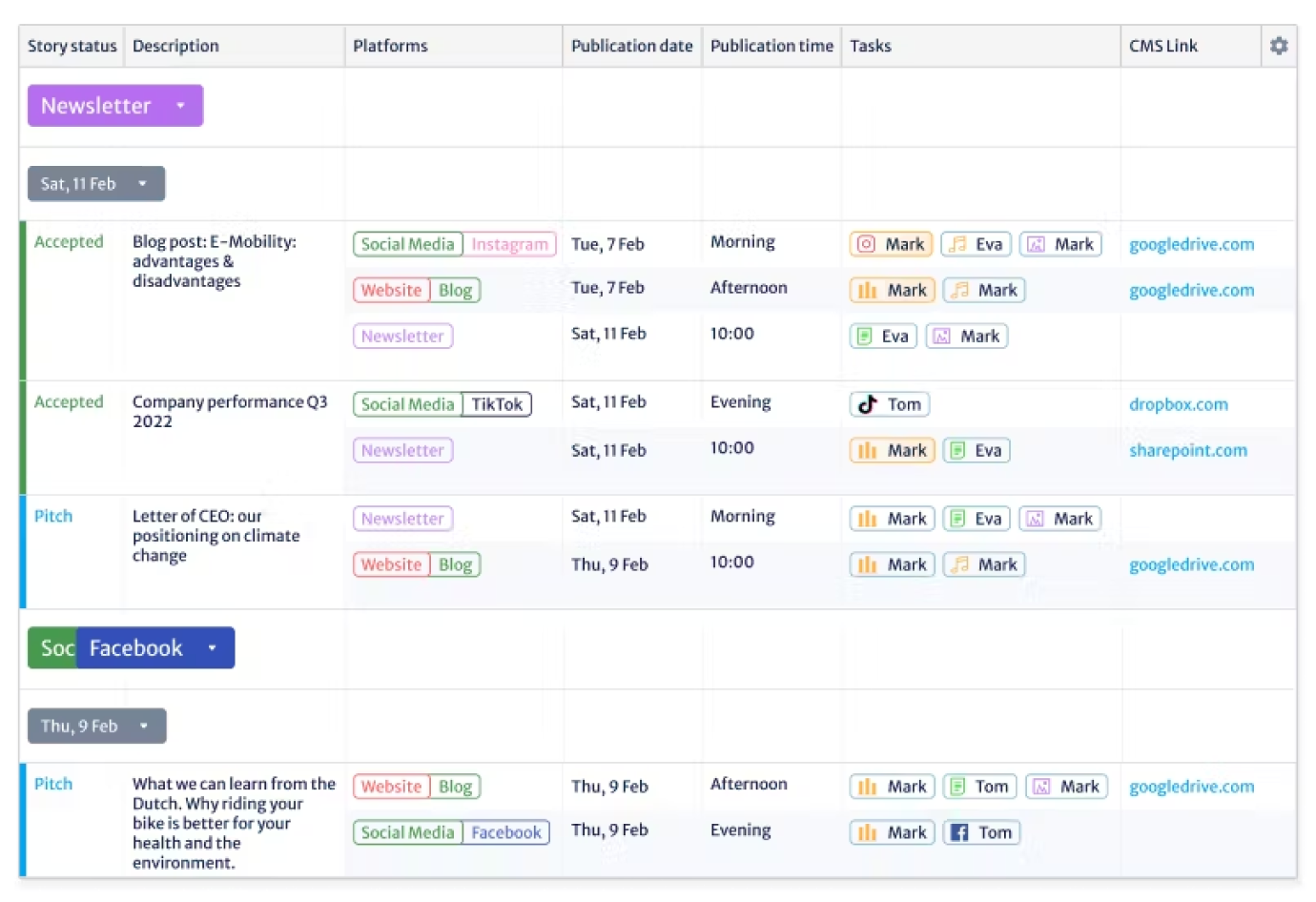
Kordiam is a content planning tool built specifically for editorial and communications teams.
It’s mostly used by media outlets who have a large number of stories each day (news publications, magazines) but could be useful for communications and marketing teams in companies that have a media arm or a large-scale content presence.
The Kordiam software includes a content calendar feature:
Narrato content calendar
G2 rating: 4.9 / 5
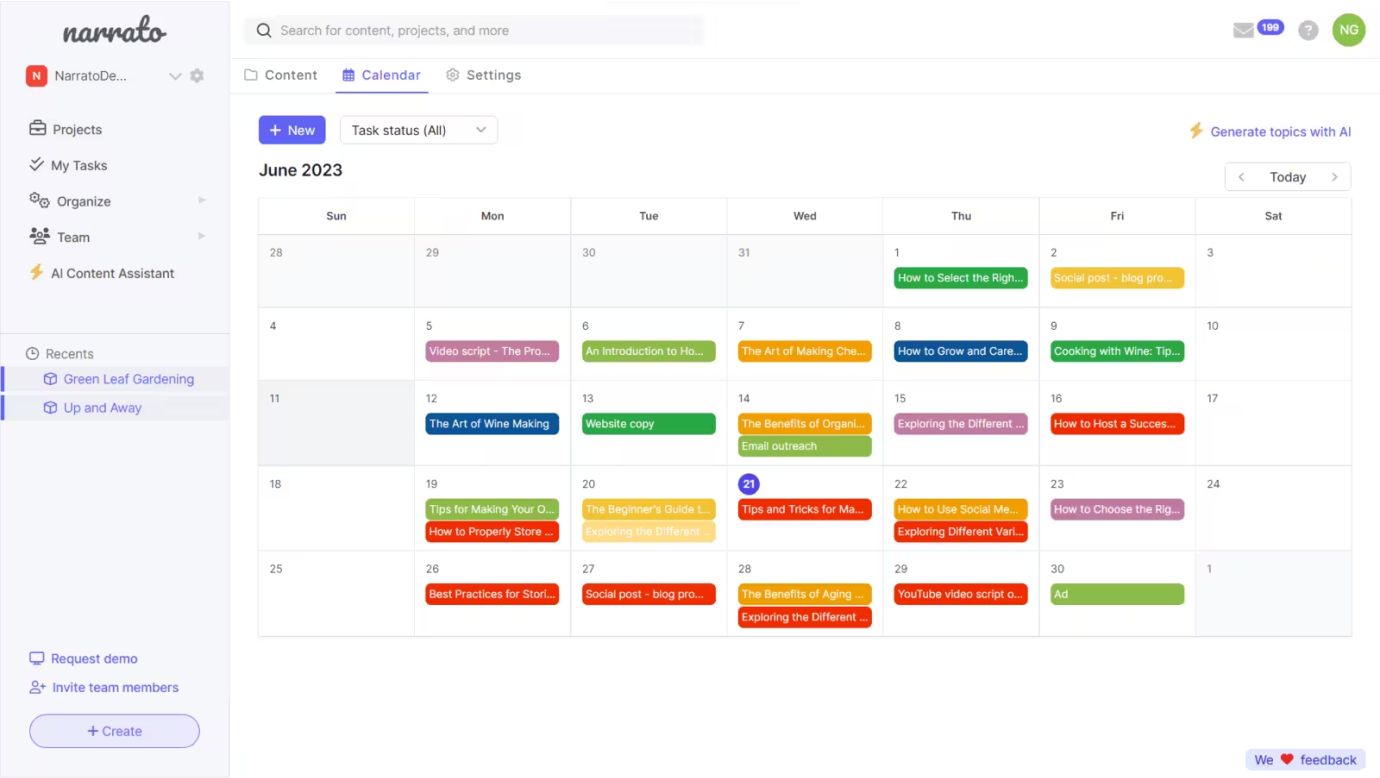
Narrato is a content planning platform with lots of different features that might be useful for content planning and creation – including an AI blog idea generator, content brief and writing templates, and more.
As you would expect, Narrato also has a content calendar feature:
Notion content calendar
G2 rating: 4.7 / 5
Notion is a workspace tool for teams.
It can be used for planning, organising, writing, project management, collaborative working, housing company documentation, and basically everything else you can think of.
Including, of course, content calendars.
Start from scratch or use a Notion content calendar template – here’s mine, and here’s a library of others.

Trello content calendar
G2 rating: 4.4 / 5
Trello is a project management tool which uses boards, lists, and cards to help plan projects and organise tasks – especially helpful across a team.
Trello can be used to set up a content calendar. It’s especially useful if you prefer a project / task view, but Trello does also have a calendar view.
Like Notion, Trello also has a load of ready-made templates that can be harnessed, like this editorial calendar template set up by the Trello team.

Asana content calendar
G2 rating: 4.4 / 5
Asana is a workspace and project management tool for teams, which includes a built-in content calendar feature.
Like other tools we’ve seen, you can start from scratch to build your own content calendar, or start with their template.

Monday.com content calendar
G2 rating: 4.7 / 5
To continue the theme (there are so many workspace and project management tools competing for space out there in the SaaS world today!), Monday is a project management tool which makes it easy to plan and collaborate across teams.
The many, many features of Monday include a content calendar feature.

ClickUp content calendar
G2 rating: 4.7 / 5
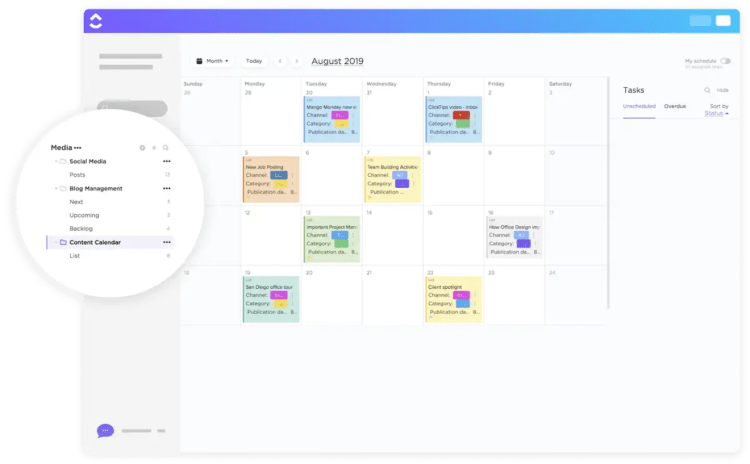
ClickUp is (yet another) project management tool for teams. It’s a fairly recent contender, but I’ve heard good things about it, it seems like many people are switching from Notion to ClickUp at the moment.
ClickUp can be used to create a content calendar – either start from scratch or use the ClickUp content calendar template to get started easily.
 Tabitha Whiting: High-impact content for high-impact startups
@@yHLwU
1ˤˢ%2527%2522
1′”
1