
Making content repurposing a priority is a smart move.
Repurposing content helps you get the most possible impact out of every idea, ensuring your most important messages reach as many of your audience as possible.
But it does take time to get right, especially if you’re keen to repurpose content into a format that you don’t currently have internal expertise on – like repurposing blogs to videos if your team’s skills lie in writing.
If that’s you, then there are plenty of content repurposing tools out there today that can make it much easier to reformat content for new formats and channels.
11 repurposing tools to help you make the most of every piece of content
In this blog post we’ll explore the pros and cons of 11 of the best tools for repurposing content that are on the market in:
- Repurpose.io
- Welcome
- Vidyo
- Piktochart
- Munch
- Wavve
- Canva Magic Switch
- Designrr
- Unifire
- Typefully
- Content Drips
📹 A note on the many other repurposing tools for video clips
There are LOTS of AI tools out there now that can take long-form video and turn it into short video clips, optimised for different social media channels (TikTok, Instagram, YouTube shorts, etc) – or transform a video clip for one channel into the right format for another channel.
I wanted this blog to cover the range of different content repurposing tools out there for all kinds of formats to cover any repurposing workflows that you might have – so I’ve limited the inclusion of those video clip tools in favour of adding more variety.
If you’re specifically looking for video repurposing, here’s user reviews for the other tools that didn’t make the cut: Lumen5, 2short, Flowjin, Minvo, Opus Clip.
Before we get into the details, below is a quick overview of how these tools compare.
As you can see, most of these options receive favourable reviews from users – the main differences to look out for are the types of repurposing offered and the price point.
Most of the repurposing tools also offer a free trial, so it’s well worth testing them out yourself to see which is best suited for your needs before making a commitment.

1. Repurpose.io

Repurpose.io content repurposing options
Repurpose.io is a tool that makes repurposing content across different social media platforms simple – designed primarily for social media creators, but equally useful for businesses who focus on video content and have a presence on multiple social media channels.
The focus for is repurposing video content for use across several social media channels – like turning a TikTok post into a YouTube short, or a LinkedIn post into a Threads post, or a podcast video into an Instagram reel.
Repurpose.io key features
Key features included in Repurpose.io are:
- Resize videos. Different channels have different format and size requirements for video – some are horizontal, some vertical, for instance. With Repurpose.io you can resize a video for a different channel at the click of a button.
- Automate repurposing workflows. Post content once on one social media channel, and Repurpose.io will automatically repurpose that content into posts optimised for all other channels that you use.
- Custom templates. Repurpose.io includes a library of templates that you can customise to align with your own brand, and use as the basis for future content.
Repurpose.io pricing
Repurpose.io has two pricing packages.
The ‘content marketer’ package is $35 (£27) per month for users with a maximum of 5 of each social media channel.
The ‘agency’ package is $149 (£117) per month for users with up to 20 of each social media channel – targeting agencies who manage social media channels for an abundance of clients.
Repurpose.io reviews
Repurpose.io has a rating of 3.4 out of 5 on Trustpilot – with users highlighting the positive impact of using the tool and the great customer support, but being disappointed that it’s difficult to cancel the product once you’ve committed to using it.
2. Welcome
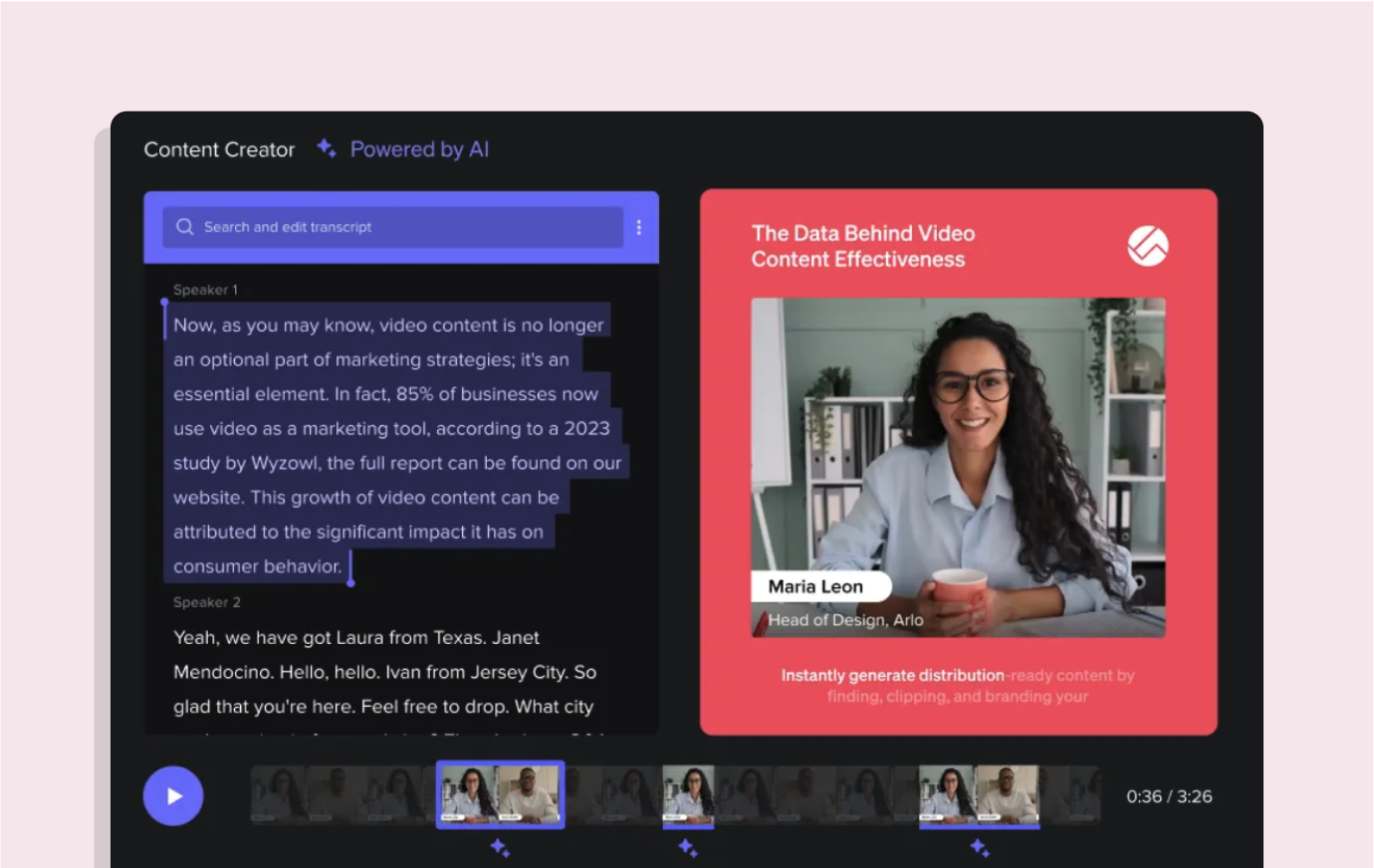
Welcome content repurposing options
Welcome is webinar hosting software, which also includes the ability to repurpose webinar recordings into into short video clips for use across other platforms – like YouTube shorts, LinkedIn, embedding on a website, and more.
Welcome key features
In terms of content repurposing, key features of Welcome include:
- An AI tool to find the best moments to turn into short clips
- Suggested titles and clip descriptions
- Automatic webinar transcript – which can be used for repurposing into written content like blogs or social media posts.
Welcome also has core features related to designing and hosting webinars.
Welcome pricing
Pricing for Welcome begins at $625 (£490) per month, billed annually at $7500 (£5875) – but remember with this higher price that Welcome is a webinar hosting platform first, with a content repurposing feature.
Welcome reviews
Welcome has a rating of 4.7 out of 5 on G2 – with users highlighting the customisation abilities within the webinar platform and the ability to easily create evergreen assets, though they do point out that due to the detailed features, Welcome can be a tricky platform to get to grips with initially.
Vidyo

3. Vidyo content repurposing options
Vidyo is an AI tool largely used for repurposing long-form video content into short-form clips, for use across social media channels – TikToks, Instagram reels, YouTube shorts, and so on.
Vidyo can also be used to turn video content into written content e.g. blogs.
Vidyo key features
Key features included in Vidyo are:
- Resize even multi-camera videos. Vidyo’s cutmagic tool detects poor framing and scene changes, making it possible to repurpose videos with multiple cameras or screens for any platform.
- Free templates. Vidyo includes a library of templates for all social media channels to help with future content creation.
- Auto generate captions for any language you like.
- Brand kit to personalise content with logos, custom outros, and more
- Instant access to royalty-free stock videos, to add b-roll footage to videos.
- Automatically turn video content into written content – like creating show notes from a video podcast, or creating a LinkedIn post from the insights in a video clip.
Vidyo pricing
Vidyo has a free plan which includes 75 credits per month for 720p quality videos, and limited access to the platform’s features.
For $49 per month users can access 600 credits per month and all features – and for large teams custom packages are available in discussion with Vidyo’s sales team.
Vidyo reviews
Vidyo has a rating of 4.6 out of 5 on Product Hunt – users highlight that the tool is easy to use and affordable, especially with the free plan as an option.
4. Piktochart

Piktochart content repurposing options
Piktochart is a design tool for transforming text-based content (documents, blogs) into visual formats like infographics, social media images, banners, flyers, posters, and more.
Piktochart can also be used for video editing and for automatically transcribing video into text – for instance, to turn a video into a transcript which can then be automatically turned into a blog post.
Piktochart key features
Key features of Piktochart for repurposing content include:
- Upload document – upload a document to Piktochart and turn it into any format you like
- Brand assets to upload and save branding such as logos, brand colours, brand fonts, and more
- Customisable template for a myriad of content formats.
Piktochart pricing
Piktochart has a free plan which includes 2 downloads per month and 50 credits for AI projects. Piktochart’s paid plan begins at $14 (£11) per user per month for professionals – and $24 (£19) per user per month for business or team accounts.
Piktochart reviews
Piktochart has a rating of 4.4 out of 5 on G2 – users love Piktochart as a tool to create infographics and images for social media images, but note that you need to purchase the paid plan to access valuable features.
5. Munch

Munch content repurposing options
Munch is an AI tool for repurposing long-form video content into short-form video clips, for use across differing social media platforms – Instagram reels, YouTube shorts, etc.
Munch key features
Key features of Munch include:
- Automate video repurposing. Upload videos to Munch and AI will identify the best clips to use for trending content across social media, and then edit them to optimise the content for the channels that you use.
- Automated subtitles in over 15 languages.
- Insights from social media trends data to optimise content creation for maximum reach and engagement.
Munch pricing
Munch has three pricing options:
- The Pro plan costs $49 (£38) per month and includes 200 monthly upload minutes.
- The Elite plan costs $116 (£91)per month and includes 500 monthly upload minutes.
- The Ultimate plan costs $220 (£172) per month and includes 1000 monthly upload minutes.
Munch also offers a free trial for new users, with 20 minutes of upload time for free and access to all features.
Munch reviews
Munch has a rating of 4.7 out of 5 on G2 – with users highlighting the amount of clips that Munch creates from each video uploaded, but that some of the clips tend to be irrelevant or have incorrect timings for use as a standalone clip.
6. Wavve
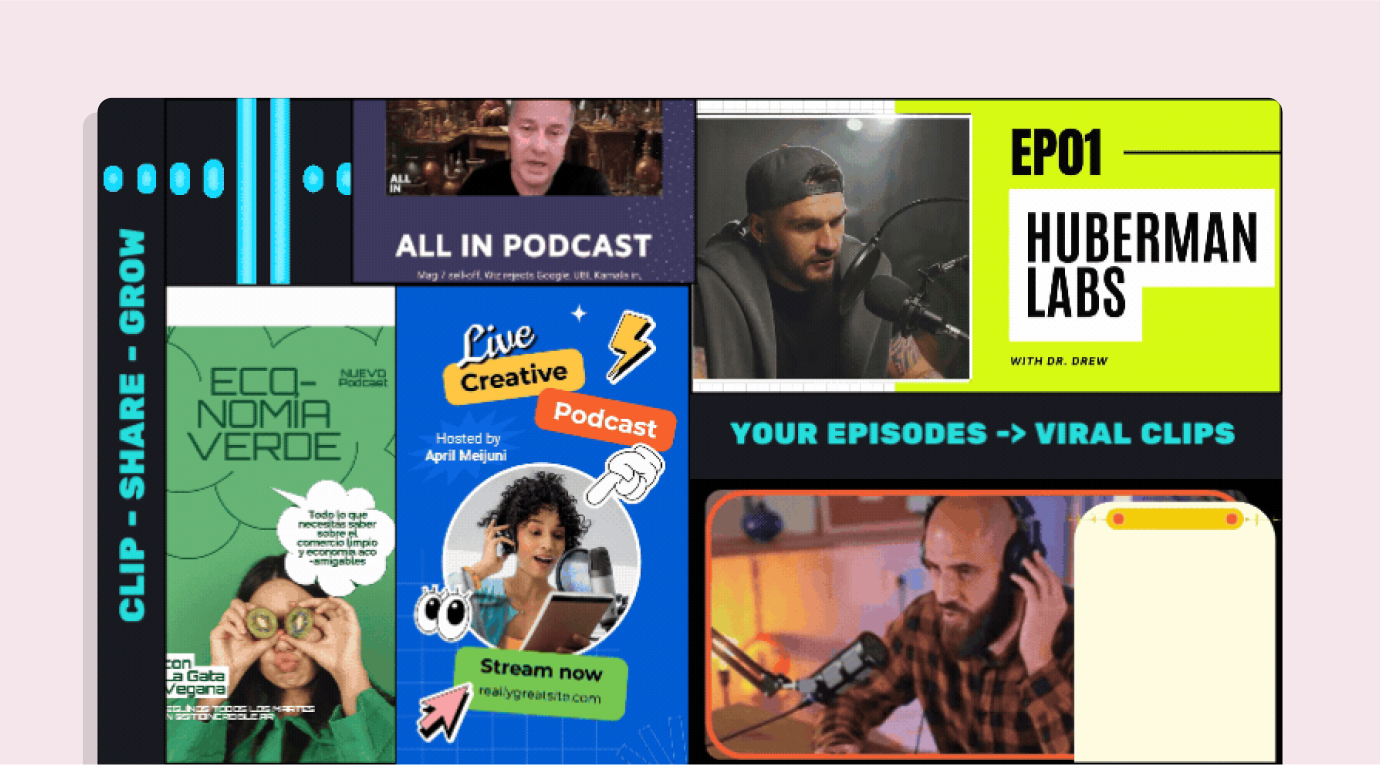
Wavve content repurposing options
Wavve is an AI tool for repurposing podcast episodes into video clips – either using video versions of the podcast episode, or using waveform animations as the video with audio clips as the audio.
Wavve key features
Key features of Wavve include:
- AI magic clips tool automatically identified the most appealing audio snippets to turn into clips
- Customisable templates for content planning across different channels – and a drag and drop design editor to make your own
- Waveform animations that match your branding
- Auto-generate transcripts, captions, and SRT files in 60 languages.
Wavve pricing
Access to Wavve costs $19.99 (£16.50) per month – but savings can be gained by opting for annual billing ($15.99 or £12.50 per month) or lifetime access for $400 (£314).
Wavve also offer a free 7 day trial.
Wavve reviews
Wavve has a rating of 4.8 out of 5 on G2 – with users highlighting the platform’s ease of use, but suggesting it would be beneficial to be able to save different designs and tool kits for use across different brands or channels.
7. Canva’s Magic Switch tool
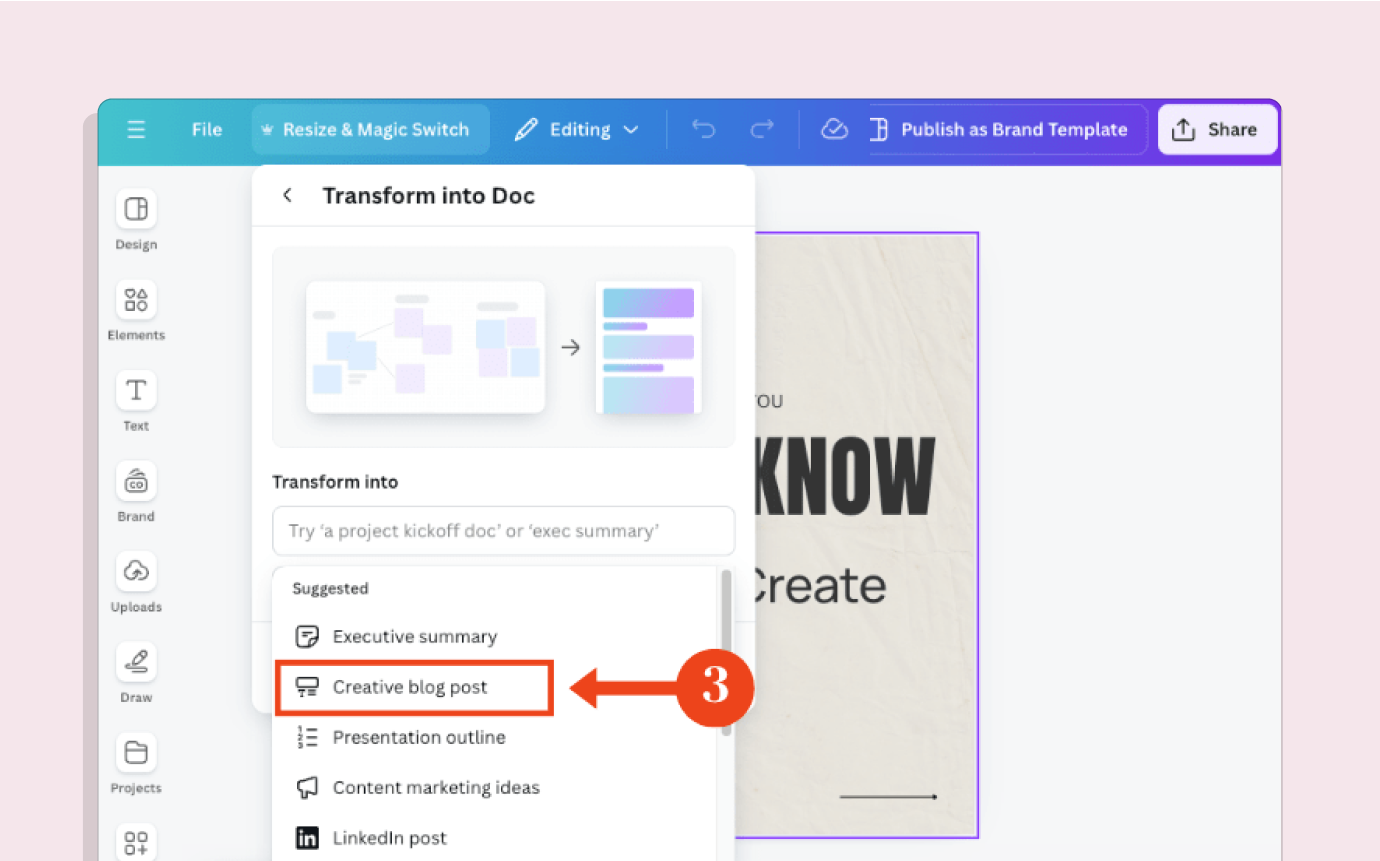
Canva Magic Switch content repurposing options
Canva is a graphic design tool, with the Magic Switch feature enabling users to resize and transform designs for use across different channels.
Magic Switch suggests the best formats for repurposing, based on the original design – so it can be used for repurposing designs into several different document formats such as an executive summary, blog post, presentation outline, LinkedIn post, video clip, etc.
The design will be automatically optimised for that format, and AI support suggests copy to use.
Canva Magic Switch features
Key features of Canva’s Magic Switch tool include:
- Resize any design into different sizes for every channel that you use
- Repurpose designs into different document formats e.g. a presentation into a blog post.
Canva Magic Switch pricing
To access Canva Magic Switch you will need a Canva Pro account, which costs £13 ($15) per month for one user.
Canva offers a 30 day free trial for Canva Pro.
Canva reviews
Canva has a rating of 4.7 out of 5 on G2 – but note that this is for Canva as a product overall, not specifically for the Magic Switch feature. Users do reference the Magic Switch feature as something that they like about Canva, enabling resizing across different channels.
8. Designrr
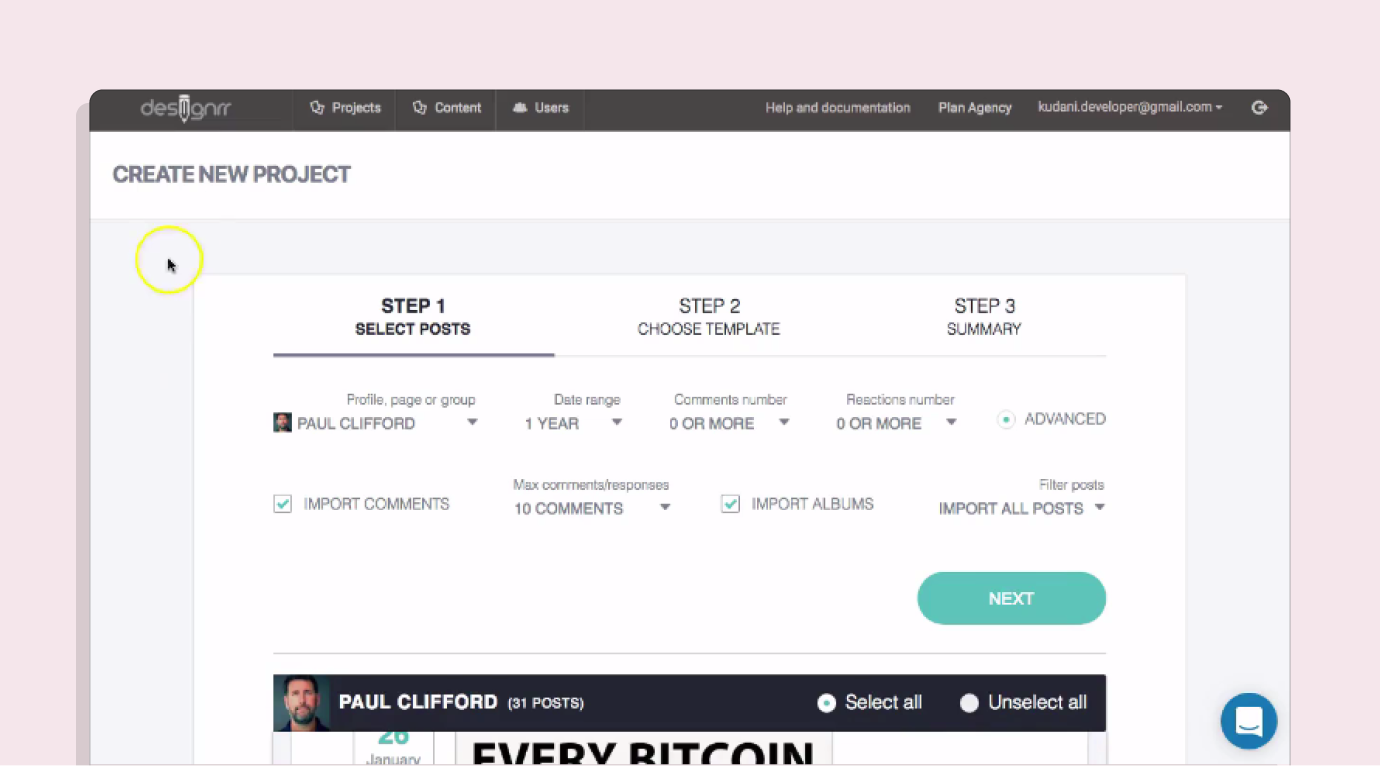
Designrr content repurposing options
Designrr is a tool for repurposing blog posts, podcasts, videos, or PDF documents into other formats. The primary use is to turn these types of content into eBooks – as well as PDFs, dynamic flipbooks, or webpages. Designrr can also be used to turn podcasts or videos into written transcripts or documents.
Designrr features
Key features of Designrr include:
- Multiple import options mean that you can import content from PDFs, Word, Google Docs, audio and video files, or straight from your company’s blog.
- Transform a series of blogs, podcasts, videos, or documents into a full Ebook.
- AI video or podcast transcription.
Designrr pricing
Designrr has four pricing tiers:
- Standard: $29 (£23) per user per month, 100 templates and limited features.
- Pro: $39 (£31) per user per month, 300 templates and additional features e.g. flipbook generator, clone projects.
- Premium: $49 (£39) per user per month, same as pro but with further additional features e.g. export to website, create custom templates.
- Business: $99 (£78) per user per month, includes transcription feature.
There is a 7 day free trial available for all tiers apart from business.
Designrr reviews
Designrr has a G2 rating of 4.3 out of 5. Users like the layout and design capabilities, but highlight that it is a complex tool which can take a long time to get to grips with.
9. Unifire

Unifire content repurposing options
Unifire is a repurposing tool for text-based formats – turning text, audio, or video content into newsletters, blog posts, LinkedIn posts, or tweets.
Unifire features
Key features of Unifire include:
- Templates instead of prompts – Unifire automatically puts the content you import into ready-made templates for whatever format you want to repurpose into to give a starting point, and you can add custom instructions from there.
- No restrictions on team members per account, for a fully collaborative experience.
- AI video or podcast transcription.
Unifire pricing
Unifire has three pricing tiers:
- Starter: $16 per user per month, limit of 2 hours and 300,000 characters upload, limited features.
- Premium: $28 per user per month, 10 hour and 1 million character upload limit, add colleagues for collaboration, transcription tool.
- Business: $199 per month, unlimited uploads, unlimited team members, custom content templates, priority support, priority AI processing.
Unifire also offers a 14 day free trial.
Unifire reviews
Unifire has a G2 rating of 4.5 out of 5. Users love how easy the platform is to use and the time saved through repurposing, but would prefer if the pricing tiers didn’t limit credits and highlight that sometimes the AI transcriptions can be hit or miss.
10. Typefully
Typefully content repurposing options
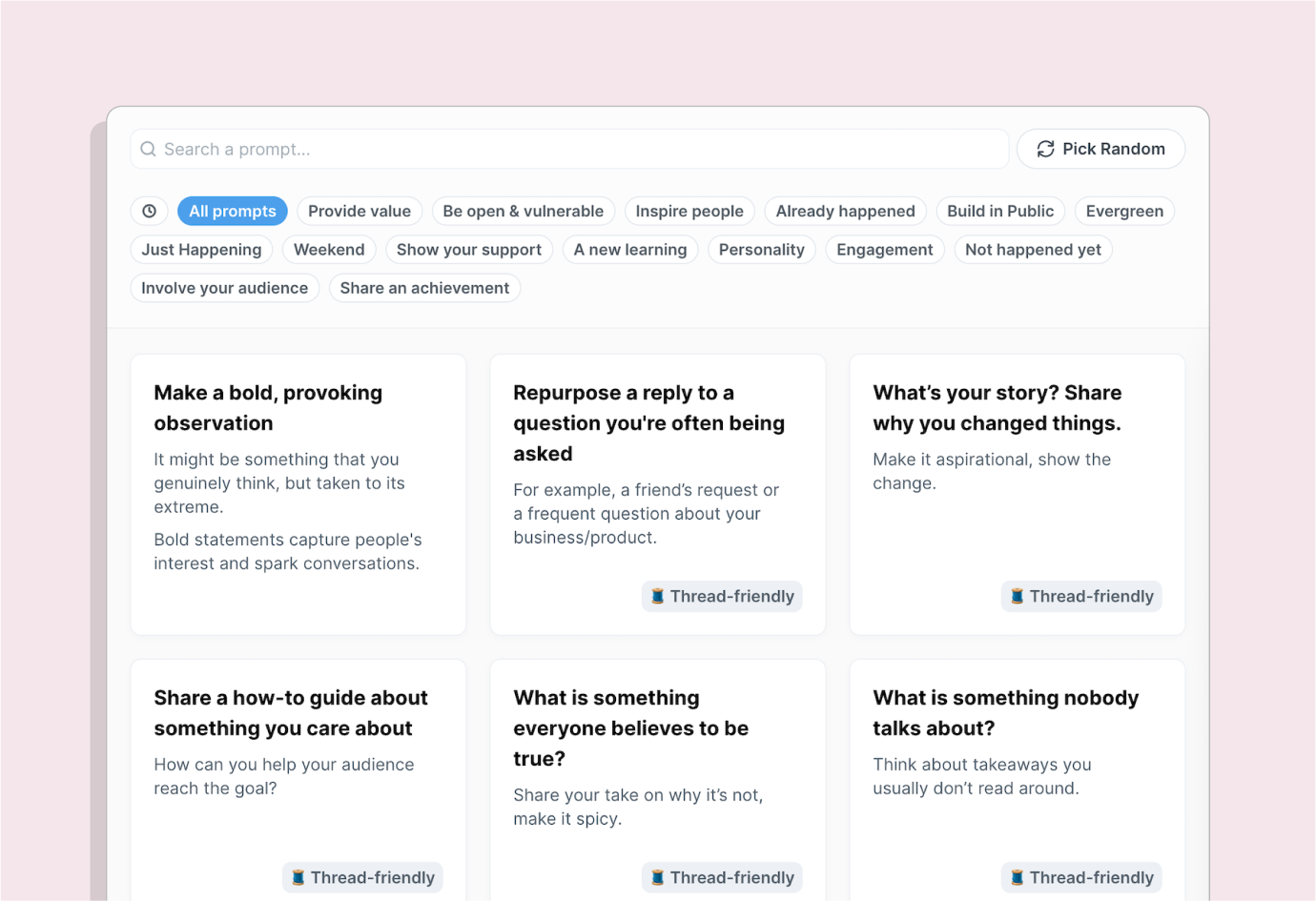
Typefully is a repurposing tool for written social media posts. It enables you to write a post once, and repurpose it across all the accounts you manage. For instance, you might write a post for LinkedIn and use Typefully to optimise that post for Twitter / X and Threads. Typefully can also repurpose documents into social media posts e.g. create draft LinkedIn posts from a Google Doc or podcast episode. Finally, Typefully can also repurpose social media posts into newsletters.
Typefully features
Key features of Typefully include:
- AI ideas and rewrites if you aren’t happy with a post, or you’d like to see additional options.
- A library of prompts is saved in the tool and added to each time you write a post or import a piece of content, to be referenced if you need ideas for future posts.
- Share drafts with collaborators, and leave comments.
- Automatically send DMs to users that interact with your posts.
- Schedule across all platforms.
- Analytics in the tool for all posts, and insights on how to improve posts in future for better engagement.
Typefully pricing
Typefully has four pricing tiers:
- Free: 15 posts per month, 1 account, limited features.
- Creator: $12.50 (£10) per month for unlimited posts and all features.
- Team: $39 (£31) per month for unlimited posts, all features, unlimited users, limit of 2 teams.
- Agency: $79 (£63) per month for unlimited posts, all features, unlimited users, unlimited teams.
Typefully also offers a 14 day free trial for paid plans.
Typefully reviews
Typefully has a rating of 4.7 out of 5 on Product Hunt. Users love the ability to cross-post with ease and great UI, but highlight that the pricing can be expensive for individual users.
11. Content Drips

Content Drips content repurposing options
Content Drips is primarily a design tool for social media posts, which includes the ability to automatically repurpose text, blog posts, or Twitter / X threads into on-brand carousel posts for LinkedIn or Instagram.
Content Drips features
Key features of Content Drips include:
- Carousel templates, customisable based on your brand assets
- Automatic design fixes
Content Drips pricing
Content Drips has three pricing tiers:
- Free: 1 user, basic templates, 1 brand kit, limited features
- Starter: $15 per month for 2 users, all templates, 3 brand kits, all features, 2000 AI credits.
- Pro: $26 per month for unlimited users, unlimited brands, 8000 AI credits.
Content Drips reviews
Content Drips has a rating of 4.5 out of 5 on Product Hunt. Users highlight that the tool is useful and easy to get to grips with.
 Tabitha Whiting: High-impact content for high-impact startups